





What’s the best microSD card for Switch game storage?

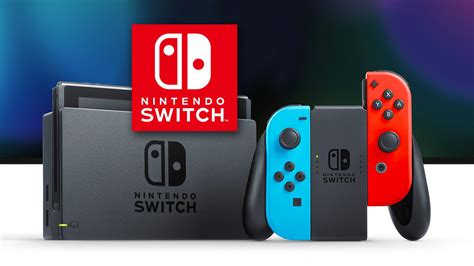
The Nintendo Switch, while a marvel of portable gaming, comes with a rather modest 32GB (or 64GB for the OLED model) of internal storage. For anyone building a digital game library or downloading frequent updates, this space quickly diminishes. Expanding your storage with a reliable microSD card isn’t just a luxury; it’s a necessity to ensure you always have room for the next big adventure. But with countless options available, how do you choose the best one?
Why Your Switch Needs a MicroSD Card
Even if you prefer physical game cartridges, many titles require significant downloads for updates, DLC, and even full game installations if you buy digitally. Modern Switch games can easily range from 5GB to 20GB+, meaning the internal storage can fill up after just a few titles. A microSD card provides the crucial extra breathing room, preventing frustrating “storage full” messages and allowing you to keep more games ready to play at a moment’s notice.
Key Factors When Choosing a MicroSD Card for Switch
Not all microSD cards are created equal, and choosing the right one can impact game load times and overall system responsiveness. Here’s what to consider:
Capacity: How Much Space Do You Need?
- 128GB-256GB: A great starting point for most users, offering ample space for several large games and many smaller ones.
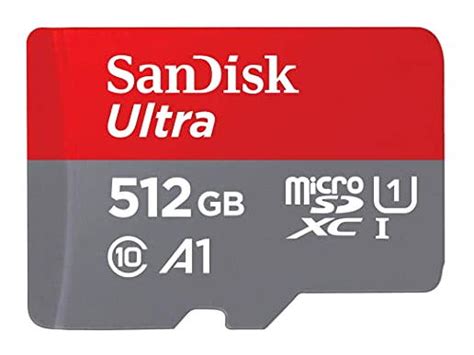
- 512GB: Ideal for avid digital gamers with a growing collection, providing plenty of room for years to come.
- 1TB+: For the most dedicated collectors or those who want to download every game imaginable. While more expensive, it offers ultimate peace of mind.
Consider your gaming habits. Do you buy mostly physical or digital? How many games do you typically have installed at once? It’s often better to over-estimate your needs slightly to future-proof your purchase.
Speed: Read and Write Performance
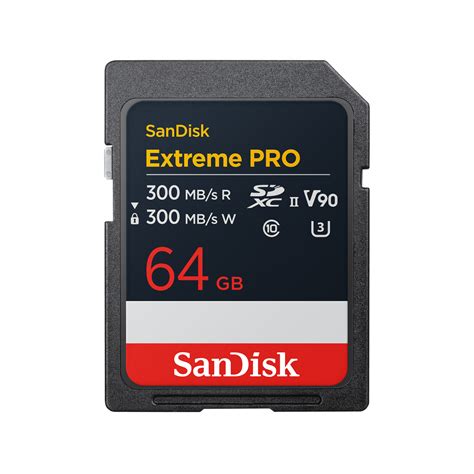
The Nintendo Switch supports UHS-I microSD cards, with a maximum data transfer rate of 100MB/s. While faster UHS-II cards exist, the Switch cannot fully utilize their increased speeds, so they offer no practical benefit and often come at a premium price. Look for:
- UHS Speed Class 1 (U1) or 3 (U3): U3 cards are faster for sustained write speeds, which can be beneficial for large game installs.
- Video Speed Class V30: This indicates a minimum sequential write speed of 30 MB/s, ensuring smooth performance.
- Application Performance Class A1 or A2: These ratings relate to random read/write performance, which is important for running apps (like games) directly from the card. A1 is usually sufficient, but A2 offers slightly better random performance if available at a similar price.
Aim for a card with a read speed of at least 90MB/s to 100MB/s for optimal game loading times.
Brand Reliability
Stick to reputable brands known for quality and authenticity. SanDisk, Samsung, Lexar, and PNY are generally safe bets. Off-brand or suspiciously cheap cards often deliver subpar performance, fail quickly, or are outright fakes with less storage than advertised.
Recommended MicroSD Cards for Nintendo Switch
Based on performance, reliability, and value, here are some top picks:
- SanDisk MicroSDXC for Nintendo Switch: Officially licensed by Nintendo, these cards come in various capacities (64GB, 128GB, 256GB, 512GB, 1TB) and are guaranteed to meet the Switch’s requirements. They feature Nintendo branding and offer consistent performance.
- SanDisk Extreme / Ultra Series: While not Nintendo-branded, SanDisk’s general-purpose Extreme and Ultra cards (UHS-I U3/A1/V30) are excellent choices. They offer similar or identical performance to the official cards at a potentially lower price.
- Samsung EVO Select / EVO Plus: Samsung’s EVO line consistently delivers strong performance and great value. These UHS-I U3/A2/V30 cards are highly reliable and a favorite among tech enthusiasts for their speed and durability.
- Lexar PLAY MicroSDXC: Designed with gamers in mind, the Lexar PLAY series offers robust A1 or A2 performance, making it a solid choice for the Switch.
Always check current prices, as they can fluctuate. Aim for the best balance between capacity and speed within your budget from a trusted retailer.
Installation and Management Tips
Installing a microSD card in your Switch is straightforward:
- Power Off: Completely power down your Nintendo Switch (hold the power button for a few seconds and select “Power Options” > “Turn Off”).
- Locate Slot: Lift the kickstand on the back of your Switch to reveal the microSD card slot.
- Insert Card: Insert the microSD card with the label facing down until it clicks into place.
- Power On: Turn your Switch back on. It will automatically detect and format the card.
The Switch will automatically save new game downloads and screenshots to the microSD card once it’s installed. You can also move existing downloaded games from internal storage to the microSD card via System Settings > Data Management.

Don’t Fall for Fake Cards
The market is unfortunately rife with counterfeit microSD cards, especially from unauthorized sellers. These cards often claim huge capacities at impossibly low prices but either have significantly less actual storage or fail quickly. Always purchase from reputable retailers (Amazon, Best Buy, Walmart, etc.) or directly from the manufacturer.
If you suspect a card is fake, you can use software like H2testw on a PC to verify its actual capacity and integrity. A genuine card will pass this test without errors.

Conclusion
Choosing the best microSD card for your Nintendo Switch doesn’t have to be complicated. Focus on a reputable brand, aim for a capacity that suits your current and future gaming habits (256GB or 512GB is often the sweet spot), and ensure it has a UHS-I U3 or V30 speed rating with A1 or A2 application performance. With the right card, you’ll enjoy seamless gaming, faster load times, and endless space for all your digital adventures on the go.


