





What’s the best microSD card for Switch digital game storage?

Why Your Nintendo Switch Needs a microSD Card
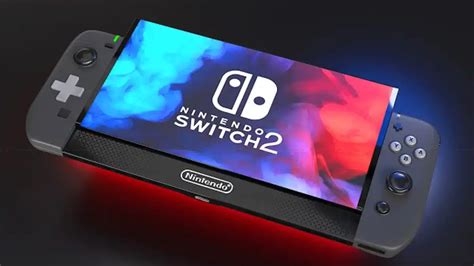
The Nintendo Switch, an incredibly popular hybrid console, comes with a limited amount of internal storage. The standard Switch and Switch Lite models offer 32GB, while the OLED model boasts 64GB. While this might seem adequate for a few games, modern digital titles can easily consume multiple gigabytes each. Games like The Legend of Zelda: Tears of the Kingdom or Pokémon Scarlet/Violet can demand upwards of 15GB each. If you prefer buying digital versions of games from the eShop, a microSD card quickly becomes an essential upgrade to avoid constant game deletions and re-downloads.
Expanding your storage with a microSD card allows you to keep a vast library of games ready to play, without the hassle of managing precious internal space. This is especially important for players who frequently download new titles or purchase large DLC expansions.
Key Factors to Consider When Buying a microSD Card
Not all microSD cards are created equal. To ensure optimal performance and value for your Nintendo Switch, pay close attention to these critical factors:
Capacity: How Much Do You Really Need?
This is often the first consideration for many users. The ideal capacity depends heavily on your gaming habits:
- 128GB: A good starting point for casual players who download a few digital games or mostly play physical cartridges. It offers decent storage without breaking the bank.
- 256GB: The sweet spot for most users. It provides ample space for a significant digital library, accommodating numerous AAA titles and smaller indie games.
- 512GB: Ideal for avid digital collectors or those who want to future-proof their storage. You can download dozens of large games and rarely worry about space.
- 1TB: The maximum capacity currently supported by the Switch. While expensive, it’s perfect for power users who want virtually unlimited digital storage for years to come.
Consider the average size of the games you play and how many you want to have installed at any given time. Remember, system updates and saved data also consume space.
Speed: Don’t Compromise Performance
Capacity is important, but speed is crucial for game loading times and overall system responsiveness. The Nintendo Switch supports UHS-I microSD cards, with a maximum theoretical read speed of 104 MB/s. While faster UHS-II cards exist, the Switch cannot fully utilize their increased speeds, making them an unnecessary expense.
Here’s what to look for regarding speed:
- UHS Speed Class 3 (U3): This indicates a minimum sequential write speed of 30 MB/s. It’s highly recommended for the Switch to ensure smooth gameplay and faster loading times.
- Video Speed Class V30: Similar to U3, V30 guarantees a minimum sequential write speed of 30 MB/s. You’ll often see U3 and V30 together.
- Application Performance Class A1 or A2: While primarily designed for Android apps, A1 and especially A2 cards offer improved random read/write performance, which can slightly benefit game loading and general system responsiveness on the Switch. A2 cards typically offer better performance than A1, but both are good choices.
Always prioritize a card with U3 and preferably A1 or A2 ratings to ensure the best possible gaming experience.

Reputable Brands and Reliability
While cheaper, lesser-known brands might be tempting, investing in a reputable brand is wise for reliability and warranty. Counterfeit or low-quality cards can lead to data corruption, slower performance, and ultimately, frustration. Stick to established manufacturers known for their quality control:
- SanDisk: Widely regarded as a top choice, especially their ‘Extreme’ or ‘Ultra’ lines. They even produce officially licensed Nintendo Switch microSD cards, which are essentially re-branded versions of their existing high-performance cards.
- Samsung: Their ‘EVO Select’ and ‘PRO Plus’ series are excellent, offering great performance and reliability.
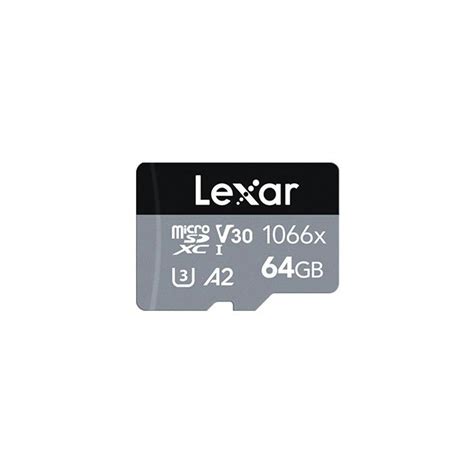
- Lexar: Another solid contender with reliable and fast microSD card options.
- PNY: Offers competitive performance and pricing, especially with their ‘Elite-X’ series.
Purchasing from authorized retailers also helps ensure you receive a genuine product.
Our Top Recommendation: The Best Balance
For most Nintendo Switch users, the best microSD card strikes a balance between ample capacity and high speed, without an exorbitant price tag. We recommend a 256GB or 512GB UHS-I U3 A2 microSD card from a reputable brand like SanDisk or Samsung.
- SanDisk Extreme / Ultra (Officially Licensed): Excellent performance, great reliability, and often comes with Nintendo branding for peace of mind.
- Samsung EVO Select / PRO Plus: Strong alternatives offering comparable speed and reliability at competitive prices.
These cards will provide more than enough space for a significant digital library and ensure smooth game loading times, enhancing your overall Switch experience without any hitches.
Installation and Setup
Installing a microSD card in your Nintendo Switch is straightforward. Simply power off your console, open the kickstand, and slide the card into the slot. The Switch will automatically detect it and prompt you to format it if necessary. Once formatted, it will be ready to store your games and data.

Conclusion: Making the Right Choice
Investing in the right microSD card is one of the best upgrades you can make for your Nintendo Switch. By focusing on a balance of capacity (256GB-512GB), speed (UHS-I U3 A2), and choosing a trusted brand, you’ll ensure a seamless and enjoyable gaming experience, free from the constant struggle of managing storage space. Happy gaming!


