





What’s the best microSD card for Nintendo Switch game storage?

Unlocking Your Nintendo Switch’s Full Potential with the Right microSD Card
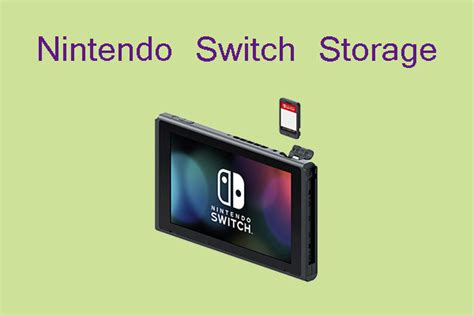
The Nintendo Switch, an incredibly versatile console, offers a wealth of gaming experiences, both at home and on the go. However, its internal storage is notoriously limited – just 32GB for the original and Lite models, and 64GB for the OLED model. With many popular digital titles easily exceeding 10GB, and even physical cartridges requiring significant update and patch downloads, a microSD card isn’t just an accessory; it’s a necessity for any serious Switch gamer. But with so many options on the market, how do you pick the best one?
Key Factors When Choosing Your Switch microSD Card
Selecting the ideal microSD card for your Switch boils down to two primary considerations: capacity and speed. Understanding these will help you make an informed decision that balances performance with cost.
Capacity: How Much Space Do You Really Need?
This is often the first question gamers ask. Game sizes vary wildly, from small indie titles under 1GB to AAA blockbusters exceeding 30GB. Consider your gaming habits:
- Casual Gamer (Physical Cartridges): If you mostly buy physical games and only download a few digital titles or updates, 64GB or 128GB might suffice.
- Moderate Gamer (Mix of Physical & Digital): For those who enjoy a healthy mix, 256GB or 512GB offers a good balance, providing plenty of room for several large digital games and numerous smaller ones. This is the sweet spot for many users.
- Digital Collector/Heavy Gamer: If you plan to download most of your games digitally or simply want to avoid managing storage constantly, 1TB is the way to go. While more expensive, it provides immense freedom.
Remember, it’s generally better to buy slightly more capacity than you think you need, as game libraries tend to grow over time.
Speed: Why UHS-I U3 is Your Best Friend
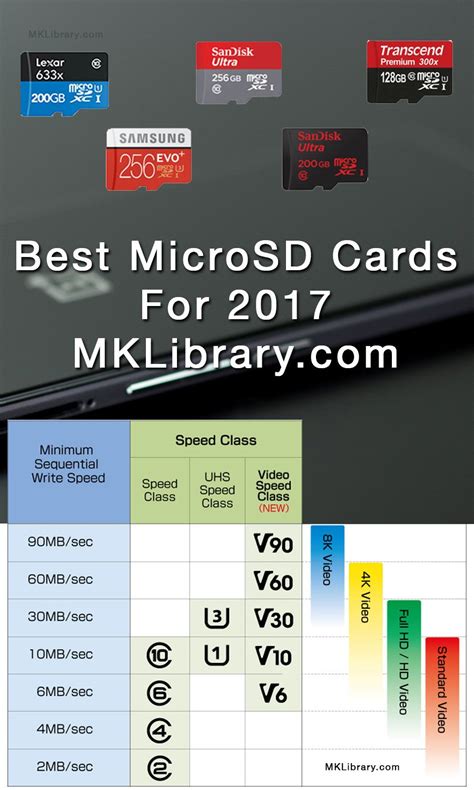
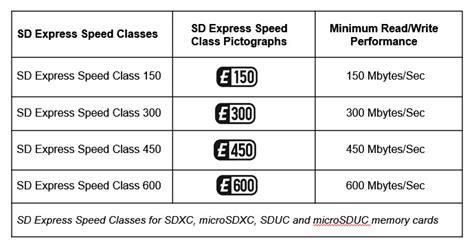
The Nintendo Switch supports UHS-I (Ultra High Speed Phase I) microSD cards. While UHS-II cards will physically fit and function, the Switch doesn’t utilize their higher speed capabilities, meaning you’d be paying for performance you can’t access. Therefore, stick to UHS-I cards.
Within UHS-I, look for cards rated Speed Class 10 (C10) and particularly those with a UHS Speed Class 3 (U3) rating. A U3 rating guarantees a minimum sequential write speed of 30MB/s, which translates to faster game loading, smoother gameplay (especially for games with dynamic loading), and quicker downloads and updates. While U1 cards (minimum 10MB/s) will work, U3 cards offer a noticeably better experience for the demanding nature of modern games.
You might also see “A1” or “A2” ratings (Application Performance Class). While A1/A2 cards are optimized for running apps on mobile devices, they also indicate good random read/write performance, which can be beneficial. However, prioritize UHS-I U3 over A1/A2 if you have to choose.
Recommended Specifications and Brands
When shopping, look for microSDXC cards (for capacities 64GB and above) that explicitly state UHS-I and U3. Reputable brands like SanDisk, Samsung, Lexar, and PNY are generally reliable choices known for their quality control and performance consistency. Avoid suspiciously cheap unbranded cards, as they often fail to deliver advertised speeds or capacities and can be prone to early failure.

Installation and Formatting
Installing a microSD card in your Switch is straightforward: simply insert it into the slot beneath the kickstand (for the original and OLED models) or on the bottom edge (for the Lite). The Switch will prompt you to format the card, which is a quick process that prepares it for game storage. Be aware that formatting will erase any existing data on the card.
Conclusion: The Best Choice for Most Gamers
For the vast majority of Nintendo Switch owners, the “best” microSD card will be a SanDisk, Samsung, or Lexar microSDXC card with at least 256GB or 512GB of capacity, rated UHS-I U3. This combination offers an excellent balance of ample storage for a growing game library and fast enough speeds for a seamless gaming experience, all without breaking the bank. Invest in a quality card, and you’ll ensure your Switch can keep up with all the incredible games it has to offer.



