





What mobile game settings optimize performance & minimize battery drain?

Balancing Performance and Endurance in Mobile Gaming
Mobile gaming has evolved dramatically, with titles rivaling console experiences in visual fidelity and complexity. However, this advancement often comes at the cost of device performance and battery life. Finding the sweet spot between stunning graphics and a smooth, long-lasting gaming session requires smart adjustments to both in-game and device-level settings. Optimizing these settings can transform your gameplay, reduce lag, prevent overheating, and keep you in the game longer.
Graphics Settings: The Visuals vs. Performance Balance
Most modern mobile games offer a range of graphical options. These are often the biggest culprits for performance drops and battery drain. Start by looking for:
- Resolution: Lowering this can significantly improve frame rates and save battery, though it might make the game appear slightly less sharp. Many games offer an ‘HD’ or ‘SD’ toggle.
- Texture Quality: High-resolution textures consume more VRAM (video memory) and processing power. Reducing this setting can free up resources.
- Shadows: Dynamic shadows are resource-intensive. Disabling them or setting them to a lower quality (e.g., ‘low’ or ‘static’) offers a noticeable boost.
- Anti-aliasing (AA): While AA smooths jagged edges, it’s a demanding feature. If available, turning it off or down (e.g., from 4x to 2x) can yield substantial performance gains.
- VSync: Synchronizes the game’s frame rate with your screen’s refresh rate to prevent screen tearing. While beneficial, it can introduce input lag and might not be necessary if your frame rate is consistently high. Disabling it might slightly improve performance in some cases.
- Frame Rate (FPS) Limit: Often capped at 30 or 60 FPS. If your device struggles to maintain 60 FPS, capping it at 30 can provide a more stable experience and reduce battery drain, as the device doesn’t have to work as hard.

System-Level Optimizations for Extended Playtime
Beyond in-game settings, your device’s overall configuration plays a crucial role in gaming performance and battery longevity. Consider these system-wide tweaks:
- Screen Brightness: The display is one of the biggest power consumers. Reduce screen brightness to the lowest comfortable level, especially if playing indoors. Disable auto-brightness during gaming sessions.
- Background Apps: Close all unnecessary apps running in the background before launching a game. These consume RAM, CPU cycles, and battery, competing with your game for resources.
- Power Saving Mode: Most smartphones have a battery saver mode. While it can extend battery life significantly, it often limits CPU performance and background activities, which might impact game fluidity. Use it for less demanding games or when battery is critically low.
- Wi-Fi/Cellular Data: If playing offline games, turn off Wi-Fi and mobile data to prevent background syncing and notifications. For online games, ensure a stable connection; fluctuating signals consume more power as the device constantly searches for a better connection.
- Notifications: Disable notifications from other apps while gaming to prevent interruptions and reduce background processing. Many devices offer a ‘Do Not Disturb’ or ‘Gaming Mode’ that handles this automatically.

Leveraging Device-Specific Game Modes and Boosters
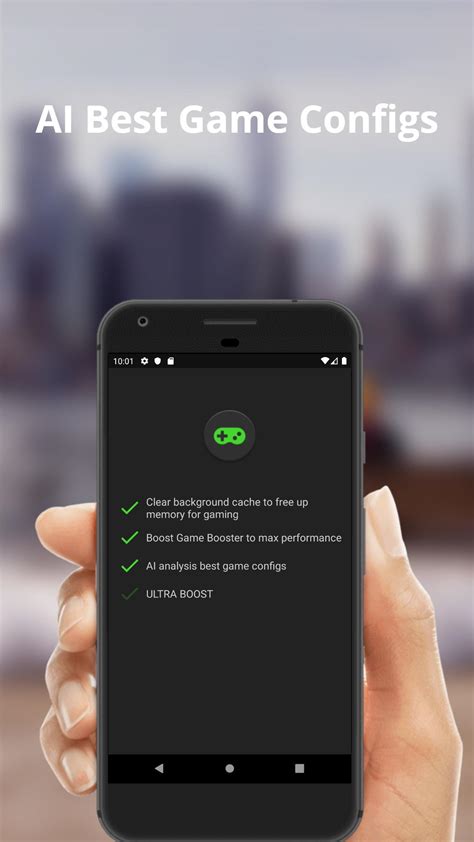
Many Android devices, particularly those from Samsung, Xiaomi, OnePlus, and ASUS, come with dedicated ‘Game Modes’ or ‘Game Boosters’. These features are designed to automatically optimize your phone for gaming by:
- Clearing RAM.
- Prioritizing network bandwidth for the game.
- Blocking notifications.
- Disabling gestures or touch-sensitive areas to prevent accidental input.
- Sometimes even allowing per-game performance profiles.
Familiarize yourself with your device’s specific game mode features and customize them to your preferences. They can offer a convenient one-touch solution for optimal gaming conditions.
Monitoring and Fine-Tuning Your Experience
The best optimization strategy involves a bit of experimentation. Many modern phones (or third-party apps) can display real-time frame rates and CPU/GPU usage. Use these tools to monitor the impact of your setting changes:
- Start with moderate settings and gradually increase graphical fidelity until you notice a dip in performance or significant battery drain.
- Conversely, if you’re experiencing issues, systematically reduce settings one by one, testing after each change, until performance improves.
What works best can vary significantly between games, so be prepared to adjust settings for each title you play regularly.

Beyond Settings: General Tips for Mobile Gaming Longevity
While settings are key, a few general practices can further enhance your mobile gaming experience:
- Keep Your Device Cool: Overheating can lead to thermal throttling, where your device intentionally slows down to prevent damage. Avoid playing in direct sunlight or with a case that traps heat.
- Keep Software Updated: Operating system and game updates often include performance optimizations and bug fixes.
- Maintain Battery Health: Avoid consistently draining your battery to 0% or charging to 100%. Aim to keep it between 20% and 80% for longer overall battery lifespan.
Conclusion: Game Smarter, Not Harder
Optimizing your mobile game settings is a continuous process of balancing visual enjoyment with device capabilities and battery endurance. By intelligently tweaking in-game graphics, managing system-level resources, and utilizing dedicated game modes, you can significantly enhance your mobile gaming performance, reduce frustrating lag, prevent overheating, and extend your play sessions. Experimentation is key to finding the perfect configuration that suits your device and your favorite titles, allowing you to immerse yourself fully in the gaming world without constant worries about performance or power.



