What essential settings should I adjust on my new console for optimal game performance and visuals?
Congratulations on your new console! While simply plugging it in and playing is an option, taking a few moments to fine-tune its settings can dramatically enhance your gaming experience. From crisp visuals to immersive audio and stable online play, optimizing these core configurations ensures you get the most out of your investment.
Display Settings: The Visual Foundation
Your display settings are paramount to visual fidelity. Start by ensuring your console is outputting to the highest resolution your TV or monitor supports, typically 4K (2160p) on modern consoles. Navigate to the system’s display or screen settings.
Next, check for High Dynamic Range (HDR) and Variable Refresh Rate (VRR) options. If your display supports them, enable HDR for brighter highlights and deeper shadows, and VRR for smoother, tear-free gameplay by synchronizing the console’s frame rate with your screen’s refresh rate. Also, confirm the refresh rate is set to 60Hz or 120Hz if your display and console support it, which provides a much more fluid visual experience.

Audio Settings: Immerse Yourself in Sound
Good audio isn’t just about hearing; it’s about feeling the game world. Most modern consoles offer advanced audio options. If you’re using a surround sound system or a soundbar, ensure the console’s audio output is set to the correct format (e.g., Bitstream, Dolby Digital, DTS). For headphones, especially gaming headsets, look for options like 3D Audio, Spatial Audio, or Tempest 3D Audio (on PS5), which can create a much more immersive and positional soundscape, crucial for competitive play.
Adjust volume levels and chat mix to your preference, ensuring game audio doesn’t overpower voice chat, or vice versa. Experiment with different audio profiles if your console or headset offers them, as some are optimized for specific game genres.
Network Configuration: Stable Online Play
For online gaming, a stable and fast internet connection is key. Whenever possible, use a wired Ethernet connection over Wi-Fi. It provides superior speed and significantly lower latency (ping), which is vital for competitive online games.
If Wi-Fi is your only option, ensure your console is close to your router and connected to the 5GHz band for better speeds. You might also consider adjusting your console’s DNS settings to a public DNS server (like Google’s 8.8.8.8 and 8.8.4.4, or Cloudflare’s 1.1.1.1 and 1.0.0.1) which can sometimes improve connection stability and speed. For advanced users, enabling Quality of Service (QoS) on your router can prioritize console traffic, further reducing lag during peak network usage.
Game-Specific Visual Modes: Performance vs. Quality
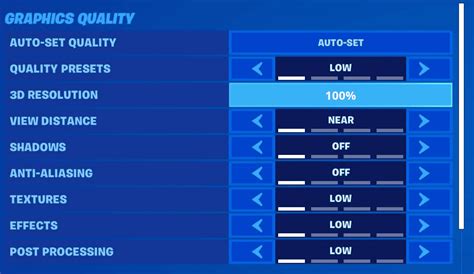
Many new games offer in-game graphics options, typically allowing you to choose between ‘Performance’ and ‘Quality’ modes. Performance mode prioritizes higher frame rates (e.g., 60fps or 120fps) often at the expense of resolution or graphical detail. Quality mode, conversely, aims for the highest possible resolution and visual effects, usually locking the frame rate to 30fps. Your choice here depends on personal preference and the game type. For fast-paced action games, performance mode is generally recommended, while slower, visually stunning titles might benefit more from quality mode.
System and Software Updates: Always Stay Current
This isn’t strictly a ‘setting,’ but it’s crucial. Always ensure your console’s system software and all your games are fully updated. Developers frequently release patches that improve performance, fix bugs, and even add new features. Keeping everything up-to-date ensures you’re playing the most optimized version of your games and running the most stable console firmware.
Power and Energy Options: Instant-On Convenience
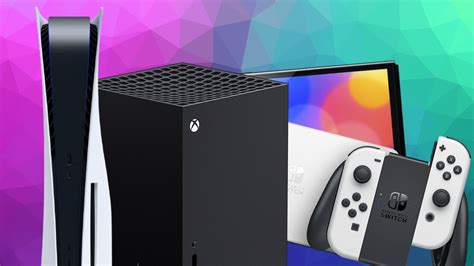
Modern consoles offer various power-saving options. Modes like ‘Instant-On’ (Xbox) or ‘Rest Mode’ (PlayStation) allow your console to quickly resume games, download updates in the background, and charge controllers. While consuming slightly more power than a full shutdown, the convenience is often worth it. Adjust these settings based on your usage habits and environmental consciousness.
Conclusion
Taking the time to adjust these essential settings on your new console will significantly elevate your gaming sessions. From calibrating your display and refining your audio to optimizing network performance and understanding in-game options, these tweaks ensure you’re experiencing games exactly as developers intended, or even better, tailored to your personal preferences. Don’t be afraid to experiment and find what works best for your setup and play style.