





Switch storage full? Best SD cards to play more games.

The Nintendo Switch offers unparalleled portable gaming freedom, but that freedom often comes with a significant bottleneck: limited internal storage. With an initial 32GB (or 64GB for the OLED model), your console can quickly become a digital graveyard of unfinished downloads and deleted titles. Game updates, DLC, screenshots, and especially large digital games like The Legend of Zelda: Tears of the Kingdom or Pokémon Scarlet and Violet can devour your space faster than you can say “Game Over.”
The Persistent Problem of Limited Switch Storage
Many Switch owners quickly run into the dreaded “storage full” message, forcing tough choices about which beloved games to uninstall. While physical game cartridges save some space, digital downloads, system updates, and even game saves still consume precious internal memory. To truly enjoy your Switch without constant storage anxiety, an external solution is not just recommended, but essential.
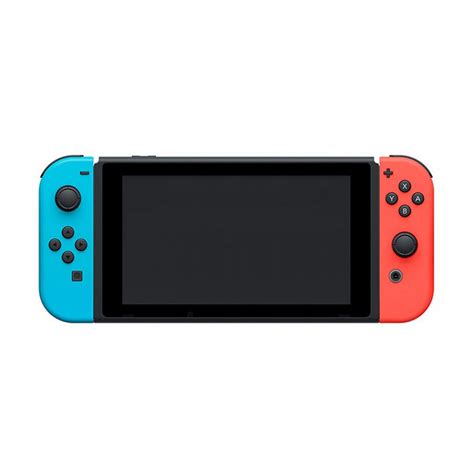
Understanding MicroSD Cards for Your Nintendo Switch
The Nintendo Switch exclusively uses microSD cards for expandable storage. There are three main types: SD, SDHC (High Capacity), and SDXC (eXtended Capacity). While standard SD cards are outdated for this purpose, the Switch is compatible with both SDHC (up to 32GB) and SDXC (32GB to 2TB) microSD cards. For modern gaming needs, you’ll almost certainly want an SDXC card to maximize your storage potential.
Choosing the Right Capacity: How Much Space Do You Really Need?
The ideal microSD card capacity depends heavily on your gaming habits. Consider these common tiers:
- 128GB: A good starting point for casual players who primarily buy physical games and only download a few digital titles or smaller indie games.
- 256GB: The sweet spot for most gamers, offering a great balance of cost and ample space for a significant digital library, including several AAA titles and plenty of smaller games.
- 512GB: For avid digital collectors, those who frequently buy new games, or players with many large titles. This size minimizes the need to manage storage for a long time.
- 1TB (or more): The ultimate choice for hardcore digital-only players who want virtually unlimited space for years to come. While more expensive, it eliminates any storage concerns.
![[Deal Alert] SanDisk MicroSD Cards, OTG Sticks, And Other Flash Memory ...](/images/aHR0cHM6Ly90czIubW0uYmluZy5uZXQvdGg/aWQ9T0lQLmt6Q3dwMXVEV3dvVnY4ZTZ1RTJ5a3dIYUZDJnBpZD0xNS4x.webp)
Speed Matters: UHS-I, U1, and U3 Explained
Beyond capacity, the speed of your microSD card is crucial for game loading times and overall performance. The Nintendo Switch supports UHS-I compatible cards, which are standard for most modern microSD cards. Within UHS-I, you’ll see speed classes like U1 and U3:
- UHS Speed Class 1 (U1): Guarantees a minimum write speed of 10 MB/s. This is generally sufficient for the Switch, though loading times might be slightly longer for very large games.
- UHS Speed Class 3 (U3): Guarantees a minimum write speed of 30 MB/s. Cards with U3 ratings often provide snappier performance and faster loading times, making them a worthwhile upgrade for discerning players.
Look for cards with high read speeds (e.g., 90-100 MB/s) as this directly impacts how quickly games load from the card.

Top Considerations When Buying an SD Card for Your Switch
While specific product recommendations can change, here are consistent factors to consider:
- Brand Reputation: Stick to trusted brands like SanDisk, Samsung, PNY, and Lexar. These companies are known for reliable performance and durability.
- Authenticity: Always purchase from reputable retailers to avoid counterfeit cards, which often have advertised capacities or speeds that aren’t real.
- Price vs. Performance: Balance your budget with the capacity and speed you need. Often, the sweet spot for value is a 256GB or 512GB U3 card from a known brand.
Installing and Managing Your New Switch SD Card
Installing a microSD card is incredibly simple. Just power off your Switch, lift the kickstand on the back of the console, and slide the card into the designated slot until it clicks. When you power your Switch back on, it will automatically detect and format the card. You can then manage your data in the System Settings, choosing whether new downloads go to the internal memory or the SD card, and even move existing data between them.
Conclusion: Unlock Your Switch’s Full Potential
Don’t let limited storage hold back your gaming adventures. Investing in a high-quality microSD card for your Nintendo Switch is one of the best upgrades you can make. It provides peace of mind, ensures you never have to delete a game you love, and allows you to build the expansive digital library you’ve always dreamed of. Pick the right card, slot it in, and get back to playing more games without a worry.



