





Switch storage full? Best SD card for big digital game libraries.
The Ever-Growing Digital Game Library Dilemma
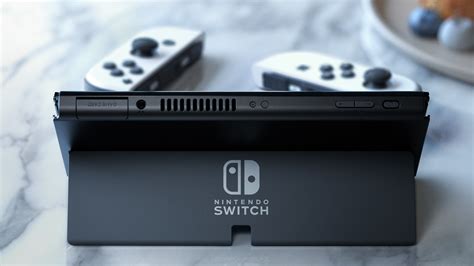
The Nintendo Switch has revolutionized portable gaming, offering an incredible library of titles from vast open worlds to indie gems. However, its Achilles’ heel for many dedicated gamers is its relatively modest internal storage – 32GB for the original and Lite models, and 64GB for the OLED. While this might suffice for a few smaller titles, digital game libraries, especially those featuring AAA titles, can quickly devour this space. Games like The Legend of Zelda: Tears of the Kingdom or Pokémon Scarlet/Violet can easily take up over 15GB each, leaving little room for anything else.
Why a MicroSD Card is Non-Negotiable for Switch Gamers
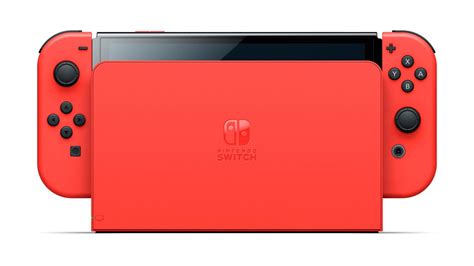
Unlike some other consoles, the Switch relies heavily on microSD cards for storage expansion. All digital games downloaded from the eShop, as well as game updates, DLC, and screenshots/videos, are saved directly to your internal storage or an inserted microSD card. Without adequate external storage, you’ll constantly find yourself deleting cherished games to make space for new ones, a frustrating experience no gamer wants.
Investing in a high-quality microSD card is not just about expanding space; it’s about future-proofing your gaming experience. It allows you to download games worry-free, take advantage of eShop sales, and keep your entire collection accessible without constant data management.
Key Factors When Choosing the Best SD Card for Your Switch
Not all microSD cards are created equal. To ensure optimal performance and value, consider these crucial factors:
1. Capacity: How Much Space Do You Really Need?
- 128GB: A good starting point for casual gamers or those who mostly buy physical cartridges but still download digital titles. It holds about 5-10 large games.
- 256GB: A popular sweet spot for many, offering ample space for a significant digital library without breaking the bank. Expect to fit 10-20 large games.
- 512GB: Ideal for dedicated digital collectors. This capacity allows you to download dozens of AAA titles and never worry about space.
- 1TB or more: The ultimate choice for serious digital hoarders. While pricier, it effectively eliminates storage concerns for the foreseeable future, allowing you to build an immense library.

2. Speed: Don’t Overpay for Unnecessary Performance
The Nintendo Switch supports the UHS-I standard, with a maximum theoretical read speed of around 100MB/s and write speed up to 30MB/s. This means:
- Look for: Cards rated as UHS-I (U3) with a V30 speed class. This ensures consistent performance for game loading and saving.
- Avoid: Ultra-fast UHS-II cards. While technologically superior, the Switch cannot fully utilize their increased speeds, making them an unnecessary expense for this console.
3. Reliability and Brand Reputation
Stick to reputable brands to avoid data corruption and ensure longevity. Trusted manufacturers include SanDisk, Samsung, Lexar, and PNY. While off-brand cards might seem cheaper, they often come with performance inconsistencies or reliability issues.
Our Top SD Card Recommendations for Switch
Based on performance, reliability, and value, here are some excellent choices:
- SanDisk microSDXC for Nintendo Switch: Officially licensed by Nintendo, these cards are specifically optimized for the console and come in various capacities (64GB to 1TB). They offer guaranteed compatibility and performance.
- SanDisk Extreme / Ultra microSDXC: While not officially licensed, these are highly reliable and offer excellent UHS-I (U3) speeds perfect for the Switch. The Extreme series often boasts slightly better speeds, but the Ultra series is a great budget-friendly option.
- Samsung EVO Select / Plus microSDXC: Samsung’s EVO line is another fantastic choice, known for its strong performance and durability. They are consistently good value and come in a wide range of capacities.
Installing and Managing Your Switch SD Card
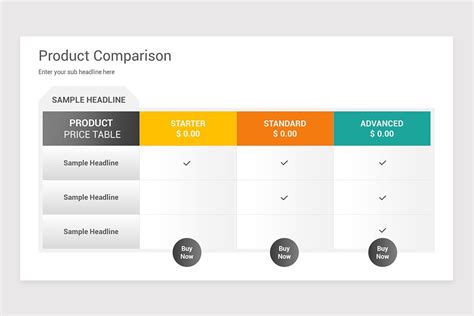
Installing a microSD card in your Switch is incredibly simple: power down your console, open the kickstand, and slide the card into the slot. The Switch will automatically detect and format it. If you’re upgrading from a smaller card, you can easily transfer your data by copying the contents of the old card to your PC, then to the new card, or by redownloading games from the eShop.
Once installed, the Switch prioritizes saving new downloads to the microSD card. You can also manually move games between the internal storage and the SD card via the Data Management settings if needed, though this only applies to software data, not save data (which always stays on internal memory, or cloud save if Nintendo Switch Online subscriber).

Conclusion
Don’t let limited storage hold back your Nintendo Switch gaming experience. A good quality, high-capacity microSD card is an essential accessory for any serious Switch owner, especially those who love collecting digital titles. By choosing the right balance of capacity, speed, and reliability from a trusted brand, you’ll ensure a seamless, frustration-free gaming journey for years to come. Dive into that eShop sale without a second thought!


