





Switch storage full? Best microSD cards & tips for managing digital game space.
The Nintendo Switch Storage Crunch: Why It Happens
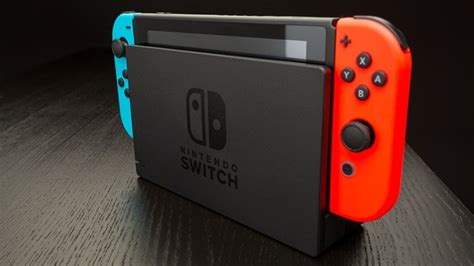
The Nintendo Switch, with its incredible library of games, often faces a common adversary: limited storage. While the original model and the Switch Lite come with 32GB of internal storage, and the OLED model boasts 64GB, this space fills up astonishingly fast. Modern games, even on a portable console, require significant data. Add in system updates, downloadable content (DLC), and game patches, and suddenly that initial storage seems minuscule. Many popular titles can easily consume over 10GB, making a few digital purchases enough to hit the dreaded ‘storage full’ notification.
Why a microSD Card is Essential for Every Switch Owner
For most Switch owners, expanding storage isn’t optional; it’s a necessity. Unlike some consoles that use proprietary storage solutions, the Nintendo Switch conveniently relies on standard microSD cards. This makes upgrading both affordable and straightforward. A high-capacity microSD card allows you to download dozens, if not hundreds, of digital titles without constantly deleting and redownloading games, ensuring your gaming library is always ready to play.
Choosing the Right microSD Card: Key Factors to Consider
Not all microSD cards are created equal, especially when it comes to gaming performance. When selecting one for your Nintendo Switch, keep these crucial factors in mind:
- Capacity: This is arguably the most important factor. While 128GB is a good starting point, 256GB or even 512GB offers significant breathing room. If you primarily buy digital games or plan to keep your Switch for years, 1TB cards are also available, offering ultimate peace of mind.
- Speed: Look for cards with a UHS-I speed class (specifically U1 or U3) and an A1 or A2 application performance class rating. UHS-I U3 and A2 are generally preferred as they offer faster read/write speeds, translating to quicker game load times and smoother performance. Don’t fall for cards with extremely high sequential read speeds but poor random read/write, as gaming relies heavily on the latter.
- Reliability: Stick with reputable brands known for quality and durability. Counterfeit cards are unfortunately common and can lead to data loss or poor performance.

Top Recommended microSD Cards for Nintendo Switch
Based on performance, reliability, and value, these brands consistently top the charts for Nintendo Switch compatibility:
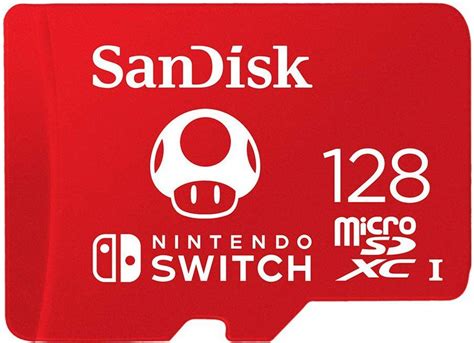
- SanDisk: Widely regarded as a top choice, SanDisk offers cards specifically licensed by Nintendo. The SanDisk Ultra and Extreme series are excellent. The SanDisk microSDXC for Nintendo Switch cards (featuring Zelda, Mario, and Animal Crossing branding) are fully optimized and come in capacities up to 1TB.
- Samsung: Samsung’s EVO Select and PRO Plus series are highly reliable and offer competitive speeds and capacities. They are often a great value, especially when on sale.
- Lexar: Lexar’s PLAY and High-Performance series are also solid options, providing good speed and reliability at various price points.

Essential Tips for Managing Your Switch Digital Game Space
Even with a large microSD card, smart management can keep your storage optimized:
- Archive vs. Delete Software: When a game is archived, its game data is removed, but the icon and save data remain. This makes it easy to re-download later. Deleting software removes everything, including the game icon, but typically leaves save data (which is stored internally unless moved). Always archive if you plan to play again.
- Utilize Cloud Saves: A Nintendo Switch Online subscription backs up most game save data to the cloud. This is critical for protecting your progress, especially if you ever need to delete a game or experience an issue with your console.
- Consider Physical Game Cartridges: Physical game cards take up less internal or microSD card space because the core game data is on the cartridge. Only patches and DLC will consume your digital storage.
- Regularly Check Storage Usage: Go to System Settings > Data Management to see what’s consuming the most space. This helps identify games you might want to archive.
- Move Data (If Necessary): While games usually install directly to the microSD once inserted, you can manually move data between the internal storage and the microSD card via the Data Management settings.
How to Install and Transfer Games to Your microSD Card
Using a microSD card with your Switch is incredibly simple:
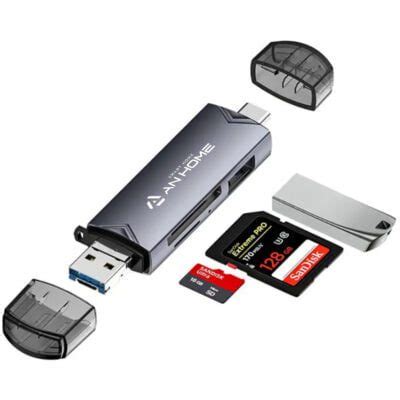
- Insert the Card: Power off your Switch completely. Open the kickstand on the back of the console to reveal the microSD card slot. Insert the card with the label facing down until it clicks into place.
- Automatic Use: Once inserted, the Switch will automatically use the microSD card for new game downloads, updates, and screenshots/videos.
- Transferring Existing Data: To move games from internal memory to the microSD card (or vice-versa), navigate to System Settings > Data Management > Move Data Between System / microSD Card. Select the software you wish to move.
Future-Proofing Your Switch Storage
With new games constantly being released and existing ones receiving updates, anticipating your storage needs is wise. Don’t just buy enough for today; consider what you might need in a year or two. Investing in a larger capacity card now can save you the hassle of upgrading later. Remember that while a larger card costs more upfront, it’s a one-time purchase that significantly enhances your overall Nintendo Switch experience.

Conclusion
A full Nintendo Switch isn’t a dead end; it’s an opportunity to optimize your gaming setup. By choosing the right microSD card and adopting smart data management practices, you can ensure your console always has room for the next big adventure. Invest wisely, manage proactively, and enjoy your expansive digital library without interruption!


