





Switch storage full? Best microSD card for ‘big & small’ game libraries?
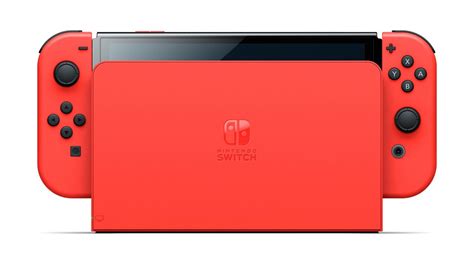
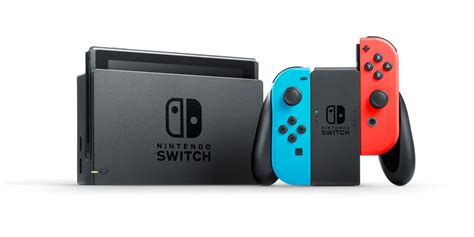
The Nintendo Switch, with its incredible library of games ranging from indie gems to massive AAA titles, quickly fills up its limited internal storage. Whether you own the original Switch, the Lite, or the OLED model, the 32GB or 64GB of built-in memory is simply not enough for most players, especially those who prefer digital downloads. If you’ve ever faced the frustrating “not enough space” message, it’s time to consider a microSD card upgrade.
Why a microSD Card is Essential for Your Switch
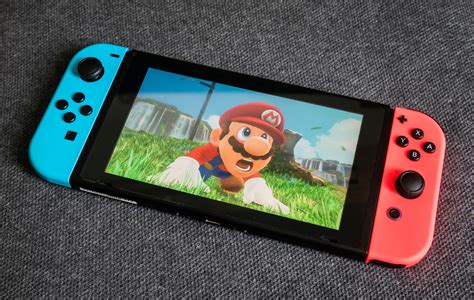
Unlike some consoles, the Switch relies heavily on external storage for digital games and game updates. Even if you primarily buy physical game cartridges, many titles require significant downloads for updates, patches, and DLC that will eat into your internal memory. A high-quality microSD card dramatically expands your storage capabilities, allowing you to download more games, save more progress, and avoid constantly deleting and re-downloading titles.
Key Factors When Choosing a Switch microSD Card
Not all microSD cards are created equal. To ensure optimal performance and value for your Switch, pay attention to these crucial specifications:
1. Capacity: How Much Space Do You Really Need?
This is often the first thing people consider, and it depends entirely on your gaming habits. Nintendo Switch supports microSD, microSDHC, and microSDXC cards up to 2TB (though 1TB is currently the largest commercially available).
- 64GB – 128GB: Ideal for players who mostly buy physical games and only download a few digital titles or light indie games.
- 256GB – 512GB: A popular sweet spot for many, offering ample space for a sizable digital library without breaking the bank. This is a good choice for those who download a mix of indie and AAA games.
- 1TB: The ultimate choice for serious digital collectors, allowing you to download virtually every game you own and never worry about storage again.
2. Speed: Don’t Compromise on Load Times
While capacity gets the most attention, speed is equally important. A slow card can lead to longer game loading times and sluggish performance. The Nintendo Switch is compatible with UHS-I (Ultra High Speed Phase I) cards. Look for cards with a high “UHS Speed Class” (U1 or U3) and a “Video Speed Class” (V10, V30).
- UHS Speed Class 3 (U3) and Video Speed Class 30 (V30): These are highly recommended. A U3/V30 card ensures read/write speeds of at least 30MB/s, which is more than sufficient for smooth gameplay and fast loading on the Switch.
- UHS Speed Class 1 (U1) and Video Speed Class 10 (V10): These cards offer minimum speeds of 10MB/s. While technically compatible, they might result in slightly longer load times compared to U3/V30 cards.
Always prioritize cards from reputable brands like SanDisk, Samsung, or Lexar to ensure advertised speeds are met reliably.
Top Recommendations for Different Game Libraries
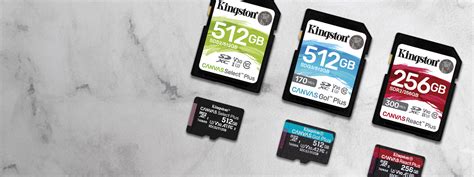
For the Small Library & Physical Game Enthusiast (64GB – 128GB)
If you mainly play physical cartridges and only download a handful of smaller digital titles or DLC, a 64GB or 128GB card will suffice. Focus on a good U3/V30 card from a reliable brand to ensure smooth performance for the games you do download.
- Recommendation: SanDisk Ultra/Extreme 128GB (U3/V30)
For the Moderate Digital Collector (256GB – 512GB)
This category covers most Switch users. If you regularly download a mix of indie games and a few larger AAA titles, a 256GB or 512GB card offers the best balance of capacity and cost. You’ll have plenty of room for dozens of games and updates without constant management.
- Recommendation: Samsung EVO Select 512GB (U3/V30) or SanDisk Extreme 512GB (U3/V30)
For the Avid Digital Hoarder (1TB+)
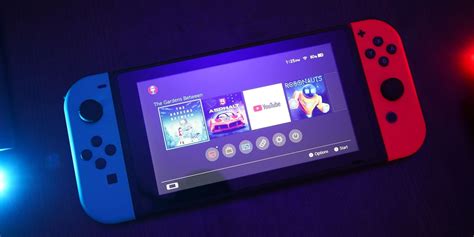
If you buy almost all your games digitally, subscribe to Nintendo Switch Online Expansion Pack for N64/Genesis titles, or just want to download every game that piques your interest, a 1TB card is your best bet. While a higher initial investment, it provides unparalleled freedom and convenience, virtually eliminating storage concerns.
- Recommendation: SanDisk Ultra 1TB (U1/V10) or SanDisk Extreme 1TB (U3/V30) – note the difference in speed class for different SanDisk 1TB models. Opt for Extreme if budget allows.

Installation and Setup
Installing a microSD card into your Switch is straightforward:
- Turn off your Nintendo Switch completely.
- Open the stand on the back of the console to reveal the microSD card slot.
- Insert the microSD card into the slot with the label facing down until it clicks into place.
- Close the stand and power on your Switch.
Your Switch will automatically detect and format the card if necessary. You can then manage your data in the System Settings under “Data Management.”
Tips for Managing Your Storage
Even with a large microSD card, good data management practices can extend its usefulness:
- Archive Software: For games you’ve completed but might want to play again, archive them. This deletes the game data but keeps the save data, allowing you to re-download quickly.
- Cloud Backups: Utilize Nintendo Switch Online’s cloud save feature for critical game saves.
- Physical vs. Digital: Consider buying physical cartridges for extremely large games you play frequently to save space on your card.
Conclusion: Choose Wisely, Play More
Upgrading your Nintendo Switch’s storage with the right microSD card is one of the most impactful accessories you can buy. By considering your gaming habits, balancing capacity with speed, and choosing a reputable brand, you can ensure a seamless and frustration-free gaming experience. Say goodbye to storage warnings and hello to an expanded world of digital fun!


