Switch battery draining fast? Pro tips for extending portable game time.
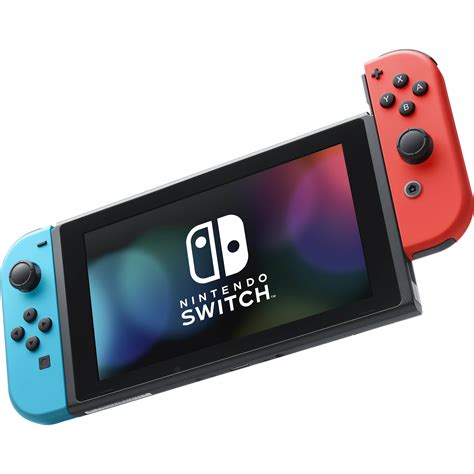
Few things are as frustrating for a portable gamer as seeing your Nintendo Switch battery plummet during an intense session. Whether you’re battling monsters in Hyrule or catching Pokémon on the go, a rapidly draining battery can cut your adventures short. If you’ve noticed your Switch isn’t holding a charge like it used to, don’t despair! There are many strategies you can employ to significantly extend your portable playtime. This guide will equip you with pro tips to optimize your console’s battery life.
Mastering Your Switch’s System Settings
The first line of defense against battery drain lies within your Switch’s own settings. Small adjustments here can lead to surprisingly large gains in uptime.
- Lower Screen Brightness: This is arguably the biggest power consumer. Navigate to System Settings > Screen Brightness and manually adjust it to the lowest comfortable level. While there’s no “auto-brightness” sensor like on phones, keeping it lower will save significant power.
- Disable Joy-Con Rumble: Haptic feedback, while immersive, uses power. Go to System Settings > Controllers and Sensors > Controller Vibration (On/Off) to turn it off.
- Airplane Mode: If you’re playing offline and don’t need Wi-Fi or Bluetooth (for non-Joy-Con controllers), enable Airplane Mode (System Settings > Airplane Mode). This completely shuts down wireless communication, a major power saver.
- Sleep Mode Settings: Adjust “Auto-Sleep” settings for both console and connected AC adapter (System Settings > Sleep Mode). Shorter auto-sleep times mean less idle power consumption if you forget to manually put it to sleep.

Optimizing Your Gaming Habits and Software
Beyond the core system settings, how you interact with your games and software also plays a crucial role in battery longevity.
- Close Unused Software: Always press ‘X’ on game icons on the HOME Menu and select “Close Software” to fully quit games you’re not actively playing. Leaving them suspended in the background still consumes power.
- Lower Volume: Just like screen brightness, a louder volume requires more power, especially if you’re using the console’s built-in speakers. Consider using headphones for a more immersive (and power-efficient) experience.
- Avoid Extreme Temperatures: Playing or charging your Switch in very hot or very cold environments can negatively impact battery performance and overall lifespan. Aim for moderate room temperatures.

Understanding Hardware & Maintenance
Sometimes, battery drain can be a symptom of underlying issues or simply the natural aging process of your console.
- Keep Software Updated: Nintendo frequently releases system updates that can include power efficiency improvements. Always ensure your console is running the latest firmware (System Settings > System > System Update).
- Use Official or Certified Chargers: While tempting to use generic chargers, non-compliant chargers can sometimes charge less efficiently or even damage your battery over time. Stick to Nintendo’s official AC adapter or reputable third-party alternatives.
- Consider a Power Bank: For truly extended portable sessions, investing in a high-capacity USB-C power bank designed for the Switch is an excellent solution. Look for ones that support Power Delivery (PD) for fast charging.
Long-Term Battery Health and Troubleshooting
While the Switch battery is designed to last, understanding its limitations and knowing when to troubleshoot can save you headaches.
- Battery Degradation: All lithium-ion batteries degrade over time, losing capacity after hundreds of charge cycles. If your Switch is several years old, some battery degradation is normal.
- Check for Rogue Processes: Occasionally, a game or system process might get stuck, causing unusual drain. A full system restart (hold the power button, then choose Restart) can often resolve these temporary glitches.
- When to Seek Repair: If your battery life has dramatically plummeted suddenly, or if the console struggles to hold a charge even with all optimizations, it might indicate a failing battery. Nintendo offers repair services, or you could consider a professional third-party battery replacement if you’re out of warranty.
Maximizing Your Portable Playtime
By implementing these pro tips, you can significantly improve your Nintendo Switch’s battery performance and enjoy longer, uninterrupted gaming sessions on the go. From simple setting tweaks to smart charging habits and understanding your console’s long-term health, you now have the tools to make the most of your portable adventures. Happy gaming!