





Switch battery drain: Best tips to maximize portable playtime?
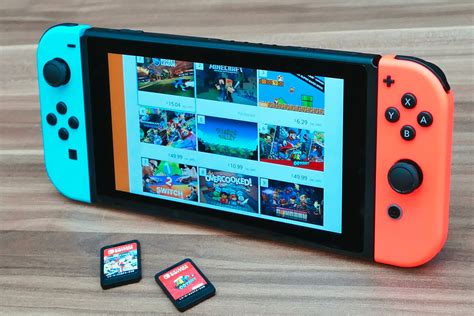
Conquering the Battery Drain: Essential Tips for Your Nintendo Switch
The Nintendo Switch offers unparalleled flexibility, allowing you to seamlessly transition from big-screen TV gaming to handheld adventures on the go. However, this freedom often comes with a common frustration: battery drain. For many, the limited portable playtime can cut sessions short, especially when you’re deep into an epic quest. Fortunately, with a few smart adjustments and habits, you can significantly extend your Switch’s battery life and make the most of every charge.
Optimize Your Switch’s Settings
Your Switch’s built-in settings are the first place to look for quick and effective battery savings. Many default settings prioritize performance or convenience over power efficiency, but a few tweaks can make a big difference.
- Lower Screen Brightness: This is arguably the most impactful change you can make. The screen is the biggest power consumer. Navigate to System Settings > Screen Brightness and manually reduce it to a comfortable, yet lower, level. Disable ‘Auto-Brightness’ as it can sometimes overcompensate.
- Enable Airplane Mode: If you’re not playing online, downloading updates, or using Joy-Cons wirelessly (you can still use them wired or turn off wireless communication for them specifically), turn on Airplane Mode. This disables Wi-Fi, Bluetooth, and NFC, all of which consume power searching for connections. You’ll find this under System Settings > Airplane Mode.
- Adjust Sleep Mode: Your Switch doesn’t need to be fully awake when you’re not using it. Set a shorter ‘Auto-Sleep’ timer (e.g., 5-10 minutes) for both TV mode and handheld mode under System Settings > Sleep Mode.
- Disable Rumble: While haptic feedback enhances immersion, it also uses battery power. If you don’t mind sacrificing it, you can turn off controller vibration in System Settings > Controllers and Sensors > Controller Vibration.

Manage Your Games and Applications
How you interact with your software also plays a crucial role in battery longevity.
- Close Unused Software: Don’t just suspend games; fully close them if you’re not actively playing. Holding the HOME button and selecting ‘Close Software’ ensures the game isn’t running in the background, silently draining power.
- Choose Less Demanding Games: Graphically intensive games tend to push the Switch’s processor harder, leading to higher power consumption. If battery life is critical, consider playing less graphically demanding titles or indie games that are often designed to be more efficient.
- Download Games vs. Cartridges: While the difference is often negligible, digital games might theoretically consume slightly less power than constantly reading from a game card. Focus on the other tips for more significant gains.

Hardware & Charging Best Practices
Beyond settings and software, maintaining your device and using the right accessories can also extend your play sessions.
- External Battery Packs: For truly marathon sessions, a good quality USB-C power bank is your best friend. Look for one with Power Delivery (PD) support for faster charging.
- Keep it Cool: Overheating can reduce battery efficiency and overall lifespan. Avoid playing in direct sunlight or in very hot environments. Ensure the vents are clear.
- Calibrate Your Battery (Occasionally): If your battery indicator seems off, fully drain your Switch until it turns off, then charge it completely without interruption. Doing this every few months can help the system recalibrate its battery meter.
General Usage Tips for Maximum Playtime
Adopting smart usage habits can also contribute to longer battery life.
- Charge Before You Go: Obvious, but essential. Always start your portable adventures with a full charge.
- Avoid Extreme Discharges: While occasional full discharges for calibration are fine, consistently letting your battery die completely can degrade its capacity over time. Try to charge it when it gets low.
- Power Off for Extended Storage: If you plan not to use your Switch for several days or weeks, fully power it down instead of just putting it to sleep. This prevents passive battery drain.
Conclusion: Play Longer, Worry Less
While no battery lasts forever, these tips provide a robust toolkit for managing your Nintendo Switch’s power consumption. By combining smart settings adjustments, careful game management, and good charging habits, you can significantly extend your portable playtime and dive deeper into your favorite Switch titles without constantly hunting for an outlet. Implement these strategies, and enjoy more uninterrupted gaming wherever you go!


