





Running out of Switch storage? What’s the optimal microSD card for games?

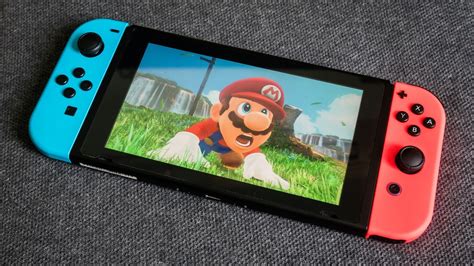
The Nintendo Switch, with its captivating library of digital games, often leaves players facing a common dilemma: running out of storage. While the console comes with a modest 32GB (or 64GB for the OLED model) of internal memory, a significant portion is taken up by the system itself, leaving precious little for game downloads, updates, and save data. This quickly becomes an issue for avid gamers, making a reliable microSD card not just an accessory, but a necessity.
Why Your Switch Needs a Storage Upgrade
Many popular Switch titles, especially larger first-party games and extensive third-party ports, can easily consume several gigabytes of storage. Fortnite, The Legend of Zelda: Breath of the Wild, Pokémon Scarlet/Violet, and countless others quickly fill up the internal memory. Without additional storage, you’ll be constantly deleting games to make space for new ones, a frustrating and time-consuming process that disrupts your gaming experience.
Understanding MicroSD Card Specifications for Gaming
Not all microSD cards are created equal, especially when it comes to gaming. Several key specifications determine a card’s performance and suitability for your Switch:
- Capacity: Measured in gigabytes (GB) or terabytes (TB), this is simply how much data the card can hold.
- Speed Class: Indicated by symbols like C10, U1, U3, and V30. For the Switch, U1 (UHS Speed Class 1, minimum 10 MB/s sequential write) or U3 (UHS Speed Class 3, minimum 30 MB/s sequential write) are important for smooth loading.
- Application Performance Class: Marked as A1 or A2. These classes are designed for running apps (like games) directly from the card. A1 offers a minimum of 1500 IOPS random read and 500 IOPS random write, while A2 significantly boosts this to 4000 IOPS random read and 2000 IOPS random write, leading to faster game loading times.
While the Switch itself doesn’t fully leverage the extreme speeds of top-tier A2 cards, a U3 A1 or A2 card generally provides the best balance of performance and future-proofing.
What’s the Optimal Capacity?
When choosing capacity, consider your gaming habits and budget:
- 128GB: A decent starting point if you mostly play physical cartridges or a few digital titles.
- 256GB: A good balance for most players, allowing for a substantial digital library without constant management.
- 512GB: Often considered the sweet spot for serious digital gamers. It offers ample space for a large collection of AAA titles, indie games, and updates.
- 1TB: The ultimate choice for collectors who want to download everything. While more expensive, it virtually eliminates storage concerns.
Remember that games continue to grow in size, so opting for a slightly larger card than you think you need is often a wise investment.
Speed vs. Price: Finding the Right Balance
For the Nintendo Switch, read speed is generally more critical than write speed as it primarily loads data from the card. Aim for cards with high read speeds (e.g., 90-100 MB/s). While faster cards exist, the Switch’s internal reader has limitations, meaning diminishing returns beyond a certain point. Focus on reputable brands known for consistency and reliability, such as SanDisk, Samsung, and Lexar, which often offer excellent performance for the price.

Installation and Management Tips
Installing a microSD card into your Switch is straightforward: simply open the kickstand and slide the card into the slot. Once inserted, the Switch will automatically detect and format it. If you’ve previously downloaded games to the internal memory, you can transfer them to the microSD card via the system settings to free up internal space.
Regularly check your storage in the “Data Management” section of the system settings to monitor space and identify any large files or games you might no longer play.
Conclusion: Invest Wisely for Uninterrupted Gaming
Upgrading your Nintendo Switch storage with a high-quality microSD card is one of the best investments you can make to enhance your gaming experience. While a 512GB U3 A1 or A2 card often hits the sweet spot for capacity, speed, and value, consider a 1TB card if your budget allows and you plan to amass a vast digital library. By choosing wisely, you can ensure your Switch is always ready for your next adventure, free from the dreaded “not enough space” notifications.


