





Optimizing Switch storage for big game collections?
Understanding Your Switch’s Storage Landscape
For avid gamers, the Nintendo Switch offers an unparalleled portable experience, but a growing digital game collection can quickly bump against its storage limits. The standard Switch and Switch Lite models come with a mere 32GB of internal storage, while the OLED model doubles this to 64GB. While seemingly substantial, operating system files, system updates, game patches, and save data eat into this space quickly. Many modern AAA Switch titles can demand 10-20GB or even more each, making the internal storage a bottleneck for anyone with more than a handful of digital downloads.
Running out of space on your Switch isn’t just an inconvenience; it can prevent you from downloading new games, installing crucial updates, or even continuing your adventures in existing titles if a patch is required. Understanding how your storage is utilized is the first step toward effective management.
The Indispensable MicroSD Card Solution
The most crucial and effective solution for expanding your Switch’s storage is a high-capacity MicroSD card. The Nintendo Switch supports MicroSD, MicroSDHC, and MicroSDXC cards, with capacities currently reaching up to 2TB (though 1TB is the largest commonly available and most cost-effective option for most users). Investing in a quality MicroSD card is paramount for any serious Switch gamer.
When choosing a MicroSD card, look for reputable brands and consider both capacity and speed. While storage capacity is obvious, speed ratings (like UHS-I Speed Class 3 or V30) ensure faster game loading times and smoother performance. Don’t compromise on a cheap, unbranded card, as it can lead to data corruption or slow speeds. A 512GB or 1TB card will provide ample space for even the most extensive game libraries for years to come.

Optimizing Your Game Management Practices
Archiving vs. Deleting Games
When space runs low, the Switch offers two main options for removing games: archiving and deleting. Archiving removes the game data itself but keeps its icon on your home screen and preserves your save data on the console. This is ideal for games you might want to redownload later, as it saves bandwidth and time compared to a full delete. Deleting a game removes everything except the save data, which remains on your console’s internal memory unless manually deleted. Save data files are generally very small, so archiving is often the preferred method.
Monitoring and Transferring Data
You can check your storage usage by navigating to System Settings > Data Management. Here, you’ll see a breakdown of used space, remaining space, and options to manage software. If you’ve just installed a new MicroSD card, you can also transfer games from your console’s internal memory to the SD card, though Nintendo only allows transfer in one direction (internal to SD). To move a game from SD to internal, you must delete it from the SD card and then redownload it directly to the internal storage (if space allows).
Clearing Out Unnecessary Files
Beyond games, your Switch accumulates screenshots and video captures. While individually small, a large collection of these can add up. Regularly review and delete unwanted media from the Album section in your Home menu. You can also transfer these files to a computer or another MicroSD card if you wish to keep them.
Physical vs. Digital Games: Storage Implications
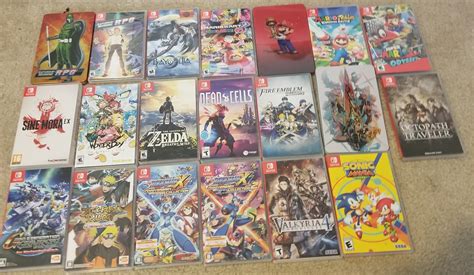
While physical game cartridges eliminate the need to download the core game, they often require significant storage space for updates, patches, and DLC. Even if you primarily buy physical games, a MicroSD card is still highly recommended to accommodate these essential extras. Digital games, of course, require full download to either internal memory or the MicroSD card.
Leveraging Nintendo Switch Online for Cloud Saves
While Nintendo Switch Online’s cloud save feature doesn’t expand your device’s actual storage, it’s a vital component of good data management. Cloud saves automatically back up your game progress, protecting your valuable play hours even if your console is lost, damaged, or upgraded. It provides peace of mind, knowing that your progress is safe, independent of the console’s physical storage.
Conclusion: A Tidy Library for Endless Gaming
Managing your Nintendo Switch storage doesn’t have to be a chore. By understanding your console’s limitations, investing in a high-quality MicroSD card, and adopting smart data management habits like archiving and regular media cleanup, you can ensure your Switch is always ready for your next gaming adventure. With a well-optimized system, your big game collection will be a source of joy, not storage anxiety.


