Optimizing Switch storage: Best SD card for big & small digital games?
Why Your Nintendo Switch Needs More Storage
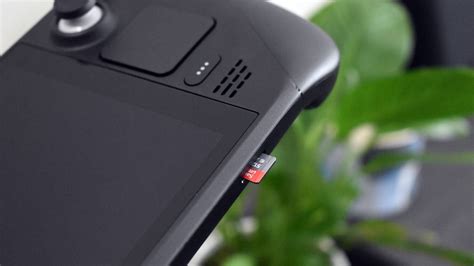
The Nintendo Switch, an incredibly versatile console, comes with a rather modest 32GB or 64GB of internal storage, depending on the model. While this might seem sufficient for a few small indie titles, it quickly becomes apparent that it’s a bottleneck for anyone looking to download several larger digital games, let alone a growing collection. Modern AAA titles can easily consume tens of gigabytes each, making an external storage solution not just a luxury, but a necessity for most Switch owners.
Digital game libraries offer convenience, but they demand space. Without an SD card, you’ll constantly find yourself deleting and redownloading games, a frustrating process that can often be time-consuming and data-intensive. Thankfully, expanding your Switch’s storage is straightforward with a microSD card.
Understanding MicroSD Cards for Your Switch
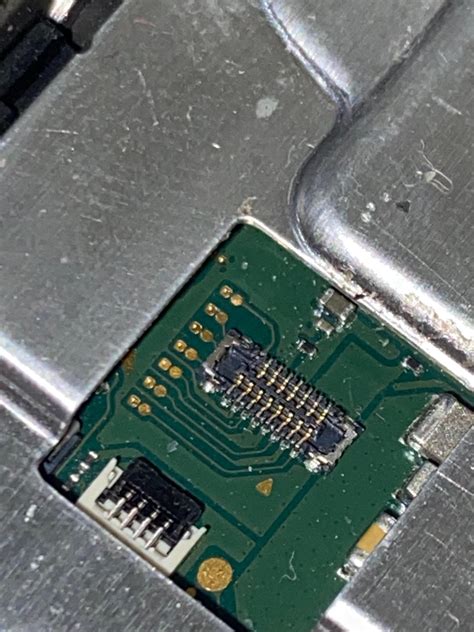
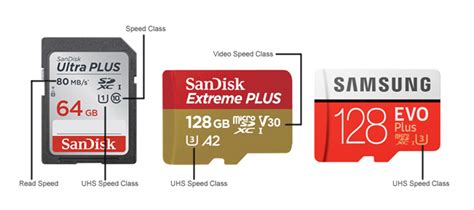
When choosing an SD card for your Nintendo Switch, you’re looking for a microSDXC card. These cards support higher capacities (typically 64GB and above) and are optimized for faster read and write speeds, crucial for loading games quickly. Beyond capacity, speed ratings are important:
- UHS Speed Class (U1, U3): U1 cards are suitable for general use, while U3 cards offer faster minimum sequential write speeds, beneficial for smoother gameplay and faster game installations.
- Video Speed Class (V30, V60, V90): Though primarily for video recording, these ratings also indicate higher sustained write speeds, which can translate to better performance for gaming.
- Application Performance Class (A1, A2): A1 and A2 ratings indicate performance optimized for running applications, which is highly relevant for games. A2 cards offer superior random read and write speeds compared to A1, potentially leading to quicker load times for some titles.
For the Nintendo Switch, Nintendo recommends a UHS-I (Ultra High Speed Phase I) compatible microSD card with a transfer speed of 60-95 MB/s. While faster cards exist, the Switch itself has a limit to how quickly it can read data, so ultra-premium, ultra-fast cards might not offer a discernible advantage over good quality U3 A1/A2 cards.
How Much Storage Do You Really Need?
The ideal capacity largely depends on your gaming habits and the types of games you play. Here’s a breakdown to help you decide:
For Small Digital Games & Occasional Downloads: 128GB or 256GB
If your library primarily consists of smaller indie titles (which often range from a few hundred MBs to a few GBs) and you only occasionally download a larger AAA game, a 128GB or 256GB card might be sufficient. This offers a good balance of cost and capacity, allowing you to store a decent number of games without constantly managing space.
For a Mixed Library & Frequent Downloads: 512GB
This is often the sweet spot for many Switch users. A 512GB card provides ample room for a substantial collection of both big and small games. You can download multiple AAA titles (e.g., The Legend of Zelda: Tears of the Kingdom at ~18GB, Pokémon Scarlet/Violet at ~10GB, Super Smash Bros. Ultimate at ~17GB) alongside dozens of smaller games without worrying about space for a long time. It offers excellent value and future-proofing.
For Large Digital Libraries & Future-Proofing: 1TB
If you plan to go all-digital, purchase every new AAA title, or have a vast collection of games across multiple genres, a 1TB microSD card is the ultimate solution. While a higher investment, it virtually eliminates storage concerns, allowing you to download games freely without needing to archive or delete. As game sizes tend to increase over time, 1TB offers the best long-term solution.
Top Recommendations and Brands
When choosing an SD card, sticking with reputable brands is crucial for reliability and performance. SanDisk, Samsung, and Kingston are consistently top performers in the microSD card market.
- SanDisk Ultra/Extreme: SanDisk’s cards are widely popular and reliable. The ‘Ultra’ line offers good value for money, while the ‘Extreme’ line provides faster speeds.
- Samsung EVO Select/Plus: Samsung’s EVO line also offers excellent performance and reliability, often with competitive pricing.
- Kingston Canvas Go! Plus: A strong contender known for its consistent performance.
Always purchase from trusted retailers to avoid counterfeit cards, which can lead to data corruption and poor performance.

Tips for Managing Your Switch Storage
Even with a large SD card, a few habits can help you manage your storage effectively:
- Archive Software: The Switch allows you to “archive” games. This deletes the game data but keeps its icon and save data, making it easy to redownload later if you wish.
- Delete Unused Games: If you’ve finished a game and don’t plan to revisit it, simply deleting it (especially if it’s not a beloved title with sentimental value) is a good way to free up space.
- Manage Screenshots & Videos: Over time, screenshots and video clips can accumulate. Regularly offload them to a computer or delete unneeded ones.
- Physical vs. Digital: Consider buying physical cartridges for games you know are massive and you might not play frequently, saving your digital space for smaller, more accessible titles.
Making the Smart Choice
Optimizing your Nintendo Switch storage is key to an uninterrupted and enjoyable gaming experience. While the internal storage is limiting, a well-chosen microSD card can transform your console into a digital powerhouse capable of holding hundreds of games. For most users, a 256GB or 512GB UHS-I U3 A1/A2 card from a reputable brand strikes the perfect balance between capacity, speed, and cost. For the ultimate digital library, 1TB offers unparalleled freedom. Invest wisely, and you’ll spend more time playing and less time managing your game library.