





Optimize Switch storage: What size microSD for diverse digital games?
Why Expand Your Nintendo Switch Storage?
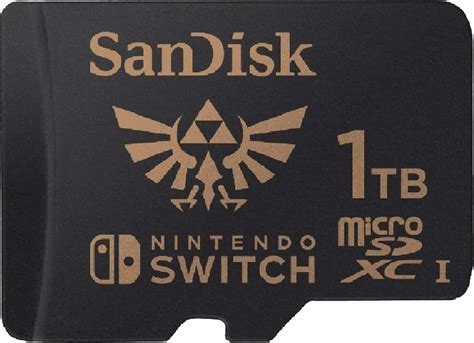
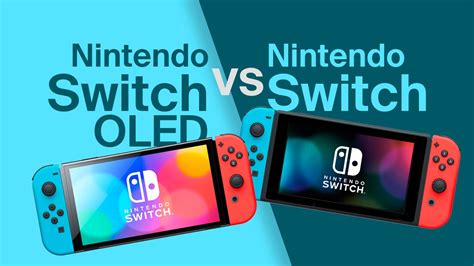
The Nintendo Switch, with its hybrid console appeal, offers an extensive library of games, from bite-sized indies to expansive AAA titles. While the console comes with 32GB (or 64GB for the OLED model) of internal storage, a significant portion of this is reserved for the system OS, leaving surprisingly little room for your digital purchases. As game file sizes continue to grow, a robust microSD card becomes less of an accessory and more of a necessity for any serious Switch gamer. Understanding how to optimize your storage is key to uninterrupted gaming and easy access to your entire digital collection.
Understanding Game File Sizes and Your Playstyle
The sheer diversity in game file sizes is the primary factor in choosing your microSD card. Indie titles might only take up a few hundred megabytes, while major first-party releases like The Legend of Zelda: Tears of the Kingdom can exceed 18GB, and third-party behemoths like The Witcher 3: Wild Hunt – Complete Edition can push past 30GB. Your playstyle heavily dictates your storage needs:
- Casual Player: Plays a few games at a time, mostly physical cartridges, with occasional digital indies.
- Moderate Player: Enjoys a mix of physical and digital games, including several larger titles.
- Dedicated Digital Collector: Primarily buys digital, owns many games, including multiple large AAA titles.
Recommended MicroSD Card Sizes for Different Users
Based on typical game sizes and player habits, here’s a breakdown of recommended microSD card capacities:
64GB – 128GB: The Budget-Conscious or Cartridge User
If you primarily buy physical game cartridges and only download a handful of smaller digital titles or DLC, a 64GB or 128GB card might suffice. This provides ample space for system updates, game patches, screenshots, and a small selection of digital games. However, you’ll quickly fill this up with just one or two major digital releases.
256GB – 400GB: The Balanced Gamer
This range hits the sweet spot for most Switch owners. A 256GB card can hold a substantial number of games – perhaps 5-10 large titles or dozens of indies – offering a good balance of capacity and cost. A 400GB card provides even more breathing room, making it an excellent choice for those who download a healthy mix of games and want to keep a diverse library readily accessible without constant archiving.
512GB – 1TB+: The Digital Hoarder or Future-Proofer
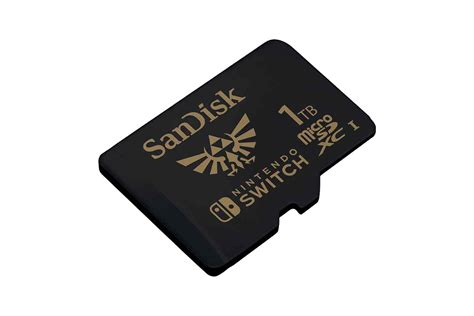
For players who prefer to buy all their games digitally, want immediate access to a vast library, or simply never want to worry about storage again, a 512GB or even a 1TB+ card is the way to go. A 512GB card can comfortably house dozens of games, including many AAA titles. With 1TB or more, you’re essentially future-proofing your Switch for years, allowing you to download virtually anything you desire without needing to delete games. While pricier, the convenience is unparalleled.
Beyond Capacity: Speed Matters Too
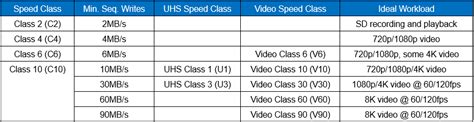
While capacity is crucial, the speed of your microSD card also plays a role, though less dramatically than on other consoles. Nintendo Switch games load primarily from the internal memory or the cartridge, but digital games on the microSD card still benefit from faster read speeds. Look for cards with an A1 or A2 app performance rating and a U1 or U3 speed class. These ratings indicate optimized performance for applications, which includes games, ensuring quicker loading times and smoother gameplay.
Other Storage Considerations
- DLC and Updates: Even if you own physical cartridges, DLC and game updates are downloaded to your console’s storage. These can accumulate quickly.
- Screenshots and Video Clips: The Switch allows you to capture memorable moments. These files, especially video, can take up significant space over time.
- Future Game Releases: Game sizes tend to increase over time, so consider what your library might look like a year or two from now.

Tips for Managing Your Storage
- Archive Software: If you run out of space, the Switch allows you to “Archive Software,” which deletes the game data but keeps its icon and save data, allowing for easy re-downloading later.
- Delete Unused Games: Be ruthless! If you know you won’t play a game again, delete it. Your save data is usually separate.
- Back Up Saves (Nintendo Switch Online): Ensure your save data is backed up to the cloud if you’re a Nintendo Switch Online subscriber. This gives you peace of mind if you need to factory reset or if your card ever corrupts.
Conclusion: Finding Your Storage Sweet Spot
Choosing the right microSD card for your Nintendo Switch isn’t just about buying the biggest card; it’s about matching capacity with your gaming habits, budget, and future needs. For most users, a 256GB or 400GB card offers the best balance of price and performance, providing ample space without breaking the bank. Dedicated digital collectors, however, will find the investment in a 512GB or 1TB+ card well worth it for the sheer convenience. Regardless of your choice, investing in a quality, high-speed microSD card is the best way to ensure your Switch gaming experience is as seamless and expansive as possible.



