Optimize Switch storage for indie games & AAA titles: SD card tips?
Navigating the Nintendo Switch Storage Challenge
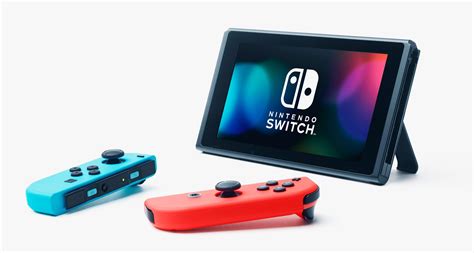
The Nintendo Switch, a marvel of portable gaming, often presents a common dilemma for its owners: limited storage space. While the console comes with 32GB (or 64GB for the OLED model) of internal storage, a significant portion is reserved for the system itself. This leaves precious little room for the ever-growing libraries of digital games, ranging from compact indie darlings to massive AAA blockbusters.
Whether you’re a dedicated collector of eShop treasures or a fan of graphically intensive titles, understanding how to effectively manage and expand your Switch’s storage is crucial for an uninterrupted gaming experience. This guide will equip you with the knowledge to optimize your storage using SD cards, ensuring you always have space for your next adventure.
Why SD Cards Are Essential for Your Switch
The solution to the Switch’s storage limitations lies almost entirely in microSD cards. These tiny memory powerhouses allow you to drastically expand your console’s capacity, making room for dozens, if not hundreds, of games. Unlike some other consoles, the Switch relies heavily on external storage for digital titles, with physical game cartridges only saving a fraction of their data to the internal memory.
Understanding Storage Priorities: Internal vs. SD Card
Generally, game data, updates, and DLC for downloaded titles reside on the microSD card if one is inserted. Screenshots and video captures are also saved to the SD card by default. Internal storage is primarily used for system data, save data, and if no SD card is present, for downloaded games. It’s important to remember that save data is always stored on the console’s internal memory and cannot be moved to an SD card, though Nintendo Switch Online subscribers can back up most save data to the cloud.
Choosing the Right MicroSD Card for Your Switch
Selecting the correct SD card is paramount for performance and longevity. Not all microSD cards are created equal, and choosing the wrong one can lead to slower load times or even game crashes.
Capacity: How Much Do You Really Need?
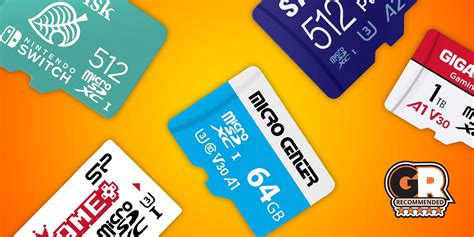
- Casual Gamer (128GB-256GB): If you mostly play physical games and only download a few indies, this range is often sufficient.
- Moderate Gamer (256GB-512GB): A good sweet spot for those who mix physical and digital, including a few AAA digital titles.
- Hardcore Gamer (512GB-1TB+): Essential for digital-only players, especially those who indulge in many AAA games like The Legend of Zelda: Tears of the Kingdom or Pokémon Scarlet/Violet, which can easily exceed 10-15GB each.
Speed: Don’t Compromise on Performance
Nintendo recommends using a UHS-I (Ultra High Speed Phase I) compatible microSD card with a transfer speed of 60 to 95 MB/s. Look for cards rated U1 or U3. U3 cards offer higher minimum write speeds, which can translate to better performance, especially for larger games or frequent data access. Avoid generic or off-brand cards, as they might not deliver the advertised speeds and could fail prematurely. Stick to reputable brands like SanDisk, Samsung, or Lexar.
Strategic Game Management: Indie vs. AAA Titles
How you manage your games can significantly impact your storage efficiency. Different strategies apply depending on whether you’re dealing with small indies or hefty AAA blockbusters.
Optimizing for Indie Games
Indie games are typically smaller in file size, often ranging from a few hundred megabytes to a couple of gigabytes. You can accumulate many of these before seeing a significant dent in larger SD cards. The best strategy here is often simply to download and enjoy. If you run out of space, consider archiving older, completed indies rather than deleting them, as this keeps your save data intact.
Optimizing for AAA Titles
AAA games are the true storage hogs, with some exceeding 20GB. Managing these requires a more proactive approach:
- Prioritize Placement: If you have multiple SD cards (though it’s generally easier to use one large one), consider which games you play most frequently and keep them on your primary card.
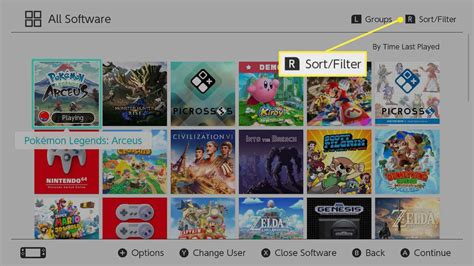
- Archive vs. Delete: When you need space, the first step should always be to “Archive Software” from the HOME Menu. This removes the game data but keeps your save data. You can redownload the game later. Only “Delete Software” if you are absolutely certain you won’t play it again and don’t care about the save data (or have it backed up via NSO).
- Physical vs. Digital: For AAA titles, purchasing physical cartridges can save significant SD card space, as the core game data is on the cart. You’ll still need space for updates and DLC, but it’s usually much less.
Advanced Tips for Maximizing Your Storage
Regular Storage Checks
Periodically check your storage usage. Go to System Settings > Data Management. This will show you a breakdown of what’s taking up space on your console’s internal memory and your microSD card, allowing you to identify and remove unnecessary data.
Transferring Data Between SD Cards
If you upgrade to a larger SD card, you can easily transfer all your data. Power off your Switch, insert the old SD card into a computer (you might need an adapter), copy all its contents to a folder on your computer, then insert the new SD card and copy everything from that folder onto it. Ensure the new SD card is formatted correctly by the Switch first, if necessary, though it usually does this automatically on first insertion.
Cloud Saves (Nintendo Switch Online)
While not directly related to SD card space, Nintendo Switch Online cloud saves are invaluable for protecting your game progress. Even if you archive or delete a game, your save data is safe in the cloud (for most games), allowing you to pick up exactly where you left off if you redownload it later.

The Future of Your Switch Gaming Experience
By implementing these storage optimization strategies, you can transform your Nintendo Switch from a device constantly battling for space into a seamless portal for endless gaming adventures. Investing in a high-quality, high-capacity microSD card and adopting smart game management habits will ensure that whether it’s a nostalgic indie platformer or a sprawling open-world AAA epic, your Switch is always ready for action.