Optimize Switch storage for big games & expanding indie libraries?
The Ever-Growing Digital Dilemma
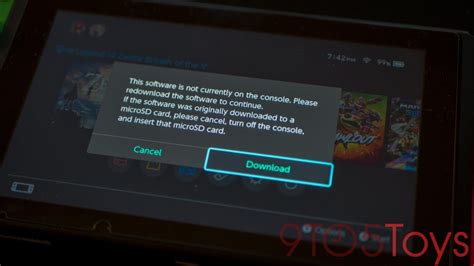
Nintendo Switch owners face a unique challenge: balancing their love for expansive AAA titles with an ever-expanding library of captivating indie games. Unlike home consoles with terabytes of storage, the Switch’s more modest internal capacity can quickly become a bottleneck, especially for digital-first gamers.
With its portability and incredible library, the Switch is designed for gaming on the go, but this convenience often comes with the headache of constant storage management. Whether you’re downloading a massive new release or accumulating dozens of smaller, impactful indie experiences, you’ll eventually hit a wall if you don’t optimize your storage strategy.
Why Switch Storage Fills Up So Fast
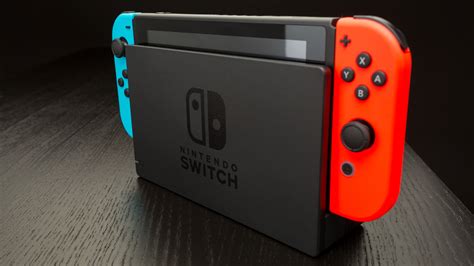
The Switch comes with a modest 32GB (or 64GB for the OLED model) of internal storage, a significant portion of which is reserved for the system itself. This leaves surprisingly little room for games, especially when considering:
- Digital Downloads: Many modern AAA games, like The Legend of Zelda: Tears of the Kingdom or Pokémon Scarlet/Violet, can easily exceed 10-15GB each.
- Game Updates and Patches: Even physical games often require substantial digital updates to fix bugs, add features, or prepare for DLC.
- DLC and Expansions: Post-launch content, whether free or paid, adds to the game’s overall footprint.
- Save Data and Screenshots: While individually small, these can accumulate over time, especially if you capture many moments or play numerous titles.
Without a robust storage plan, you’ll soon find yourself constantly deleting and redownloading games, wasting precious gaming time.
The Indispensable MicroSD Card
This is by far the most crucial component for any Switch owner looking to expand their storage. The Switch supports microSD, microSDHC, and microSDXC cards up to a staggering 2TB, providing ample room for even the most avid collectors.
Choosing the Right MicroSD Card
- Capacity: While 2TB cards are expensive, 256GB, 512GB, or even 1TB cards offer an excellent balance of cost and capacity. Aim for at least 256GB if you’re a regular digital shopper.
- Speed: Look for cards with a high read/write speed. The Switch supports UHS-I (Ultra High Speed Phase I) cards. Specifically, aim for cards with a U1 (UHS Speed Class 1) or, even better, a U3 (UHS Speed Class 3) rating. These offer transfer speeds of at least 10MB/s and 30MB/s respectively, ensuring faster game loading times.
- Brand Reliability: Stick to reputable brands like SanDisk, Samsung, PNY, or Kingston to avoid counterfeit cards and ensure consistent performance.
Smart Data Management Strategies
Beyond simply adding more storage, how you manage your existing data is key to maintaining a smooth gaming experience.
Archiving vs. Deleting
The Switch offers two main options for removing games:
- Archive Software: This removes the game’s core data but keeps its icon on your Home menu and, crucially, preserves your save data. You can redownload the game anytime without losing progress. This is ideal for games you might play again later.
- Delete Software: This removes the game, its icon, and *all* associated save data (unless cloud saves are enabled). Only use this for games you’re absolutely certain you’ll never play again, or if you want to make a fresh start.
Monitoring Your Storage Usage
Regularly check your Switch’s Data Management settings (System Settings > Data Management). Here, you can see a breakdown of what’s consuming space, allowing you to make informed decisions about what to archive or delete. You can also easily transfer data between internal storage and the microSD card.
Physical Games: A Storage Saver (with caveats)
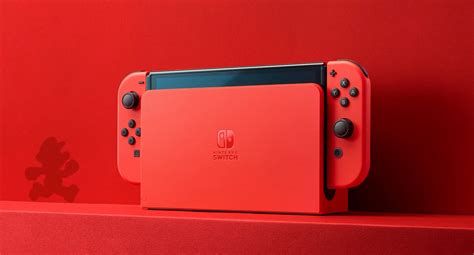
While physical game cartridges don’t consume internal or microSD storage for the base game, they often still require significant updates and DLC to be downloaded. So, while they free up space for core game files, they aren’t a complete escape from digital downloads. Consider physical copies for games you know have minimal updates or small DLC footprints.
Advanced Tips for Power Users
For those with truly massive libraries or very specific needs, consider these:
- Multiple MicroSD Cards: While less convenient, some users opt for multiple smaller cards, perhaps one dedicated to large AAA titles and another for their indie collection. Label them clearly!
- Prioritize Essential Games: Keep your most-played games (e.g., Animal Crossing, Mario Kart) on your fastest storage (internal if possible for a few, or a high-speed microSD) for optimal loading times.
- Cloud Saves: Though not a storage solution, Nintendo Switch Online’s cloud save feature is invaluable for protecting your precious game progress, especially if you ever need to delete games or change SD cards.
The Future of Your Switch Library
Optimizing your Switch storage isn’t a one-time task; it’s an ongoing process. As new games release and your play habits evolve, you’ll need to periodically review and adjust your storage strategy. Investing in a high-capacity, fast microSD card upfront will save you countless headaches and ensure your Switch remains the ultimate portable gaming machine.
Conclusion
Don’t let storage limitations hold back your gaming adventures. By understanding the Switch’s storage ecosystem, investing in the right accessories, and adopting smart data management practices, you can easily accommodate both the sprawling worlds of blockbuster titles and the charming depths of an expanding indie collection. Get ready to download more, delete less, and game on!