





Optimize mobile game battery: what settings truly extend playtime?

The Quest for Longer Playtime: Why Battery Life Matters
For any dedicated mobile gamer, the dread of a rapidly draining battery is a familiar foe. Just when you’re about to land that critical hit or conquer the final boss, your device flashes a low-power warning. But what if you could significantly extend your playtime without constantly being tethered to a charger? Many settings, both within your games and on your device, have a direct impact on power consumption. Understanding and optimizing these can transform your gaming experience.
In-Game Settings: The First Line of Defense
Most modern mobile games offer a suite of graphical and performance settings. Adjusting these can lead to substantial battery savings.
- Graphics Quality: This is often the biggest battery hog. Reducing settings like texture quality, shadow detail, and visual effects from ‘Ultra’ or ‘High’ to ‘Medium’ or ‘Low’ can drastically cut down GPU strain and, consequently, battery usage. While the visuals might take a slight hit, the increase in playtime is often worth it.
- Frame Rate (FPS): Many games allow you to cap the frame rate. While 60 FPS offers the smoothest experience, it also demands more power. Dropping to 30 FPS can often be imperceptible in many genres and significantly reduces CPU/GPU workload.
- Resolution: If your game offers resolution scaling, reducing it can make a noticeable difference. Lowering the number of pixels the GPU has to render lightens its load.
- V-Sync & Anti-Aliasing: Disabling V-Sync (Vertical Synchronization) can sometimes reduce GPU effort, though it might introduce screen tearing. Similarly, Anti-Aliasing smooths jagged edges but is computationally intensive; turning it off can save power.

Device-Level Optimizations for Extended Play
Beyond the game itself, your smartphone’s system settings play a crucial role in how long your battery lasts.
- Screen Brightness: Your display is typically the single largest power consumer. Reduce screen brightness as much as comfortably possible, especially in darker environments. Auto-brightness can be helpful, but manual adjustment offers more control.
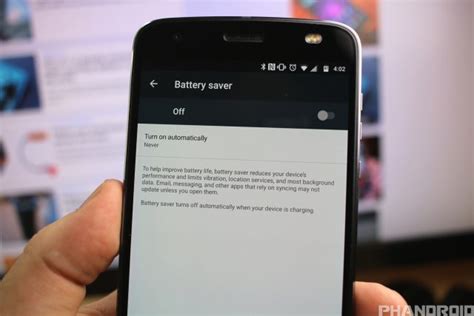
- Battery Saver Mode: Most Android and iOS devices have a built-in ‘Battery Saver’ or ‘Low Power Mode’. Activating this will automatically throttle CPU performance, reduce background activity, and lower screen refresh rates, all of which extend battery life for gaming and general use.
- Background App Refresh: Prevent apps from needlessly running in the background. Disable background refresh for apps that don’t require constant updates, freeing up system resources and saving power.
- Location Services & Bluetooth: Turn off GPS and Bluetooth when not actively in use. While they might seem minor, these can contribute to passive battery drain.
- Notifications: Constant notifications wake your screen and vibrate your phone, consuming power. Silence unnecessary notifications while gaming.
Connectivity and Network Considerations
How your device connects to the internet also impacts battery consumption.
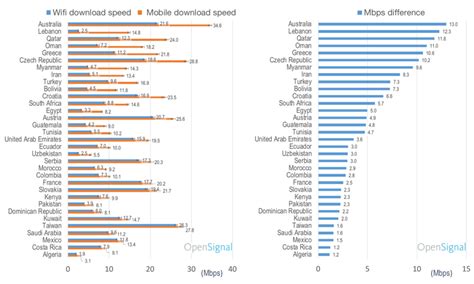
- Wi-Fi vs. Mobile Data: In general, a stable Wi-Fi connection consumes less power than mobile data (3G/4G/5G). If Wi-Fi is available, prioritize it. In areas with poor cellular reception, your phone works harder to maintain a signal, leading to significant battery drain; consider playing offline or moving to an area with better coverage.
- Airplane Mode: For offline games, turning on Airplane Mode completely cuts off all wireless communications, including Wi-Fi, Bluetooth, and cellular. This is a highly effective way to maximize battery life, as your phone isn’t constantly searching for networks.
Peripheral and Environmental Factors
Sometimes, factors outside of software settings also play a role.
- Device Temperature: High temperatures can reduce battery efficiency and cause throttling, making your phone work harder. Avoid playing in direct sunlight or on hot surfaces. Remove your phone case if it traps heat.
- External Accessories: While convenient, wireless controllers and Bluetooth headphones consume power from your phone. If battery life is critical, opt for wired accessories or play with internal speakers/controls.

Pro Tips for Power Users
For those seeking every last minute of playtime, consider these advanced strategies:
- Disable Haptic Feedback: The vibrations your phone makes (haptic feedback) consume a small but consistent amount of power. Disabling them in game settings or system accessibility options can contribute to savings.
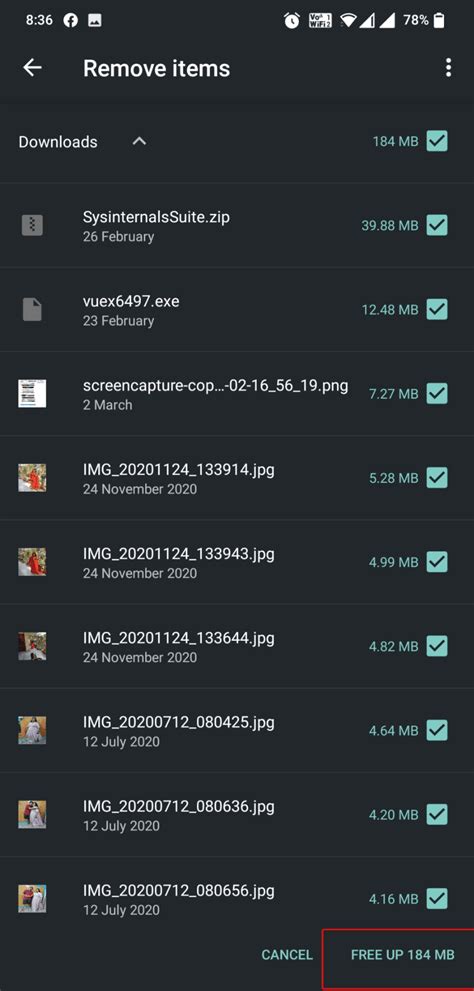
- Clear Cache: Regularly clearing the cache of frequently played games and other apps can ensure they run more efficiently, potentially reducing CPU strain.
- Consider Game Boosters (with caution): Some phones come with ‘Game Booster’ modes that aim to optimize performance and battery life by clearing RAM and prioritizing game processes. While they can be useful, ensure they aren’t merely closing essential background apps.
Conclusion: A Balanced Approach to Battery Optimization
Extending your mobile game battery life isn’t about a single magic setting, but rather a combination of thoughtful adjustments. By taking control of in-game graphics, leveraging device power-saving modes, optimizing connectivity, and being mindful of your environment, you can significantly enhance your playtime. Experiment with these settings to find the optimal balance between visual fidelity, performance, and endurance for your favorite titles.



