





Optimize mobile game battery life on Android/iOS?

Mobile gaming offers an incredible escape, but few things are as frustrating as your device’s battery dying mid-session. The intense graphics, processing power, and constant screen activity required by modern games are notorious for draining battery life at an alarming rate. Fortunately, whether you’re an Android or iOS user, there are numerous strategies you can employ to optimize your device and keep the game going longer.
Understanding Battery Drain in Mobile Games
Before diving into solutions, it’s helpful to understand why games are such battery hogs. High-fidelity graphics demand significant GPU (Graphics Processing Unit) power, while complex game logic utilizes the CPU (Central Processing Unit) heavily. The screen, especially when bright, is one of the biggest power consumers. Add to this network activity for online games, haptic feedback, and audio processing, and you have a recipe for rapid power depletion.

General Strategies for Both Android and iOS
Many optimization techniques are universal across both major mobile platforms:
- Reduce Screen Brightness: This is arguably the most impactful change you can make. Lowering your screen brightness, or enabling adaptive brightness, can save a substantial amount of power.
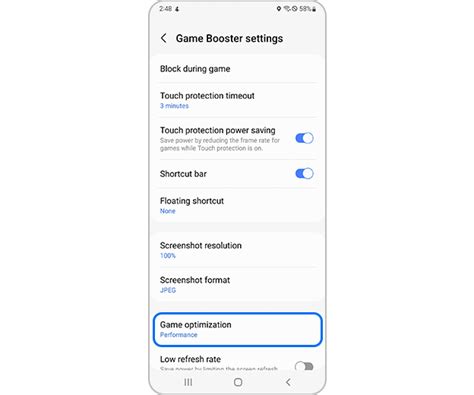
- Lower In-Game Graphics Settings: Most games offer graphics options (resolution, texture quality, frame rate, anti-aliasing). While higher settings look better, scaling them down to ‘medium’ or ‘low’ can drastically reduce the strain on your GPU and extend playtime.
- Disable Unnecessary Features: Turn off Wi-Fi, Bluetooth, GPS, and cellular data if they aren’t essential for the game you’re playing. Location services, in particular, can be a major drain.
- Minimize Background App Activity: Close apps running in the background that aren’t necessary. These apps consume RAM and CPU cycles, indirectly affecting your game’s performance and battery.
- Manage Haptic Feedback and Vibration: While tactile feedback enhances immersion, it uses the device’s vibration motor, which consumes power. Consider turning it off or reducing its intensity.
Android-Specific Optimizations
Android’s open nature offers granular control over battery usage:
- Utilize Battery Saver Mode: Most Android devices have a built-in ‘Battery Saver’ or ‘Power Saving Mode’ that automatically restricts background activity, limits visual effects, and reduces CPU speed. Enable this before a long gaming session.
- Restrict Background App Usage: Go to Settings > Apps > (Specific Game/App) > Battery and select ‘Restricted’ or ‘Optimized’ to prevent it from running in the background.
- Disable Always-On Display: If your phone has an AMOLED screen with an always-on display feature, turn it off. While efficient, it still consumes power over time.
- Clear Game Cache: Over time, game caches can become bloated. Clearing them occasionally can improve performance and potentially battery efficiency.
iOS-Specific Optimizations
iOS provides streamlined options for power management:
- Activate Low Power Mode: This is an essential feature for iOS users. Accessible from Control Center or Settings > Battery, Low Power Mode reduces background app refresh, mail fetch, visual effects, and potentially CPU performance to save battery.
- Turn Off Background App Refresh: Go to Settings > General > Background App Refresh and disable it for apps you don’t need constantly updating. You can turn it off entirely for the most significant savings.
- Manage Location Services: Review apps using location services (Settings > Privacy > Location Services) and set them to ‘While Using’ or ‘Never’ for non-essential apps.
- Disable Automatic Downloads/Updates: Go to Settings > App Store > Automatic Downloads and turn off ‘Apps’ and ‘App Updates’ to prevent your phone from downloading content in the background, especially when gaming.

Best Practices During Gaming Sessions
- Keep Your Device Cool: Overheating significantly accelerates battery drain and can also harm your device in the long run. Avoid playing in direct sunlight or with a case that traps heat.
- Charge Before Playing: Start your gaming session with a full battery whenever possible.
- Avoid Charging While Gaming Intensively: While convenient, charging your device during an intense gaming session can generate excessive heat, which is detrimental to battery health over time.
- Use Official Chargers: Always use the charger that came with your device or a certified third-party charger for optimal and safe charging.
By implementing these tips, you can significantly extend your mobile gaming sessions on both Android and iOS devices. Experiment with different settings to find the optimal balance between performance, visual quality, and battery longevity that suits your gaming habits. Happy gaming!



