





Nintendo Switch storage full? What’s the best SD card for more digital games?
Running Out of Space on Your Nintendo Switch? You’re Not Alone!
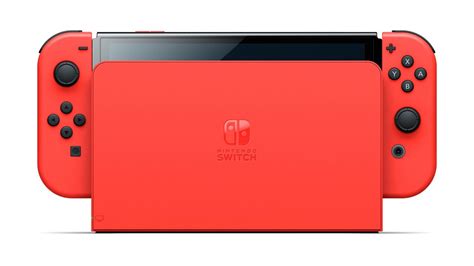
The Nintendo Switch, a beloved hybrid console, comes with a rather modest 32GB (original and Lite models) or 64GB (OLED model) of internal storage. While this might seem sufficient for a few small indie titles, it quickly fills up once you start downloading larger digital games like The Legend of Zelda: Tears of the Kingdom, Pokémon Scarlet and Violet, or even just a handful of popular indies. Before you know it, you’re facing the dreaded “Not enough free space” message.
Thankfully, the solution is simple: a microSD card. But with so many options on the market, how do you choose the best one for your precious Switch?
Why an SD Card is a Must-Have for Digital Game Hoarders
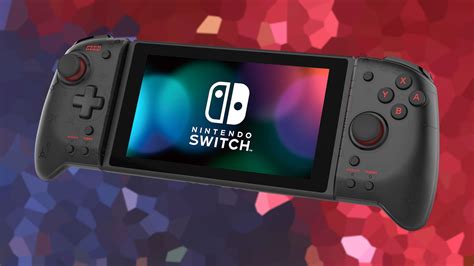
Unlike some other consoles, the Nintendo Switch relies exclusively on microSD cards for expandable storage. This small, unobtrusive card slot is your gateway to a vast digital library, allowing you to carry dozens, if not hundreds, of games with you wherever you go. Without one, you’ll constantly be deleting and re-downloading games, which is both time-consuming and frustrating.
When selecting a card, there are a few critical factors to consider:
- Capacity: How many games do you plan to download?
- Speed: Does it load games quickly?
- Compatibility: Is it the right type for the Switch?
Understanding SD Card Types for Nintendo Switch
The Nintendo Switch is compatible with microSD, microSDHC, and microSDXC cards. For the best performance and capacity, you should always opt for a microSDXC card. Here’s a quick breakdown:
- microSD: Up to 2GB (too small for modern gaming)
- microSDHC (High Capacity): 4GB to 32GB (better, but still limited)
- microSDXC (Extended Capacity): 64GB to 2TB (this is what you want!)
Beyond the type, look for cards with a high speed rating. Specifically, Nintendo recommends using a UHS-I (Ultra High Speed Phase I) compatible card with a reading speed of 60-95 MB/s. Many cards will feature a “U1” or “U3” speed class, indicating minimum write speeds. For gaming, U3 cards often offer a slightly better experience, though U1 is generally sufficient.

Recommended SD Cards for Your Nintendo Switch
While many microSDXC cards will work, some stand out for their reliability, performance, and value. Here are some top contenders:
1. SanDisk microSDXC for Nintendo Switch (Officially Licensed)
These cards are specifically branded for the Switch, often featuring iconic Nintendo characters. They are guaranteed to meet Nintendo’s specifications, offering reliable performance with read speeds up to 100MB/s. They come in various capacities, commonly 64GB, 128GB, 256GB, and 512GB.
2. SanDisk Extreme/Extreme Pro microSDXC
If you want top-tier performance, SanDisk’s Extreme and Extreme Pro lines are excellent. While they might be slightly overkill for the Switch’s maximum read speeds, they offer robust durability and consistently fast performance, ensuring your games load quickly. They are available in capacities up to 1TB.
3. Samsung EVO Select/Plus microSDXC
Samsung’s EVO cards are fantastic value options. The EVO Select (often found on Amazon) and EVO Plus lines offer great read/write speeds, solid reliability, and competitive pricing, making them a popular choice among Switch owners. They are widely available in 64GB, 128GB, 256GB, and 512GB capacities, with 1TB options emerging.
4. Lexar PLAY microSDXC
Designed specifically for gaming, the Lexar PLAY series offers high read speeds (up to 150MB/s) and U1 or U3 speed classes, making it a great fit for the Nintendo Switch. They are often a good balance of performance and price.
What Capacity Do You Really Need?
This is crucial. Consider your gaming habits:
- 128GB: Good for casual players with a mix of physical and digital games.
- 256GB: A popular sweet spot for most digital-first gamers, offering plenty of space for major titles and indies.
- 512GB: Excellent for avid digital collectors who rarely buy physical cartridges. You’ll likely never run out of space.
- 1TB: The ultimate choice for serious digital hoarders. While expensive, it provides virtually limitless space for the Switch’s current library.
Remember that the Switch’s operating system and any saved data on the internal memory will still take up a small portion of the card’s reported capacity.
Installing Your New SD Card
Once you’ve chosen your card, installation is straightforward:
- Power off your Nintendo Switch completely.
- Locate the microSD card slot (usually behind the kickstand on the back of the console).
- Insert the microSD card face-up until it clicks into place.
- Power on your Switch. The console should automatically detect and format the card.
- To move existing digital games, go to System Settings > Data Management > Move Data Between System / microSD Card.
Final Thoughts: Invest in Your Digital Library
A high-quality microSDXC card is arguably the most important accessory you can buy for your Nintendo Switch if you enjoy digital games. It alleviates storage headaches, reduces game management chores, and ensures you can always have your favorite titles ready to play. While Nintendo-licensed cards offer peace of mind, reputable brands like SanDisk and Samsung provide excellent alternatives that meet or exceed the Switch’s requirements.
Prioritize capacity based on your needs, but don’t skimp on speed or brand reliability. A good SD card is a long-term investment that will significantly enhance your Nintendo Switch gaming experience.



