Need more Switch game storage? What MicroSD card boosts space & speed?

Why Your Nintendo Switch Needs More Storage
The Nintendo Switch, a marvel of portable gaming, comes with a rather modest amount of internal storage: 32GB for the original and Lite models, and 64GB for the OLED version. While this might seem sufficient at first glance, digital game downloads, mandatory software updates, and save data can quickly gobble up this space. Many popular titles alone can range from 10GB to over 30GB, making additional storage a necessity for most Switch owners.
Running out of space means you’ll constantly be deleting games to make room for new ones, which is a frustrating experience. Fortunately, the Switch conveniently supports MicroSD cards, offering a simple and effective solution to vastly expand your gaming library.
Understanding MicroSD Card Capacities: How Much Do You Need?
MicroSD cards come in a wide range of capacities, from 32GB up to a staggering 2TB. The ideal capacity for you depends largely on your gaming habits:
- 128GB – 256GB: A good starting point for casual gamers or those who primarily buy physical game cartridges but want space for digital indies, DLC, and updates.
- 400GB – 512GB: An excellent balance for most digital-first gamers, offering ample space for a substantial library of downloadable titles without breaking the bank.
- 1TB or More: For the hardcore digital collector who wants every game installed and ready to play, or anticipates a massive future library. Keep in mind that as capacity increases, so does the price.
Remember, it’s generally better to buy a card with more space than you think you’ll need. Games aren’t getting smaller, and storage fills up faster than you expect!
Speed Matters: Decoding UHS, Speed Class, and A-Ratings
While capacity is important, the speed of your MicroSD card is crucial for a smooth gaming experience. A faster card can lead to quicker game loading times, smoother transitions, and less lag, especially in titles with frequent data access.
UHS Speed Class (U1 vs. U3)
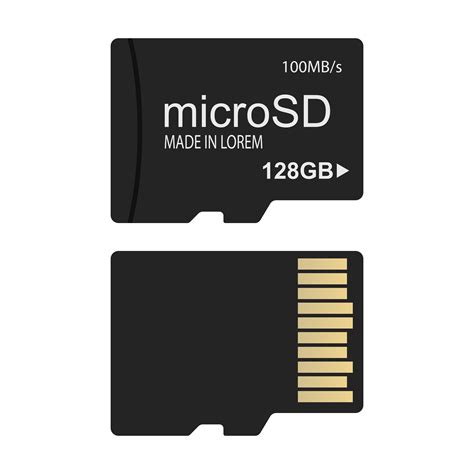
The Nintendo Switch supports the UHS-I standard, which is important to know as faster UHS-II cards will still work, but only at UHS-I speeds, meaning you’d be paying for performance you can’t fully utilize. Within UHS-I, you’ll see two main speed classes:
- UHS Speed Class 1 (U1): Guarantees a minimum write speed of 10MB/s. This is the minimum recommended for the Switch.
- UHS Speed Class 3 (U3): Guarantees a minimum write speed of 30MB/s. This is generally preferred for optimal performance and quicker loading times.
App Performance Class (A1 vs. A2)
You might also see an ‘A1’ or ‘A2’ rating on MicroSD cards. These indicate the card’s ability to handle random read/write operations, which is vital for applications (like games) that access many small files quickly:
- A1 Rating: Guarantees minimum random read of 1,500 IOPS and random write of 500 IOPS. Many modern games benefit significantly from this.
- A2 Rating: Guarantees minimum random read of 4,000 IOPS and random write of 2,000 IOPS. While A2 is technically faster, the Nintendo Switch’s hardware may not be able to fully leverage the higher random performance of A2 cards, meaning an A1 or U3 card from a reputable brand often performs similarly or even identically in real-world Switch gaming scenarios.
For the best balance of price and performance, look for a UHS-I U3 card, ideally with an A1 rating. Some U3 cards are inherently fast enough to meet A1 specs without explicitly stating it, so prioritize U3 first.
Recommended Brands and Installation Tips
When choosing a MicroSD card, sticking with reputable brands is always a good idea to ensure reliability and genuine performance. Brands like SanDisk, Samsung, Lexar, and PNY are well-regarded in the industry and offer excellent MicroSD card options suitable for the Nintendo Switch.
Installation is Simple:
- Power off your Nintendo Switch completely (don’t just put it to sleep).
- Open the kickstand on the back of the console to reveal the MicroSD card slot.
- Insert the MicroSD card with the label facing down until it clicks into place.
- Close the kickstand and power on your Switch.
- Your Switch will automatically format the card if it’s new, or recognize existing data.
Any new games you download will automatically be saved to the MicroSD card. You can also move existing data from your console’s internal storage to the MicroSD card via the System Settings menu if needed.
Conclusion: Enhance Your Switch Experience
Investing in a high-quality MicroSD card is one of the most impactful upgrades you can make for your Nintendo Switch. It not only solves the perennial problem of limited storage but can also subtly enhance your gaming experience with faster loading times and smoother performance. By understanding the key factors of capacity, UHS speed classes (U1/U3), and App Performance Classes (A1/A2), you can confidently select the perfect card to keep your digital library growing and your gaming seamless.