





My Switch storage is full. What’s the best microSD card for digital games?

Why Your Switch Storage Fills Up So Fast
Nintendo Switch consoles come with a relatively modest amount of internal storage – just 32GB for the original and Lite models, and 64GB for the OLED model. While this might seem sufficient for a few games, the reality is that many modern digital titles easily exceed 5-10GB each, with some behemoths like The Legend of Zelda: Tears of the Kingdom clocking in at over 16GB. Add in system updates, game patches, and save data, and that internal storage can vanish alarmingly quickly, leaving you with no room for new downloads.
Understanding microSD Card Basics for Switch
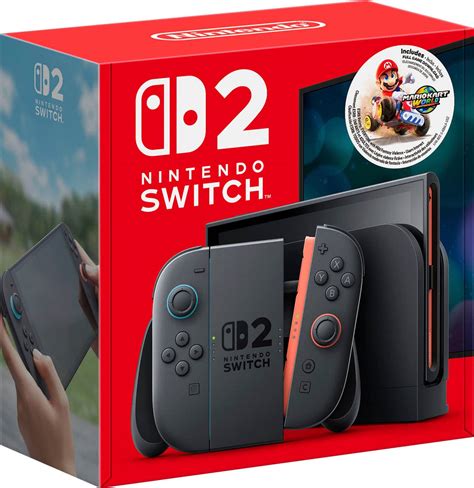
Fortunately, expanding your Switch’s storage is straightforward thanks to its microSD card slot. However, not all microSD cards are created equal, and choosing the right one is essential for optimal performance. The Switch supports microSD, microSDHC, and microSDXC cards, with capacities ranging from a few gigabytes to a staggering 2 terabytes (TB), though 1TB is currently the practical maximum widely available and affordable.
Key Factors to Consider: Capacity and Speed
- Capacity: This is the most obvious factor. More GBs mean more games. Consider your current library and future download habits. Do you mostly buy physical, or are you all-digital?
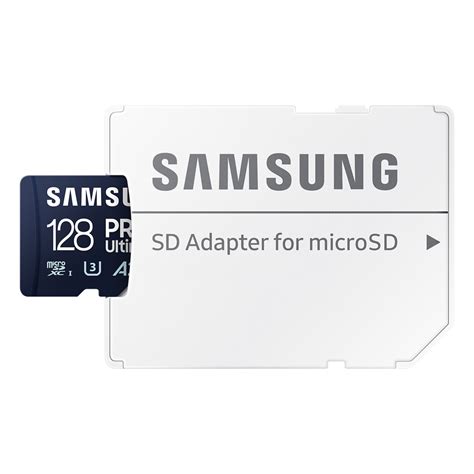
- Speed: This is crucial for smooth gameplay and faster loading times. Look for cards with a UHS-I (Ultra High Speed Phase I) interface, specifically those rated U3 (UHS Speed Class 3) or V30 (Video Speed Class 30). These classifications indicate a minimum sustained write speed of 30 MB/s, which is well within Nintendo’s recommendations for optimal performance (at least 60-95 MB/s read speed for games). Avoid U1 or Class 10 cards if possible, as they can lead to slower loading.
Recommended Capacities for Digital Hoarders
Your ideal microSD card capacity depends entirely on your gaming habits. Here’s a breakdown to help you decide:
- 128GB or 256GB: Good for casual players who download a few big titles and mostly rely on physical cartridges. It’s a noticeable upgrade from internal storage without breaking the bank.
- 512GB: This is often the sweet spot for many digital-first players. It provides ample room for a substantial library of AAA and indie titles. You’ll likely fit dozens of games before needing to manage space.
- 1TB: If you’re an avid digital collector, often download large games, subscribe to Nintendo Switch Online + Expansion Pack titles, or simply want to never worry about storage again, a 1TB card is the ultimate choice. While more expensive, it offers unparalleled freedom.
Top Brands and What to Look For
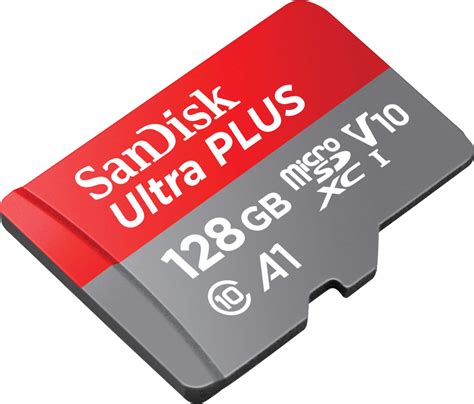
When purchasing a microSD card, sticking to reputable brands is highly recommended to ensure reliability and performance. SanDisk and Samsung are consistently top performers and are widely recommended by Nintendo Switch owners. Other reliable brands include Lexar and PNY.
Always purchase from trusted retailers to avoid counterfeit cards, which can offer sub-par performance or fail prematurely. Check for the U3/V30 speed rating and the UHS-I logo prominently displayed on the packaging.
Installation and Setup Tips
Installing a microSD card is simple. Power off your Switch, open the kickstand, and insert the card into the slot. Your Switch will automatically detect it. You can then move existing downloaded software to the new card via System Settings > Data Management > Move Data Between System / microSD Card. Future downloads will automatically go to the microSD card as long as there’s space.
Conclusion: Invest in Your Digital Future
A high-quality microSD card is arguably the most essential accessory for any digital-focused Nintendo Switch owner. By investing in a card with sufficient capacity and a U3/V30 speed rating from a reputable brand, you’ll ensure a smooth, frustration-free gaming experience for years to come. Don’t let full storage stop you from exploring the vast library of fantastic games the Switch has to offer.



