





Maximize Switch storage for big AAA titles & small indie games: best SD card?

The Nintendo Switch, with its unique blend of home console and portable gaming, offers an incredible library of games, from sprawling AAA adventures to charming indie gems. However, its built-in storage, a modest 32GB for the original and Lite models or 64GB for the OLED, quickly proves insufficient for even a small collection of digital titles. Given the ever-growing size of modern games, expanding your Switch’s storage is not just a luxury, but a necessity for any avid gamer. But with so many options, what’s the best SD card to truly maximize your gaming experience?
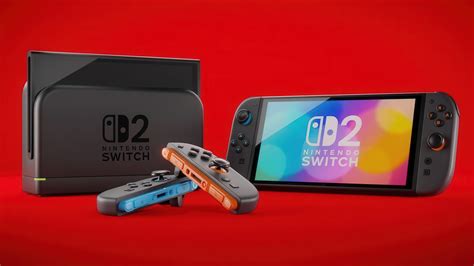
Understanding Your Switch Storage Needs
Before diving into specific recommendations, it’s crucial to assess how you use your Switch. Are you primarily a digital-only gamer, or do you prefer physical game cartridges? While physical carts save some space, many still require significant downloads for updates, DLC, and even full game installations. AAA titles like The Legend of Zelda: Tears of the Kingdom or Doom Eternal can easily consume 10-20GB or more each, while a collection of indie games, though smaller individually, can quickly add up.
Consider not just games, but also screenshots, video captures, and save data. While save data is minimal, captures can accumulate rapidly. A clear understanding of your current and anticipated game library will help you determine the ideal storage capacity.
The Essential Role of MicroSD Cards
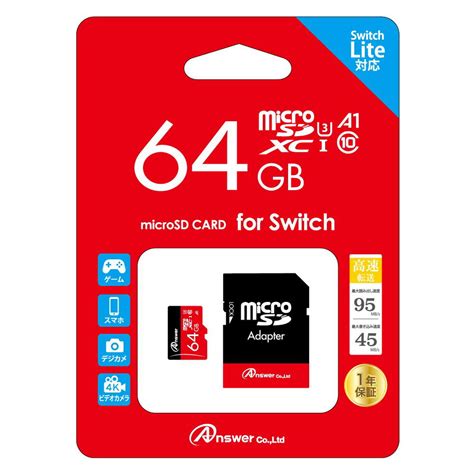
The Nintendo Switch exclusively uses microSD cards for storage expansion. These tiny cards slot into a discreet port beneath the kickstand (or a flap on the Lite). The Switch supports microSDHC (High Capacity) and microSDXC (eXtended Capacity) cards. For optimal performance and compatibility, Nintendo recommends using UHS-I (Ultra High Speed Phase I) compatible cards with a read speed of 60-95 MB/s.
Key Factors When Choosing an SD Card for Switch
When selecting a microSD card, three primary factors come into play: capacity, speed, and brand reliability.
1. Capacity: How Much Space Do You Really Need?
- 128GB: A good starting point for casual gamers or those who mostly buy physical games and only play a few digital titles.
- 256GB: A solid all-rounder. This capacity provides ample space for a decent mix of AAA and indie digital games without breaking the bank.
- 512GB: Often considered the sweet spot for many avid Switch users. It offers significant room for a large digital library, including several big titles, and reduces the need for frequent game archiving.
- 1TB: For the ultimate digital collector or anyone who never wants to delete a game. While more expensive, a 1TB card virtually eliminates storage concerns for the foreseeable future.

2. Speed: A Crucial Performance Metric
While theoretical speeds can be very high for some cards, the Switch itself has a speed limit for reading data from microSD cards (UHS-I speeds). This means that ultra-fast UHS-II cards, while compatible, won’t offer a noticeable performance boost over high-quality UHS-I cards. Focus on cards with a U1 or U3 speed class and an A1 or A2 application performance class. For the Switch, an A1 rating is perfectly sufficient, indicating good random read/write performance for applications and games.
Look for read speeds of at least 90-100MB/s. This ensures smooth game loading and operation. Higher write speeds are beneficial for transferring files to the card, but read speed is paramount for gaming performance.
3. Brand Reliability: Trust in Quality
Stick to reputable brands to avoid counterfeit cards and ensure long-term reliability. Brands like SanDisk, Samsung, and Lexar are consistently top performers and offer excellent warranties.
Top Recommended SD Cards for Your Nintendo Switch
Based on performance, reliability, and value, here are some of the best microSD cards for the Nintendo Switch:
- SanDisk MicroSDXC for Nintendo Switch: Officially licensed by Nintendo, these cards are optimized for the console. They come in various capacities (64GB to 1TB) and offer reliable UHS-I speeds (up to 100MB/s read, 90MB/s write). They’re a safe and excellent choice.
- SanDisk Ultra MicroSDXC: A widely popular and cost-effective option. These cards offer great performance for the Switch (typically 100-120MB/s read speeds, A1 rated) and are available in capacities up to 1.5TB. They provide excellent value.
- Samsung EVO Select/Plus MicroSDXC: Samsung’s EVO line is another strong contender, known for its consistent performance and durability. They offer similar speed profiles (up to 130MB/s read, A2 rated for some newer models) and are often competitively priced.
- Lexar PLAY MicroSDXC: Designed for gaming, Lexar PLAY cards provide good performance and capacity, often featuring A1 or A2 ratings.

Installation and Storage Management Tips
- Power Off: Always power down your Switch completely before inserting or removing a microSD card.
- Insert Gently: The card slots into a tray beneath the kickstand. Ensure it clicks into place.
- Format (If Needed): Your Switch will likely prompt you to format a new card. This is quick and essential for the card to be recognized.
- Move Games: You can move downloaded software between internal storage and the microSD card via System Settings > Data Management.
- Archive vs. Delete: If you’re running low on space, ‘Archive Software’ removes the game data but keeps your save data. You can re-download the game later. ‘Delete Software’ removes everything, including save data (unless backed up to the cloud for NSO subscribers).
Conclusion
Expanding your Nintendo Switch storage with a high-quality microSD card is the best way to ensure you never have to choose between your favorite AAA blockbusters and charming indie titles. For most users, a 256GB or 512GB card from a reputable brand like SanDisk or Samsung will provide an excellent balance of capacity, speed, and value. For the ultimate digital library, 1TB offers unparalleled freedom. Invest wisely in your Switch storage, and enjoy an uninterrupted, expansive gaming experience for years to come.


