





Maximize Nintendo Switch storage for indie and AAA game downloads?
The Ever-Growing Digital Library Dilemma
The Nintendo Switch, with its incredible library of games ranging from compact indie titles to massive AAA blockbusters, presents a common challenge for many users: storage space. With digital downloads becoming increasingly popular, the console’s modest internal storage often fills up faster than anticipated. Fear not, fellow gamers! Maximizing your Switch’s storage is a straightforward process that will allow you to download more games, keep them readily accessible, and worry less about “storage full” notifications.
Understanding Your Switch’s Storage Landscape
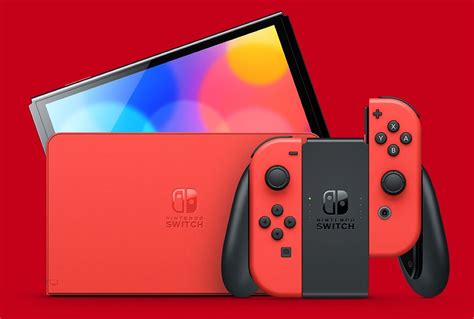
The standard Nintendo Switch model comes with 32GB of internal storage, while the OLED model offers a slightly larger 64GB. While this sounds reasonable, a significant portion is reserved for the system’s operating software, leaving substantially less for actual games. For instance, a single AAA title like The Legend of Zelda: Tears of the Kingdom can consume over 18GB, quickly devouring half or more of your available space. This is where external storage becomes not just an option, but a necessity.
The Indispensable MicroSD Card: Your Primary Solution
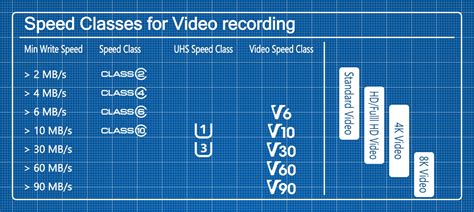
The most effective and widely adopted solution for expanding your Switch’s storage is a microSD card. The Switch supports microSD, microSDHC, and microSDXC cards, with microSDXC offering the largest capacities. When choosing a card, speed is almost as important as size. Look for cards with a UHS-I speed class rating (U1 or U3) and a read speed of at least 60-90 MB/s. While faster cards exist, the Switch’s internal architecture limits the read speed to about 100 MB/s, so ultra-expensive, high-speed cards might offer diminishing returns.
Choosing the Perfect MicroSD Card for Your Needs
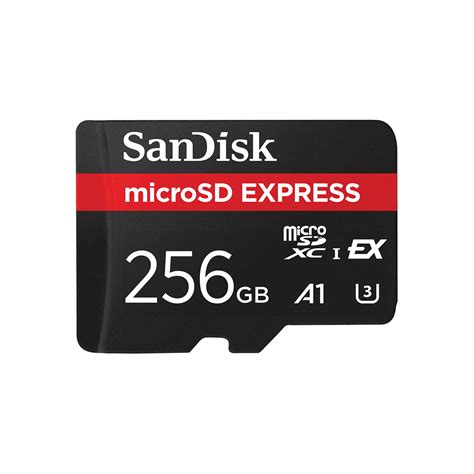
Capacity is key. While a 128GB card is a good starting point for casual gamers, serious digital collectors will want to consider 256GB, 512GB, or even 1TB cards. Given the falling prices, a 512GB card offers an excellent balance of cost and capacity for most users. Stick to reputable brands like SanDisk, Samsung, or Lexar to ensure reliability and performance. Avoid no-name cards, as they often have slower speeds or inflated capacity claims.
Smart Strategies for Managing Your Game Library
Once you have a large microSD card, you can employ several strategies to keep your library tidy:
- Archive Software: Instead of deleting games you might play again, use the “Archive Software” option. This removes the game data but keeps the icon on your Home menu and saves your game progress. You can redownload the game at any time without losing your save file.
- Prioritize Downloads: Keep your most frequently played games on the internal storage (if you want slightly faster load times, though the difference is often negligible) and less-played titles on the microSD card.
- Delete and Redownload: For games you’ve completed and are unlikely to revisit soon, a full delete frees up space. Your purchase is tied to your Nintendo Account, so you can always redownload it later from the eShop’s “Redownload” section.
Physical vs. Digital: A Storage Showdown
While physical game cartridges don’t consume significant storage space for the core game data, some titles still require substantial downloads for updates, patches, or DLC. These supplemental files will still occupy either your internal storage or microSD card. For true storage conservation, physical cartridges are generally superior, as the primary game data resides on the cart itself. However, the convenience of digital downloads and the constant sales on the eShop often make the storage trade-off worthwhile.
Pro Tips for Optimal Storage Management
- Regularly Check Storage: Go to System Settings > Data Management to see what’s consuming space. This helps identify large games or unused software.
- Cloud Saves: Ensure your Nintendo Switch Online subscription is active and cloud saves are enabled for your most important games. This protects your progress even if a game is deleted.
- Consider a Larger Card Sooner: Upgrading your card means copying data, which can be time-consuming. Invest in a larger card upfront to save hassle later.
- Manage Screenshots/Videos: High-resolution screenshots and video captures can accumulate. Transfer them to your microSD card or a computer to free up internal space.

Conclusion: Game On Without Storage Woes
Maximizing your Nintendo Switch storage is not just about buying a microSD card; it’s about smart management and understanding your gaming habits. By investing in a high-capacity, reputable microSD card and employing savvy data management techniques, you can ensure your Switch is always ready for the next indie darling or epic AAA adventure, without the frustration of running out of space. Happy gaming!


