





Joy-Con drift is ruining my Switch games. What are the best DIY fixes & prevention tips?

Understanding Joy-Con Drift: The Persistent Nuisance
Joy-Con drift, the infamous issue where your Nintendo Switch controllers register movement even when the analog sticks are untouched, has plagued countless Switch owners. This frustrating problem can make precise gaming impossible, leading to missed shots, unintended character movements, and overall diminished enjoyment of your favorite titles. While Nintendo offers repairs, many users are looking for quicker, more accessible DIY solutions and ways to prevent the issue from recurring.
The root cause often lies in wear and tear of the internal components, specifically the contacts within the analog stick mechanism. Dust, debris, and physical degradation of the conductive pads can lead to erratic signals, resulting in phantom inputs. Fortunately, several home-based remedies can often mitigate or even resolve the issue.

Initial Steps: Calibration and Software Fixes
Before diving into hardware fixes, it’s crucial to rule out software-related glitches. Often, drift can be a minor calibration issue rather than a physical problem. These steps are quick and require no tools:
- Recalibrate Your Joy-Cons: Go to System Settings > Controllers and Sensors > Calibrate Control Sticks. Follow the on-screen prompts for each affected stick. This can often correct minor discrepancies.
- Update Firmware: Ensure your Nintendo Switch console and Joy-Cons are running the latest firmware. Go to System Settings > System > System Update. Outdated software can sometimes cause compatibility or input issues.
DIY Hardware Fixes: Taking Matters Into Your Own Hands
If calibration doesn’t work, it’s time for some hands-on solutions. These methods range from simple cleaning to component replacement, increasing in complexity.
Method 1: The Contact Cleaner Approach (Less Invasive)
This method aims to clean out dust and debris that may be interfering with the analog stick’s contacts.
- Gather Supplies: You’ll need electronic contact cleaner (preferably non-residue, quick-drying), a small flat-head screwdriver or spudger, and a cotton swab or microfiber cloth.
- Power Off: Turn off your Switch and detach the Joy-Cons.
- Lift the Rubber Skirt: Carefully lift the rubber skirt at the base of the analog stick. This will expose a small gap.
- Apply Cleaner: Spray a tiny amount of electronic contact cleaner into the gap. Work the analog stick around in full circles for about 30 seconds to distribute the cleaner.
- Dry and Test: Let the Joy-Con sit for 5-10 minutes to allow the cleaner to evaporate completely. Then, reattach it to the Switch and test for drift. Repeat if necessary, but avoid over-saturating.

Method 2: Replacing the Analog Stick Module (More Involved)
If cleaning doesn’t work, the internal analog stick module itself might be faulty and require replacement. This requires opening the Joy-Con.
- Gather Supplies: You’ll need a Y-tip (tri-wing) screwdriver, a Philips head screwdriver, a spudger or thin pry tool, tweezers, and a replacement analog stick module (available online).
- Watch a Tutorial: There are many excellent video tutorials online. Watch one or two completely before starting to familiarize yourself with the process.
- Open the Joy-Con: Carefully remove the four Y-tip screws on the back of the Joy-Con. Pry open the casing gently, being mindful of the ribbon cables connecting the two halves.
- Disconnect Battery & Components: Disconnect the battery and other ribbon cables as shown in your chosen tutorial. This varies slightly between left and right Joy-Cons.
- Replace Stick: Unscrew the Philips head screws holding the analog stick module in place. Carefully remove the old module and install the new one, ensuring all connections are secure.
- Reassemble and Test: Follow the steps in reverse to reassemble the Joy-Con. Once complete, test thoroughly for drift and responsiveness.

Prevention is Key: Avoiding Future Drift
Once you’ve fixed or replaced your Joy-Cons, proactive measures can significantly extend their lifespan and prevent future drift issues.
- Handle with Care: Avoid dropping Joy-Cons or applying excessive force to the analog sticks. Rough handling is a primary cause of wear.
- Keep Them Clean: Regularly wipe down your Joy-Cons with a microfiber cloth. Use compressed air to clear out dust and debris around the analog stick bases.
- Use Protective Covers: Silicone grips or covers can protect the Joy-Cons from minor impacts and prevent dust accumulation around the stick base.
- Store Properly: When not in use, store your Switch and Joy-Cons in a case to protect them from dust, spills, and physical damage.
- Avoid “Clicking” Excessively: While the analog sticks have a click function, overuse can accelerate wear on the internal mechanism.
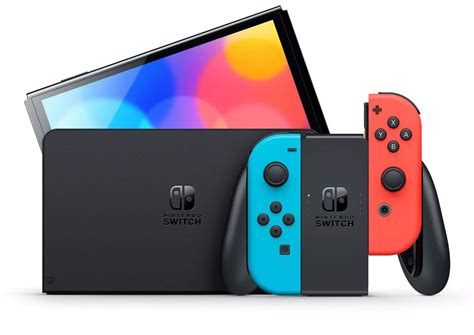
When DIY Isn’t Enough: Other Options
Sometimes, DIY fixes might not be effective, or you might not feel comfortable performing the repair yourself. In such cases:
- Contact Nintendo Support: Nintendo offers free Joy-Con drift repairs in many regions, even outside of warranty. Check their official support website for eligibility and instructions.
- Consider New Joy-Cons or Pro Controller: If your Joy-Cons are beyond repair or you prefer a more robust option, investing in a new pair of Joy-Cons or a Nintendo Switch Pro Controller (which is generally more durable) might be your best bet.

Conclusion
Joy-Con drift is a frustrating problem, but it doesn’t have to ruin your gaming experience. By trying simple calibration, cleaning with contact cleaner, or even replacing the analog stick module, you can often bring your controllers back to life. More importantly, adopting preventive measures can significantly reduce the likelihood of encountering drift again, ensuring your Nintendo Switch continues to provide countless hours of unhindered fun.


