





Joy-Con drift? Fixes for Switch controllers: DIY or replacement advice?

Few frustrations rival the dreaded Joy-Con drift for Nintendo Switch owners. That phantom movement on screen, inputs registering when your thumbs are still – it can turn an enjoyable gaming session into a maddening ordeal. But before you toss your Joy-Cons across the room, know that there are several potential fixes, ranging from simple DIY solutions to more permanent replacements.
Understanding Joy-Con Drift: The Root Cause
Joy-Con drift typically stems from wear and tear on the joystick’s internal components. Over time, dust, debris, or even microscopic particles can enter the joystick mechanism, interfering with the electrical contacts that register movement. Additionally, constant use can simply wear down the physical components, leading to loose connections or inaccurate readings. Understanding this helps in choosing the right fix.

First Steps: Software Solutions and Simple Cleaning
1. Recalibrate Your Joysticks
Sometimes, the issue isn’t physical but a calibration problem. Go to System Settings > Controllers and Sensors > Calibrate Control Sticks. Follow the on-screen instructions for each problematic stick. This can sometimes resolve minor drift issues without opening anything up.
2. Update Your System and Controllers
Ensure both your Nintendo Switch console and Joy-Cons are running the latest firmware. Updates often include bug fixes that could potentially address minor input issues. Go to System Settings > System > System Update.
3. Superficial Cleaning
For minor dust and debris, a quick external clean can sometimes help. Use a can of compressed air, aiming it around the base of the thumbstick while gently moving the stick in circles. You can also try a small amount of isopropyl alcohol on a cotton swab to clean the visible gap around the stick, ensuring it doesn’t seep too deeply.
DIY Hardware Fixes: Getting Your Hands Dirty
If software and external cleaning don’t work, you might need to dive a little deeper. These DIY methods require some care and appropriate tools, but can save you the cost of new controllers.
1. Advanced Cleaning with Contact Cleaner
This method involves lifting the rubber skirt around the base of the joystick and spraying electronic contact cleaner (like WD-40 Specialist Contact Cleaner) directly into the mechanism. Move the stick around vigorously after spraying to work the cleaner in. This can dislodge stubborn dirt and rejuvenate electrical contacts. Be careful not to use standard WD-40, as it can leave residue.

2. Replacing the Joystick Module
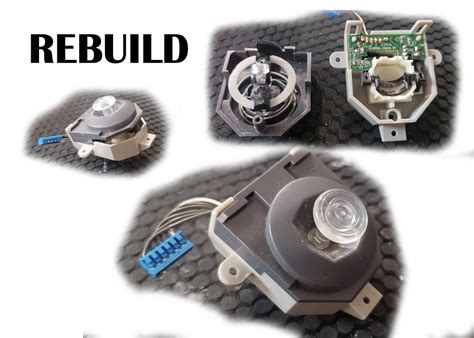
This is the most involved DIY fix but often the most effective for persistent drift. It requires a specific repair kit (often found online) that includes small screwdrivers, prying tools, and replacement joystick modules. The process involves opening the Joy-Con, disconnecting the battery and ribbon cables, and carefully swapping out the old joystick with a new one. There are many detailed video guides available online to walk you through each step. While daunting, it’s a common repair for many users.
When to Consider Professional Repair or Replacement
If DIY fixes aren’t for you, or if they haven’t solved the problem, it might be time to look at other options.
1. Nintendo’s Official Repair Service
Nintendo offers repair services for Joy-Con drift, and in many regions, they will repair or replace drifting Joy-Cons for free, even if they are out of warranty. This is often the safest and most reliable option, as you’re dealing directly with the manufacturer. Check Nintendo’s official support website for your region’s specific policy and repair request process.
2. Purchasing New Joy-Cons or Third-Party Controllers
If repair isn’t feasible or you prefer a fresh start, buying a new pair of Joy-Cons is always an option. Alternatively, consider third-party controllers. Many companies offer excellent alternatives, some of which are designed with more robust joystick mechanisms or come with hall-effect joysticks that are less prone to drift.

Preventative Measures
While drift can be an inevitable part of controller wear, you can take steps to prolong your Joy-Cons’ lifespan:
- Store them in a dust-free environment.
- Avoid excessive force when playing.
- Clean them periodically with compressed air.
Conclusion
Joy-Con drift is a frustrating issue, but it’s far from a death sentence for your Nintendo Switch controllers. Whether you choose a quick software calibration, a careful DIY hardware fix, or opt for Nintendo’s professional repair service, there’s a solution available. Evaluate your comfort level with repairs and the cost-effectiveness of each option to get back to flawless gaming.


