





How to troubleshoot and fix Nintendo Switch Joy-Con drift issues?
Understanding Joy-Con Drift: The Pesky Problem
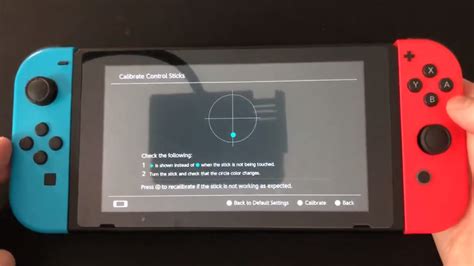
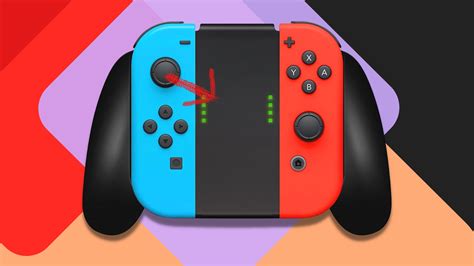
Nintendo Switch Joy-Con drift is a frustrating issue where the controller registers input even when the control stick is not being touched. This phantom movement can severely impact gameplay, making precision difficult or even impossible. It’s a widespread problem that many Switch owners encounter, but thankfully, there are several steps you can take to troubleshoot and potentially fix it.
Initial Troubleshooting: Software Solutions & Simple Checks
Before diving into more complex solutions, it’s crucial to exhaust all software-based and simple physical checks. These steps often resolve minor drift issues without needing tools or advanced knowledge.
1. Update Your Nintendo Switch System Software
Ensure your Switch console is running the latest system software. Updates often include bug fixes and performance improvements that can sometimes resolve controller issues. Go to System Settings > System > System Update.
2. Calibrate Control Sticks
The calibration utility can sometimes correct minor discrepancies in stick input. This is a critical first step:
- From the HOME Menu, select System Settings.
- Scroll down and select Controllers and Sensors.
- Select Calibrate Control Sticks.
- Follow the on-screen instructions to check and calibrate your Joy-Con.
3. Disconnect and Reconnect Joy-Cons
Sometimes, a simple reset of the connection can help. Detach the Joy-Cons from the console, then reattach them securely. If using wirelessly, disconnect them via the Controllers and Sensors menu and then reconnect.
4. Check for Interference
Wireless interference can sometimes mimic drift. Ensure you’re not too far from your console and that there aren’t many strong wireless signals (Wi-Fi routers, microwaves, other Bluetooth devices) directly between your Joy-Cons and the Switch.

More Involved Solutions: Physical Cleaning & DIY Repairs
If software solutions don’t work, the problem is likely physical. Dust, debris, or wear and tear inside the joystick mechanism are common culprits. Proceed with caution when attempting these steps, as they may void warranties or cause further damage if not done carefully.
1. Cleaning Under the Control Stick
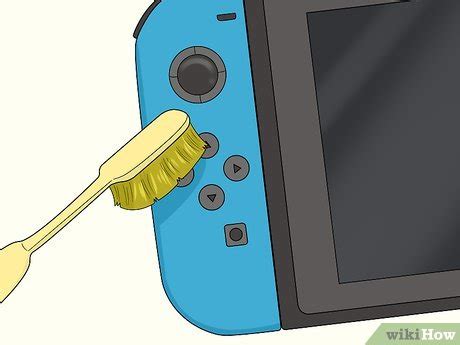
Often, microscopic dust or debris gets under the rubber skirt of the joystick, interfering with the sensors. This is a relatively low-risk hardware fix:
- Turn off your Switch.
- Carefully lift the rubber skirt at the base of the control stick.
- Use a can of compressed air to gently blow air under the skirt, aiming to dislodge any debris.
- Alternatively, a small amount of electronics contact cleaner (like isopropyl alcohol applied with a cotton swab) can be carefully worked under the skirt. Move the stick around to help the cleaner penetrate. Allow it to dry completely before testing.
2. Replacing the Joystick Module (DIY Repair)
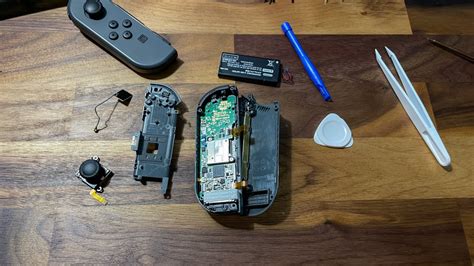
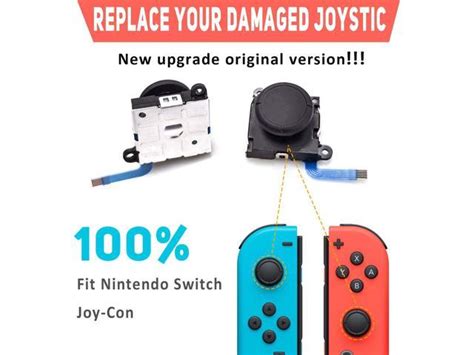
If cleaning doesn’t work, the internal joystick module itself may be faulty. This is a more advanced DIY repair that requires specific tools (tri-wing screwdriver, spudger) and a replacement joystick module. There are many online tutorials available, but proceed only if you are comfortable with small electronics repair. This will likely void your warranty.
The process generally involves:
- Opening the Joy-Con casing.
- Disconnecting the battery.
- Unscrewing and removing the old joystick module.
- Installing the new module and reassembling.
Professional Help & Warranty Options
If you’re uncomfortable with DIY repairs, or if your console is still under warranty, seeking professional help is the best course of action.
1. Contact Nintendo Support
Nintendo offers repair services for Joy-Con drift, even outside of warranty in many regions (though policies can vary by country). Visit Nintendo’s official support website for your region and follow their instructions for repair requests. They often offer free repairs for drift, given its widespread nature.
2. Third-Party Repair Services
Local electronics repair shops or specialized console repair services can also replace Joy-Con modules. This might be a quicker option than sending it to Nintendo, but ensure they are reputable and offer a warranty on their work.
Preventative Measures for Future Drift
While drift can be an inherent design flaw, some practices can help prolong the life of your Joy-Cons and potentially reduce the risk of future drift:
- Gentle Use: Avoid excessive force or aggressive movements when using the control sticks.
- Keep Clean: Regularly wipe down your Joy-Cons to prevent dust and grime buildup.
- Protective Covers: Some users find that silicone covers or thumbstick caps can offer a small degree of protection against debris.
- Proper Storage: Store your Switch and Joy-Cons in a clean, dust-free environment when not in use.
Conclusion
Joy-Con drift is a frustrating but often fixable problem. By starting with simple software calibrations and moving to more involved cleaning or even replacement, you can often restore your Joy-Cons to full functionality. Remember to exercise caution with DIY hardware repairs, and don’t hesitate to reach out to Nintendo support for professional assistance if needed. With a little troubleshooting, you’ll be back to enjoying your favorite Switch games without phantom movements.


