How to structure game tutorials so new players grasp core mechanics fast without overload?
The first impression a new player gets from your game is often through its tutorial. A well-designed tutorial can hook players, empower them, and set them up for success. Conversely, a poorly designed one can lead to frustration, confusion, and early player abandonment. The challenge lies in teaching essential mechanics swiftly and effectively, without burying players under an avalanche of information. This guide explores key strategies to structure game tutorials for optimal new player onboarding.
Identify Core Mechanics First
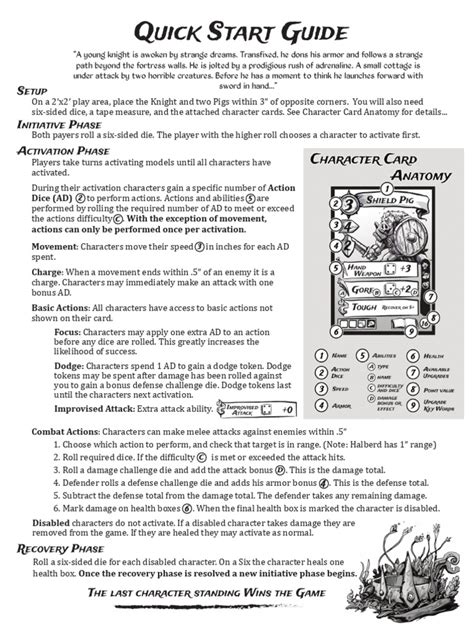
Before designing a single tutorial prompt, clearly define the absolute core mechanics players need to understand to engage with your game. Distinguish between essential survival/progression mechanics and advanced techniques or optional features. Focus only on the ‘must-knows’ initially. Overloading players with too much information at the start can be detrimental. Break down complex systems into smaller, digestible components.

Embrace “Learn by Doing”
Players learn best through direct experience, not passive reading. Integrate tutorial prompts directly into gameplay. Instead of a long text box explaining movement, have the player immediately move. If they need to use an ability, provide a context where using that ability is necessary to progress. This active learning approach embeds mechanics into muscle memory and makes the learning process feel like part of the game, rather than a separate chore.
Scaffold Information Gradually
Think of your tutorial as a series of building blocks. Introduce one core mechanic, allow the player to practice it, and then introduce the next, building upon previous knowledge. This scaffolding approach prevents overload by ensuring players master one concept before moving to the next. Gradually increase complexity, introducing new elements only when they become relevant or necessary for progression. Avoid front-loading all information.
Provide Clear Visual and Auditory Cues
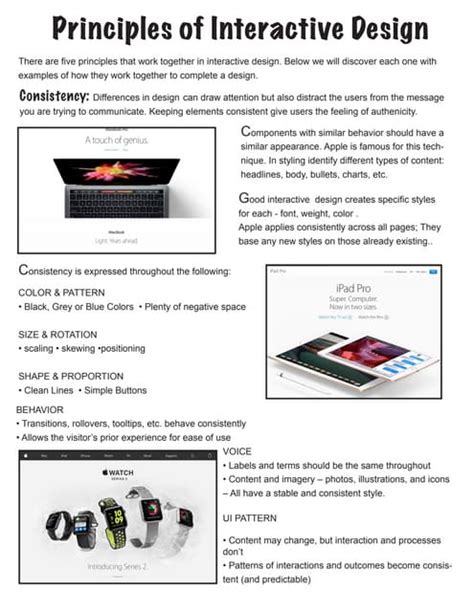
Visual and auditory feedback are crucial for effective tutorials. Use highlights, arrows, particle effects, and distinct sound cues to draw the player’s attention to relevant UI elements, interactive objects, or areas of interest. Ensure your UI clearly indicates what actions are available and what the consequences of those actions might be. Intuitive design reduces the need for explicit text explanations.

Respect Player Agency and Pacing
While guidance is necessary, avoid treating players like they can’t think for themselves. Offer hints and optional information rather than forcing every detail upon them. Allow players to discover some mechanics on their own if it aligns with your game’s design philosophy. Provide options to skip tutorial sections for returning players or those who feel confident. A good tutorial guides without suffocating.

Iterate and Test Relentlessly
No tutorial is perfect on the first try. The most critical step in designing an effective tutorial is rigorous playtesting. Observe new players: Where do they get stuck? What do they misunderstand? What do they skip? Gather feedback and be prepared to iterate on your tutorial repeatedly. A/B test different approaches and fine-tune wording, pacing, and visual cues until new players consistently grasp the core mechanics quickly and comfortably.
Conclusion
Crafting an excellent game tutorial is an art that balances instruction with discovery, guidance with agency. By focusing on core mechanics, embracing active learning, gradually introducing concepts, utilizing clear cues, and respecting player intelligence, you can design a tutorial that not only teaches but also excites new players, ensuring they’re well-equipped to dive into the rich world you’ve created without feeling overwhelmed.