How to structure beginner game guides to combat information overload for new players?
The Challenge: Guiding New Players Without Overwhelming Them
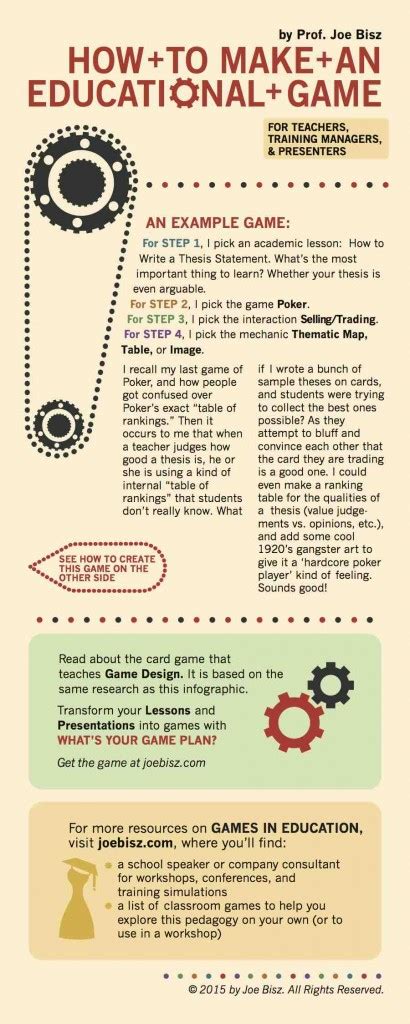
Modern video games, especially complex genres like RPGs, strategy games, or MOBAs, can present a steep learning curve for newcomers. While comprehensive guides exist, simply dumping all available information on a beginner often leads to information overload, frustration, and ultimately, player dropout. The key to successful beginner guides lies not just in the information they contain, but in how that information is structured and delivered.

Understanding Information Overload in Gaming
Information overload occurs when an individual is exposed to more data than they can process effectively. For new gamers, this might manifest as a deluge of UI elements, dozens of character abilities, intricate crafting systems, or a sprawling lore database. When faced with too much to learn at once, the brain tends to shut down, leading to confusion, anxiety, and a reduced capacity to absorb essential knowledge. Effective guides must act as a filter, presenting information in bite-sized, digestible chunks.
Core Principles for Structuring Beginner Guides
1. Progressive Disclosure: Start Simple, Build Up
Introduce core mechanics and essential information first. Think of it as a tutorial: players learn to walk before they can run. Don’t explain advanced strategies or obscure character builds in the very first section. Focus on basic controls, core objectives, and fundamental concepts. As players master these, gradually introduce more complex layers.
2. Prioritize Essential Knowledge
Identify the absolute must-know information for a player to complete their first mission, understand their character, or navigate the initial environment. Distinguish between ‘need-to-know’ and ‘nice-to-know.’ ‘Need-to-know’ always comes first. ‘Nice-to-know’ can be relegated to optional sections, advanced tips, or later parts of the guide.
![How To Prioritize a Game on PC [Step-by-Step Tutorial] | DeviceTests](/images/aHR0cHM6Ly90czEubW0uYmluZy5uZXQvdGg/aWQ9T0lQLkxzSmZvblVfWE1Bd2lKSHM0aXBGdndIYUVLJnBpZD0xNS4x.webp)
3. Modular Design: Break It Down into Chapters or Sections
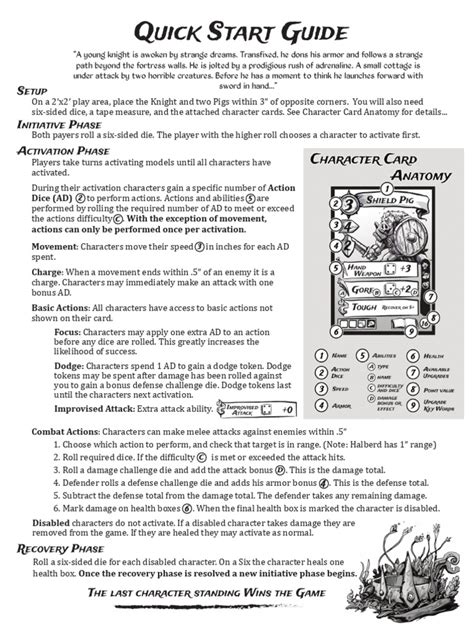
Divide your guide into distinct, logical modules. Each module should cover a specific topic (e.g., “Basic Movement,” “Understanding the UI,” “First Combat Encounters,” “Character Progression 101”). This allows players to focus on one concept at a time and easily return to specific sections if they need a refresher, without having to scroll through an endless wall of text.
4. Visual Aids and Examples
Text alone can be dry and difficult to parse. Integrate screenshots, diagrams, and short video clips (if the platform allows) to illustrate concepts. Showing a player where to click, how a specific UI element functions, or the outcome of an action is often far more effective than a lengthy textual description. Use clear, annotated images to highlight key areas.

5. Clear, Concise Language and Avoid Jargon
Write simply and directly. Avoid game-specific jargon unless it has been clearly defined beforehand. If you must use a technical term, explain it immediately or link to a glossary. Use active voice and short sentences. Remember, your audience is new to the game; they don’t speak its specific language yet.
Practical Steps for Structuring Your Guide
1. Outline a Learning Path
Before writing, sketch out the ideal learning journey for a new player. What should they know on day one? What about day two? This chronological approach helps sequence your information effectively.
- Introduction to Basics: Controls, UI overview, initial objective.
- Core Mechanics: Combat, crafting, exploration fundamentals.
- First Milestones: Completing early quests, understanding progression.
- Intermediate Concepts: Advanced tactics, specific character builds, economy basics.
- Advanced Strategies: End-game content, competitive play, optimization.
2. Use Headings, Subheadings, and Bullet Points
Break up your text into manageable sections using descriptive headings (<h2>, <h3>). Employ bullet points and numbered lists to present information concisely. This improves readability and allows readers to quickly scan for the information they need.
3. Incorporate “Why” Not Just “How”
While explaining “how” to perform an action is crucial, explaining “why” it’s important or “when” to use it helps players understand context and apply the knowledge more effectively. For example, instead of just “Press X to jump,” explain “Press X to jump over obstacles and reach higher platforms, which is essential for exploration.”

4. Offer Next Steps and Resources
Conclude sections or the entire guide by suggesting what a player should do next. “Now that you understand basic combat, try completing the ‘Training Grounds’ quest.” Provide links to further, more advanced guides or community resources for players who want to delve deeper.
Conclusion
Crafting beginner game guides that effectively combat information overload is an art form that blends pedagogical principles with game knowledge. By prioritizing essential information, progressively disclosing complexity, utilizing clear language, and adopting a modular, visually-supported structure, you can transform a potentially frustrating learning experience into an engaging and empowering journey for new players, setting them up for long-term enjoyment and retention.