





How to optimize Switch storage for digital games and indie titles?
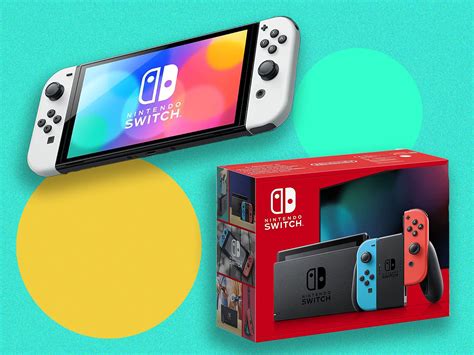
The Nintendo Switch, with its incredible portability and ever-expanding library of captivating digital and indie titles, quickly becomes a storage challenge for many gamers. The console’s internal 32GB (or 64GB for the OLED model) storage fills up alarmingly fast, especially when considering system software and larger AAA game downloads. Fortunately, there are several effective strategies to optimize your Switch’s storage, ensuring you always have room for that next must-play indie gem or a major digital release.
The Essential Upgrade: A MicroSD Card
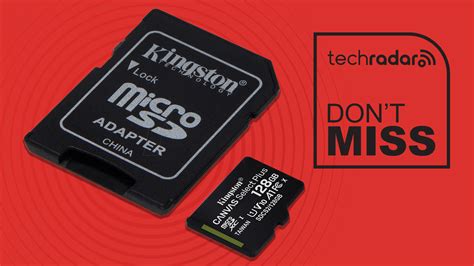
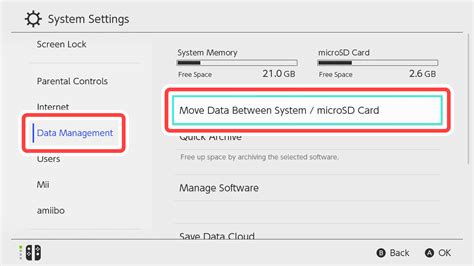
The single most crucial step in expanding your Switch’s storage is investing in a high-quality microSD card. The Switch supports microSDHC and microSDXC cards, with capacities ranging from a few gigabytes to a massive 2TB. For most users, a 128GB, 256GB, or even 512GB card offers a sweet spot between capacity and cost.
When selecting a card, pay attention to its speed rating. Look for cards with a UHS-I speed class (U1 or U3) and ideally an A1 or A2 application performance class. These ratings ensure faster game loading times and smoother performance. Installation is straightforward: simply insert the card into the slot under the kickstand.
Smart Data Management: Archiving vs. Deleting
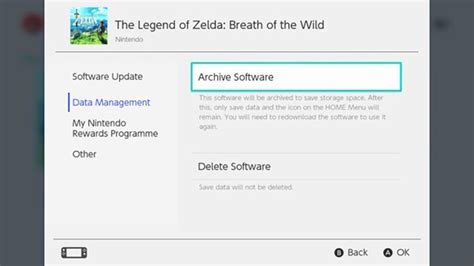
Once your microSD card is in place, you can begin to manage your game data more effectively. The Nintendo Switch offers two primary options for removing games from your active storage: archiving and deleting.
- Archiving Software: This option removes the game’s main data from your console but keeps its icon on the HOME Menu and preserves your save data. If you wish to play the game again, you can redownload it from the eShop or your user page. This is ideal for games you might want to revisit but aren’t actively playing.
- Deleting Software: This option completely removes the game data from your console, including its icon. Crucially, it also preserves your save data. You can redownload the game later, but you’ll need to locate it in the eShop.
Always prioritize archiving larger digital titles you’re not currently playing. This frees up significant space without losing your precious progress.
Leveraging Nintendo Switch Online for Cloud Saves
While not directly about game data, understanding save data management is vital for overall storage optimization. Many games, particularly those from third-party developers, store save data on the console’s internal memory, not on the microSD card. Nintendo Switch Online (NSO) subscribers benefit from Save Data Cloud backup, which automatically uploads compatible game saves to the cloud.
This feature provides peace of mind and, indirectly, storage flexibility. If you need to fully delete a game (and its save data, in some rare cases where NSO isn’t used for a particular title), knowing your saves are backed up can make the decision easier. Always check a game’s compatibility with Save Data Cloud before making drastic decisions if you’re not an NSO subscriber.
Managing Screenshots and Video Captures
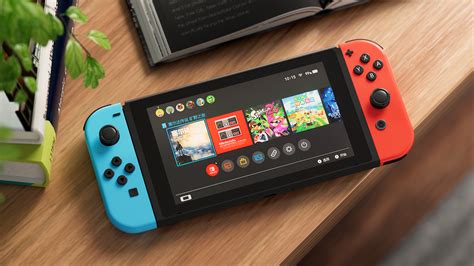
The Switch’s ability to capture screenshots and short video clips is fantastic for sharing your gaming moments. However, these media files can quickly accumulate, especially if you’re an avid content creator. By default, these files are saved to your internal memory or your microSD card, depending on your settings and available space.
Regularly review and manage your captured media. You can easily transfer these files to a computer using a microSD card reader, or directly share them to social media platforms from the Switch. Deleting older or less important captures can free up valuable space that might otherwise be taken up by dozens or hundreds of media files.
Strategic Purchasing and Prioritization
Finally, a bit of foresight in how you acquire and manage your game library can make a big difference. Consider the following:
- Physical vs. Digital: While physical game cartridges still require some install data, they don’t consume nearly as much space as their purely digital counterparts. For games you know you’ll play long-term and repeatedly, a physical copy can be a good space-saving option.
- Indie Game Focus: Indie titles often have smaller file sizes than AAA games, making them perfect for digital download without eating too much into your storage.
- Play What You Buy: Avoid the temptation to download every game on sale. Prioritize downloading only the games you intend to play in the near future. You can always redownload purchased titles later.
Conclusion
Optimizing your Nintendo Switch storage is a continuous process, but by implementing these strategies, you can significantly expand your gaming library without constant worry. Invest in a good microSD card, master the art of archiving, leverage cloud saves, manage your media, and be strategic about your game purchases. With these tips, your Switch will remain a lean, mean, game-playing machine, ready for any adventure you throw its way.


