





How to maximize mobile game battery life & minimize data usage?
Enjoying Mobile Games Longer: Battery Life & Data Saving Essentials
Mobile gaming offers an incredible world of entertainment at our fingertips. However, the thrill can quickly be cut short by a rapidly draining battery or an unexpected spike in data usage. Understanding how to manage these two crucial aspects can significantly enhance your gaming experience. This guide will walk you through actionable strategies to keep your phone charged and your data plan intact.

Understanding the Drain: Why Games Consume So Much
Before diving into solutions, it’s helpful to know why mobile games are such resource hogs. High-fidelity graphics, constant processing by your device’s CPU and GPU, active network connections for multiplayer or updates, and vibrant screen displays all contribute to accelerated battery depletion and data consumption. Modern games are visually stunning and complex, demanding a lot from your smartphone’s hardware and connectivity.
Maximizing Your Mobile Game Battery Life
Extending your phone’s battery life during gaming isn’t just about carrying a power bank; it involves optimizing both game settings and your device’s configurations.
Adjust In-Game Settings
- Lower Graphics Quality: Most games offer graphics settings (e.g., low, medium, high). Reducing these significantly lessens the load on your GPU, saving battery.
- Reduce Frame Rate (FPS): While higher FPS makes games smoother, a lower frame rate (e.g., 30 FPS instead of 60 FPS) uses less processing power and battery.
- Disable Unnecessary Features: Turn off features like V-Sync, anti-aliasing, or complex shadow effects if the game allows, as they can be battery-intensive.
Optimize Device Settings
- Screen Brightness: Your screen is one of the biggest power consumers. Reduce brightness to the lowest comfortable level, or enable adaptive brightness.
- Screen Refresh Rate: If your phone has a high refresh rate display (e.g., 90Hz, 120Hz), consider setting it to a standard 60Hz during gaming.
- Close Background Apps: Ensure no other apps are running actively in the background, consuming CPU cycles and RAM that your game could use.
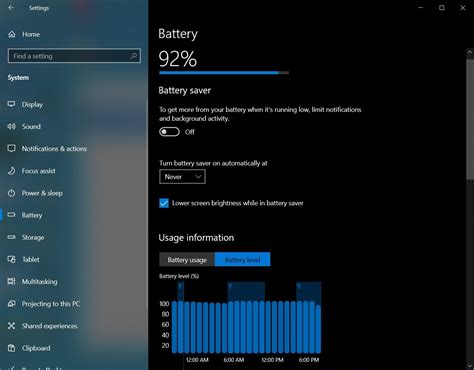
- Enable Power Saving Mode: Most smartphones have a power-saving mode that restricts background activity, limits CPU performance, and reduces screen brightness. Activate it when gaming, but be aware it might slightly impact game performance.
- Disable Notifications: Frequent notifications wake up your screen and cause minor processing, contributing to battery drain. Silence them or use ‘Do Not Disturb’ mode.
Manage Connectivity
- Wi-Fi vs. Mobile Data: Generally, Wi-Fi consumes less power than cellular data, especially if you have a strong, stable signal. Use Wi-Fi whenever possible for online games.
- Turn Off Bluetooth/NFC: If you’re not using a Bluetooth controller or NFC, disable them. Your phone constantly searches for connections when these are on.
Minimizing Mobile Game Data Usage
For gamers on limited data plans, keeping an eye on mobile data usage is crucial. A few tweaks can make a big difference.
Play Offline Games
The most straightforward way to save data is to play games that don’t require an internet connection. Many excellent single-player titles are available that offer hours of entertainment without touching your data plan.
Configure In-Game Data Settings
- Download Updates on Wi-Fi Only: Almost all games update frequently. Ensure your game settings are configured to download updates and additional content only when connected to Wi-Fi.
- Disable In-Game Chat/Voice: If you’re not actively communicating with teammates, turning off voice chat or even text chat can save data in multiplayer games.
- Reduce Streaming Quality: For games that stream content or video (e.g., eSports titles, cloud gaming), look for options to reduce the streaming quality to consume less data.

Monitor and Restrict Background Data
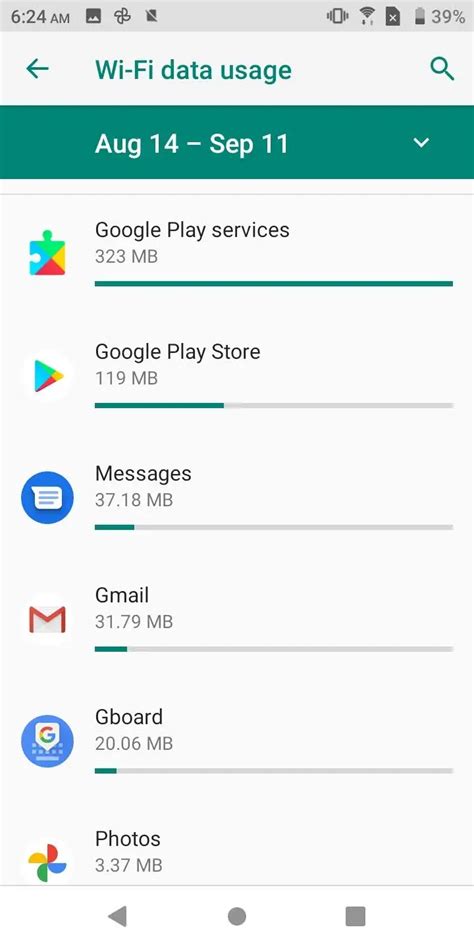
- Use Data Saver Mode: Most Android phones and iPhones have a ‘Data Saver’ or ‘Low Data Mode’ that restricts background app refreshes and reduces data usage for some apps.
- Restrict Background Data for Specific Apps: Go into your phone’s settings (App Usage or Data Usage) and restrict background data for apps that don’t need constant internet access.
Utilize Wi-Fi for Downloads
Always download new games, large game updates, and additional game content (like new levels or characters) when connected to a stable Wi-Fi network. These downloads can be massive and quickly exhaust your mobile data cap.
General Best Practices for Sustainable Gaming
- Keep Your Device Updated: Operating system and game updates often include optimizations for performance and battery efficiency.
- Clear Cache: Periodically clear the cache for your games and other apps to keep your system running smoothly.
- Consider an External Battery Pack: For extended gaming sessions away from a power outlet, a good quality power bank is an invaluable accessory.
- Manage Storage: Ensure your phone has sufficient free storage. A device struggling with low storage can sometimes run less efficiently.

Conclusion
By implementing these strategies, you can take control of your mobile gaming experience, ensuring your phone stays powered longer and your data plan remains healthy. A little attention to settings and habits can lead to many more hours of uninterrupted fun, allowing you to fully immerse yourself in your favorite mobile worlds without constant worry.



