





How to fix Joy-Con drift or prevent it?
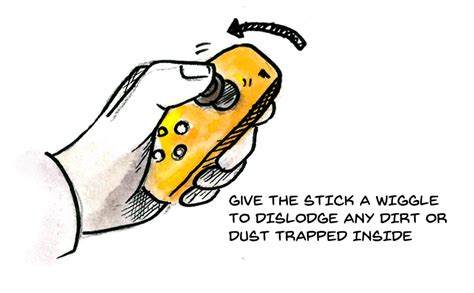
Joy-Con drift is a frustrating issue for many Nintendo Switch owners, causing characters or cursors to move on screen without any input from the player. This common problem can severely impact gameplay, making precision tasks difficult or even impossible. Fortunately, there are several steps you can take to either mitigate existing drift or prevent it from happening in the first place.
Understanding and Diagnosing Joy-Con Drift
Before attempting any fixes, it’s crucial to confirm that you are indeed experiencing Joy-Con drift and not another issue. Drift typically occurs when the analog stick registers input even when it’s not being touched, often due to dust, debris, or wear and tear inside the mechanism.
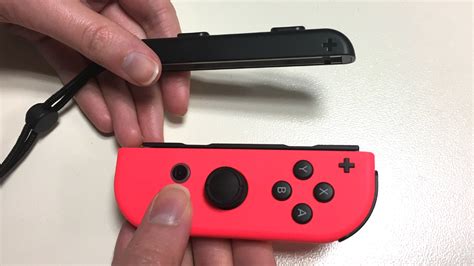
To diagnose, navigate to your Nintendo Switch’s System Settings > Controllers and Sensors > Calibrate Control Sticks. Follow the on-screen prompts to test the responsiveness of your Joy-Cons. If the crosshairs move erratically without you touching the stick, you have drift.
Temporary Fixes and Maintenance
Sometimes, drift can be resolved with simple maintenance or software adjustments. These methods are often the first line of defense.
1. Update Firmware and Recalibrate
Ensure your Nintendo Switch system and Joy-Cons are running the latest firmware. Go to System Settings > System > System Update, and for controllers, System Settings > Controllers and Sensors > Update Controllers. After updating, always recalibrate your control sticks as described above. This can sometimes resolve software-related phantom inputs.
2. Cleaning with Compressed Air or Contact Cleaner
A common cause of drift is dust, dirt, or other debris getting under the analog stick’s rubber skirt and interfering with the sensors.
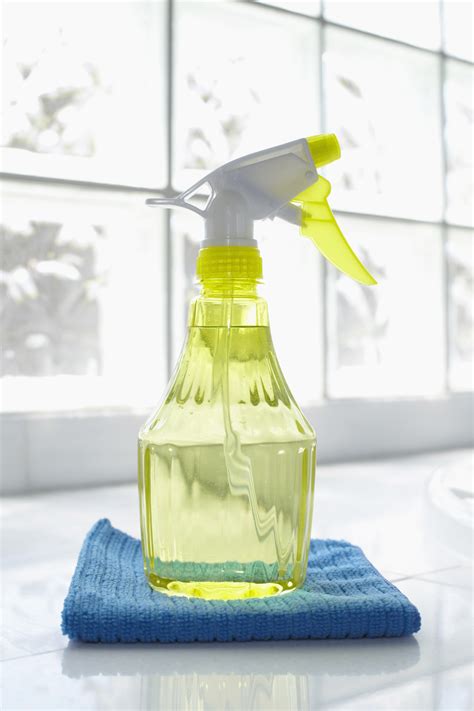
Hold the Joy-Con so the stick is upright. Gently lift the rubber skirt around the base of the analog stick and spray short bursts of compressed air into the opening. Make sure to hold the can upright to avoid expelling liquid propellant. Alternatively, a small amount of electrical contact cleaner (like isopropyl alcohol-based cleaner) can be carefully applied with a cotton swab or directly sprayed under the skirt, then rotated the stick to work it in. Allow it to dry completely before use.
More Permanent Solutions
If cleaning and calibration don’t work, more involved solutions might be necessary.
1. Replacing the Analog Stick Module
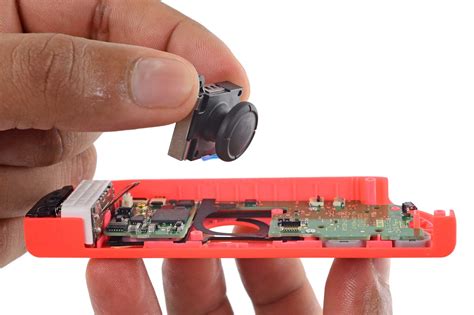
For those comfortable with DIY repairs, replacing the analog stick module is a highly effective, albeit more complex, solution. Replacement kits are readily available online and typically include a new stick, screwdrivers, and pry tools.

This process involves opening the Joy-Con casing, disconnecting ribbons, and swapping out the faulty module. Be sure to follow a reputable video guide meticulously, as the internal components are delicate.
2. Nintendo’s Official Repair Service
If you’re not comfortable with DIY repairs, or if your Joy-Cons are still under warranty, sending them to Nintendo for repair is often the best option. Nintendo has acknowledged the drift issue and often repairs Joy-Cons for free, even if they are out of warranty in some regions. Check Nintendo’s official support website for your region’s repair policy and submission process.

Preventing Joy-Con Drift
Prevention is always better than cure. By adopting good habits, you can significantly reduce the likelihood of experiencing drift.
1. Handle with Care
Avoid applying excessive force or pressure to the analog sticks. Rough handling, dropping the controllers, or forcefully clicking the sticks can accelerate wear and tear on the internal components.
2. Keep Controllers Clean
Regularly wipe down your Joy-Cons with a soft, dry cloth to prevent dust and grime buildup. Store them in a clean, dust-free environment when not in use, perhaps in a carrying case. Avoid eating or drinking around your controllers, as crumbs and spills can easily find their way into the stick mechanisms.
3. Avoid Extreme Environments
Extreme temperatures or humidity can sometimes affect electronics. Store your Switch and Joy-Cons in a temperate, dry place to maintain their optimal condition.
Conclusion
Joy-Con drift can be a persistent annoyance, but with a combination of diagnostic steps, maintenance, and careful handling, you can either fix the problem or prevent it from occurring. Whether you opt for a quick clean, a DIY replacement, or Nintendo’s professional repair service, taking action will ensure your gaming experience remains smooth and uninterrupted.


