





How to extend mobile game battery life on your Android/iOS phone?

The Uninterrupted Gaming Experience: Why Battery Life Matters
For mobile gamers, few things are as frustrating as having your gaming session cut short by a low battery warning. Modern mobile games, with their stunning graphics and complex computations, are notorious power hogs. Whether you’re deeply engrossed in an RPG or battling friends in an online arena, ensuring your phone can keep up is crucial. Fortunately, there are many strategies you can employ on both Android and iOS devices to significantly extend your battery life and keep the fun going.
Optimize Your Device Settings (Android & iOS)
Your phone’s default settings aren’t always optimized for power efficiency, especially when gaming. A few tweaks can make a big difference.
Display Settings
- Lower Brightness: Your screen is one of the biggest battery drains. Reduce your screen brightness to the lowest comfortable level.
- Reduce Screen Refresh Rate: Many newer phones offer high refresh rates (90Hz, 120Hz). While great for smoothness, they consume more power. Temporarily switch to a standard 60Hz during gaming.
- Enable Dark Mode: For phones with OLED screens (most modern flagships), dark mode uses less power because black pixels are turned off entirely.
Performance & Power Modes
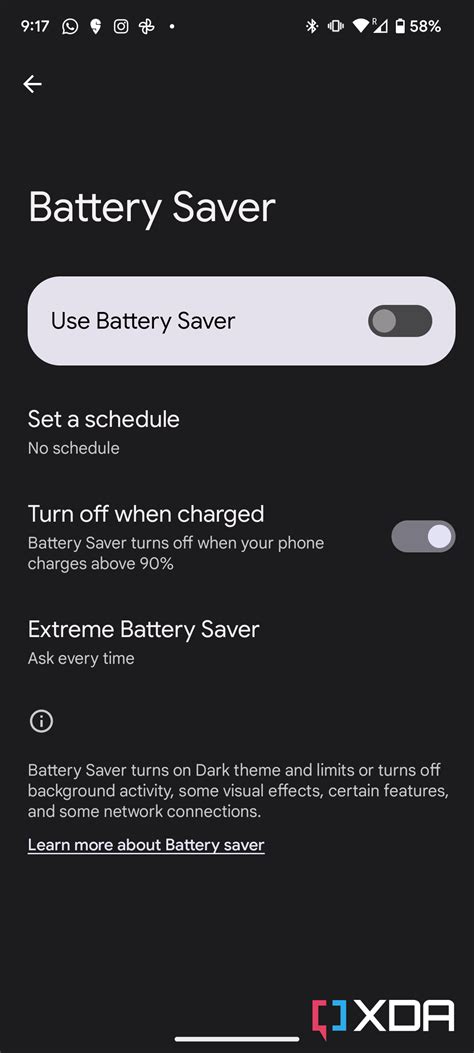
- Activate Battery Saver/Low Power Mode: Both Android and iOS have built-in power-saving modes. These often reduce background activity, limit visual effects, and throttle CPU speed to conserve energy.
- Utilize Game Boosters/Performance Modes: Many Android phones have dedicated ‘Game Modes’ or ‘Game Boosters’ that, ironically, can also have battery-saving features by optimizing resource allocation and often providing a ‘battery-saving’ option within the booster itself, reducing frame rates or resolution.
Connectivity
- Toggle Off Unused Connectivity: If you’re not using Bluetooth, Wi-Fi (and are on mobile data), or GPS, turn them off. Each of these components consumes power by constantly searching for connections.
- Prefer Wi-Fi Over Mobile Data: Wi-Fi generally consumes less power than cellular data, especially in areas with poor signal strength.
Manage Your Apps and Background Processes
What’s happening behind the scenes can drain your battery as much as the game itself.
Close Background Apps
Ensure all unnecessary apps are closed before you start gaming. These apps can consume CPU cycles and RAM, leading to faster battery drain.
Update Apps & OS
Developers often release updates that include performance optimizations and bug fixes, which can improve power efficiency. Keep your games and operating system up to date.
Notifications
Disable notifications for non-essential apps while gaming. Every notification lights up your screen and activates your phone’s processors, consuming power.
Hardware and Accessories
Sometimes, external solutions are the best way to keep your gaming marathon going.
External Chargers & Power Banks
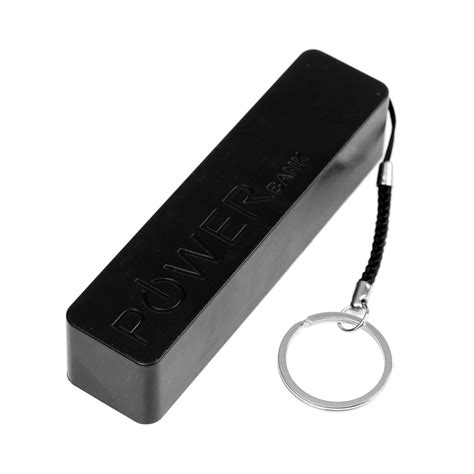
A high-capacity power bank is a gamer’s best friend. Always keep one charged, especially for longer gaming sessions or when you’re on the go.
Cooling Solutions
Overheating can lead to performance throttling and increased battery drain. Consider using a phone cooler, especially for intense games, to keep your device at an optimal temperature.
Gaming Habits & Best Practices
How you play can also impact your battery life.
Take Breaks
Giving your phone a break allows it to cool down and recover, preventing excessive heat and associated power drain. Short breaks can significantly prolong overall playtime.
Charge Smartly
Avoid completely draining your battery to 0% or charging it to 100% every time. Keeping your battery level between 20% and 80% can prolong its overall lifespan and health.
Reduce Graphics Quality
Most mobile games offer graphics settings. Reducing texture quality, resolution, or disabling certain visual effects can significantly lower the load on your GPU and save battery. This is often the most impactful in-game setting for battery life.

Advanced Tips for Android Users
- Limit Background Process: In Developer Options, you can set a limit on background processes (e.g., “At most 4 processes” or “No background processes”). This can be very effective but requires caution.
- Force Stop Apps: For apps that are particularly stubborn, you can manually force stop them from your phone’s app settings to ensure they aren’t running in the background.
Advanced Tips for iOS Users
- Background App Refresh: Go to Settings > General > Background App Refresh and turn it off for apps that don’t need to update constantly in the background.
- Disable “Raise to Wake” or “Tap to Wake”: These features, while convenient, can sometimes inadvertently light up your screen, leading to minor but cumulative battery drain.

Conclusion
Extending your mobile game battery life isn’t about one magic fix, but rather a combination of smart settings adjustments, mindful app management, and good gaming habits. By implementing these tips on your Android or iOS device, you can enjoy longer, uninterrupted gaming sessions and get the most out of your mobile gaming experience without constantly searching for a charger.



