





How to expand Switch storage for more indie games and big titles efficiently?
The Nintendo Switch, a marvel of portable gaming, has introduced countless players to incredible indie gems and blockbuster AAA titles alike. However, one common hurdle many users encounter is the console’s relatively modest internal storage, especially for those who primarily download digital games. Whether you’re eyeing a massive open-world RPG or a collection of charming indies, running out of space can quickly become a frustrating reality. Fortunately, expanding your Switch’s storage is a straightforward process, ensuring you never have to choose between your favorite games again.
Why You Need More Storage
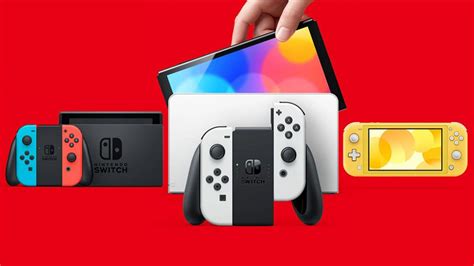
Modern video games, particularly big titles, can demand significant storage space. A single AAA release might consume 10-20GB, while some even exceed 50GB. Indie games, though often smaller, accumulate quickly. Beyond games, the Switch also needs space for system updates, game patches, downloadable content (DLC), and your collection of screenshots and video captures. The base model Switch comes with just 32GB of internal storage (the OLED model has 64GB), much of which is used by the system itself, leaving precious little for your game library.
The Primary Solution: MicroSD Cards
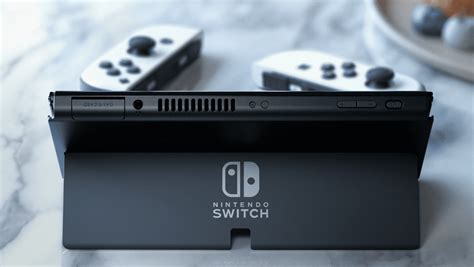
The most efficient and recommended way to expand your Nintendo Switch’s storage is by using a microSD card. The Switch supports microSD, microSDHC, and microSDXC cards. For serious gamers, a high-capacity microSDXC card is almost essential. These tiny cards offer vast storage potential, ranging from 64GB all the way up to 2TB, significantly dwarfing the console’s internal memory. Installing one is as simple as opening the kickstand on the back of your Switch and sliding the card into the dedicated slot.

Choosing the Right MicroSD Card
When selecting a microSD card, two main factors are crucial: capacity and speed.
Capacity: How Much Do You Need?
- 128GB-256GB: A good starting point for casual gamers or those who mostly play physical cartridges.
- 512GB: An excellent balance for most digital-heavy players, allowing for a substantial library of both indie and AAA titles.
- 1TB or more: Ideal for avid digital collectors who want to download virtually everything without worry, especially useful for those with a large backlog or who plan to keep games installed long-term.

Speed: Don’t Compromise Performance
While capacity gets games onto your Switch, speed determines how quickly they load. Look for cards with a high “UHS-I” speed class and an “A1” or “A2” application performance class rating. UHS-I U3 cards are generally recommended as they offer faster read/write speeds, leading to quicker game loading times and smoother performance. Brands like SanDisk, Samsung, and Lexar are reputable choices known for their reliability and speed.
Managing Your Existing Storage
Even with a new microSD card, good storage hygiene helps. The Switch allows you to manage your data effectively:
- Archiving Software: This option deletes the game data but keeps the icon on your Home menu and saves your game progress. You can redownload the game anytime. This is perfect for games you don’t play often but might want to revisit.
- Deleting Software: This removes the game data, its icon, and all save data from your system. Only do this if you’re absolutely sure you don’t need the game or its saves anymore (unless you have Nintendo Switch Online cloud saves).
- Moving Data: Once a microSD card is inserted, newly downloaded games will automatically install there. You can also move existing downloaded games from internal memory to the microSD card via the Data Management settings.
- Screenshots and Videos: These can take up significant space. Regularly transfer them to a computer or simply delete older ones you no longer need.

Tips for Efficient Storage Management
- Prioritize Physical Games: If a game is available physically, buying the cartridge saves valuable digital storage space, as only minor updates or DLC are stored on the console.
- Regularly Review Your Library: Periodically check which games you haven’t played in months. Archive them to free up space, knowing you can redownload them later.
- Leverage Nintendo Switch Online Cloud Saves: For subscribers, NSO automatically backs up save data for most games, meaning you can confidently archive or delete game installations without fear of losing your progress.

Expanding your Nintendo Switch’s storage is a simple yet impactful upgrade that transforms your gaming experience. By investing in a high-quality microSD card and practicing smart data management, you can say goodbye to storage woes and immerse yourself in an ever-growing library of incredible games, from the smallest indie titles to the grandest AAA adventures. Don’t let limited space hold back your digital gaming journey!


