How to effectively free up console storage for more games?
Why Console Storage Becomes a Bottleneck
As modern games grow increasingly massive in file size, the internal storage on our beloved consoles can quickly become a limiting factor. Whether you own a Nintendo Switch, PlayStation, or Xbox, managing your storage is crucial to avoid constant dilemmas about which game to delete to make room for the next big title. This guide will walk you through effective methods to reclaim your console’s storage, ensuring you always have space for new gaming experiences.
Identify and Purge Unwanted Data
The first step in freeing up space is to understand what’s taking it up. Most consoles offer a storage management utility in their settings that shows a breakdown of data usage. Take advantage of this feature to identify the biggest culprits.
Uninstall Unplayed Games
This is often the most significant way to free up space. Go through your game library and uninstall any games you’ve finished, lost interest in, or haven’t touched in months. Remember, digital games can almost always be re-downloaded later if you decide to revisit them.
Delete Old Save Data and Screenshots/Videos
While individual save files are small, they can accumulate over time, especially from games you no longer play. Similarly, captured screenshots and video clips, particularly high-resolution ones, can consume a surprising amount of space. Regularly review and delete any unnecessary media or old save files.
![How To Delete Games On Nintendo Switch [The right way!] - Alvaro Trigo ...](/images/aHR0cHM6Ly90czEubW0uYmluZy5uZXQvdGg/aWQ9T0lQLlhXNWlkUFF0UlBmLVh5MTlZWW1lQXdIYUU4JnBpZD0xNS4x.webp)
Optimize Digital Game Management
For gamers who primarily download titles, strategic management of your digital library is key.
Prioritize Games
Keep only the games you’re actively playing or plan to play in the near future installed. For large, single-player games, once you’ve completed them, it’s often safe to uninstall them.
Leverage Cloud Saves
Many consoles offer cloud save features (e.g., Nintendo Switch Online, PlayStation Plus, Xbox Game Pass Ultimate). Ensure your save data is backed up to the cloud before deleting a game, so your progress is safe if you decide to reinstall it later.

Embrace External Storage Solutions
If frequently deleting and re-downloading games isn’t appealing, expanding your console’s storage is the most effective long-term solution.
Nintendo Switch: MicroSD Cards
The Switch allows for easy storage expansion with microSD cards. These are relatively inexpensive and can add hundreds of gigabytes, or even terabytes, of storage. Simply insert a compatible card, and the Switch will automatically begin using it for new downloads.
PlayStation & Xbox: External HDDs/SSDs
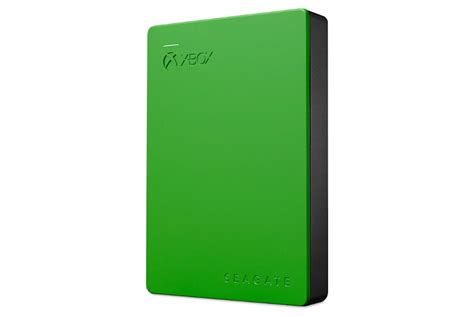
Both PlayStation and Xbox consoles support external hard drives (HDDs) or solid-state drives (SSDs) via USB. These drives can be used to store and play last-gen titles (PS4 games on PS5, Xbox One games on Series X/S) or to simply offload current-gen games, though playing current-gen games directly from an external drive might have performance limitations unless it’s a specific, approved expansion card (like the Xbox Series X|S Storage Expansion Card or PS5 M.2 SSDs).
Regular Maintenance and Best Practices
Making storage management a routine practice can prevent future headaches.
Periodically Review Storage
Set a reminder to check your console’s storage usage every few months. This proactive approach helps you stay on top of accumulating data.
Understand Game Sizes Before Downloading
Before committing to a large download, check the game’s file size. This awareness can help you plan and decide if you need to free up space beforehand.
By implementing these strategies, you can effectively manage your console’s storage, ensuring that your gaming experience is never hampered by a lack of space. Play more, worry less!