





How to choose the best Switch SD card for big AAA & small indie games?

The Nintendo Switch, with its incredible library of games ranging from expansive AAA adventures to charming, bite-sized indie experiences, often leaves its users yearning for more storage. While the console comes with 32GB (or 64GB for the OLED model) of internal storage, a significant portion is reserved for the system itself, making an external SD card an almost mandatory upgrade for any serious gamer.
Why an SD Card is Crucial for Your Switch
The digital age means many games are downloaded, and even physical cartridges often require substantial updates or DLC that eat into precious storage. AAA titles like The Legend of Zelda: Tears of the Kingdom or Pokémon Scarlet and Violet can easily consume over 15GB-20GB each, while even smaller indie games, when accumulated, can quickly fill up the internal memory. An SD card provides the necessary breathing room to build an extensive game library without constantly deleting and redownloading titles.

Understanding SD Card Capacity: How Much Do You Really Need?
This is often the first and most critical decision. The “best” capacity depends entirely on your gaming habits:
- Casual Gamer (Mostly Physical, Few Digital): 64GB – 128GB might suffice for patches, DLC, and a handful of smaller digital titles.
- Moderate Gamer (Mix of Physical & Digital): 256GB is a popular sweet spot, offering plenty of space for several AAA titles and numerous indies without breaking the bank.
- Hardcore Digital Gamer (Many Digital AAA & Indie): 512GB is highly recommended. It offers substantial room for a vast library, making “delete to make space” a rare occurrence.
- Collector/Future-Proofing: 1TB (or even larger, as they become more affordable) will essentially make storage concerns a thing of the past for the foreseeable future, perfect for those who want every game downloaded.
Remember that you can always upgrade later, but transferring data can be a chore, so it’s often better to go a little larger than you think you need initially.

Speed Matters: Decoding SD Card Specifications
While capacity gets the most attention, speed is equally important for a smooth gaming experience. Loading times, game installations, and even in-game performance can be affected by a slow SD card. The Nintendo Switch supports UHS-I (Ultra High Speed Phase I) microSD cards. Look for these key indicators:
- UHS Speed Class (U1 or U3): U1 guarantees a minimum write speed of 10 MB/s, while U3 guarantees 30 MB/s. For the Switch, U1 is generally sufficient, but U3 offers better future-proofing and potentially slightly faster load times for demanding games.
- Video Speed Class (V10, V30, etc.): While primarily for video recording, V10 corresponds to U1, and V30 corresponds to U3.
- Application Performance Class (A1 or A2): A1 and A2 cards are optimized for running apps, which includes games. A1 guarantees a minimum random read IOPS of 1,500 and write IOPS of 500. A2 is even faster, though the Switch might not fully utilize A2’s advanced features, A1 is a good benchmark to aim for.
In essence, aim for a card with at least UHS-I, U1, and preferably A1 for the best balance of performance and price. Cards with U3 or A2 offer marginal gains for the Switch but won’t hurt.
Reliability and Brand Reputation
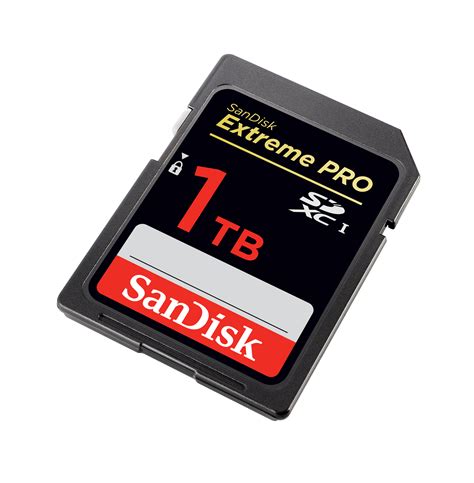
A corrupted SD card can mean lost game data and precious save files. Stick to reputable brands known for quality and reliability. SanDisk, Samsung, PNY, Kingston, and Lexar are consistently top performers in the microSD card market. Avoid suspiciously cheap, unbranded cards, as they often have slower speeds or inflated capacities that don’t match their claims.

Putting It All Together: Recommendations
For most Switch users, a SanDisk or Samsung 256GB or 512GB UHS-I U1/U3 A1 microSD card strikes the best balance of capacity, speed, and value. These cards are widely available, offer excellent performance for all types of Switch games, and come from trusted manufacturers.
Remember to insert the microSD card into the slot located under the kickstand on the back of your Switch. Once inserted, the system will automatically detect it, and you can begin downloading games or moving existing ones from internal storage via the System Settings.
Conclusion: Your Switch, Your Storage
Choosing the right SD card is a straightforward upgrade that significantly enhances your Nintendo Switch experience. By considering your gaming habits to determine capacity and understanding the simple speed ratings (UHS-I, U1/U3, A1), you can ensure you have plenty of space for every big AAA adventure and every charming indie gem, all while enjoying smooth loading and reliable performance. Invest wisely, and never worry about storage again!


