How to best manage Nintendo Switch game storage for a growing library?

Conquering the Nintendo Switch Storage Challenge
As your Nintendo Switch game library expands, you’ll inevitably face the age-old gamer dilemma: running out of storage space. With an ever-increasing catalog of incredible titles, from vast open-world RPGs to indie gems, the Switch’s internal 32GB (or 64GB for the OLED model) quickly becomes insufficient. Fortunately, there are several effective strategies to ensure you never have to delete a beloved game to make room for a new adventure.

The Indispensable MicroSD Card
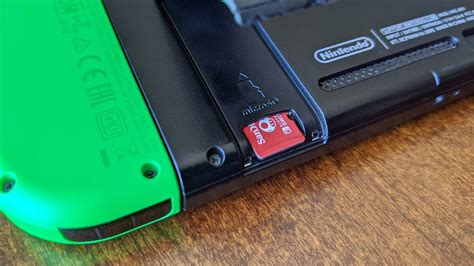
The first and most crucial step in managing your Switch’s storage is investing in a high-capacity microSD card. Unlike many other consoles, the Switch relies heavily on expandable memory for digital game downloads, updates, and DLC. While the internal storage is used for system data, save files, and a few small games, a microSD card is where the bulk of your digital library will reside.
Choosing the Right MicroSD Card
- Capacity: Aim for at least 128GB, but 256GB or 512GB offers much more breathing room for a growing library. If you’re primarily digital, 1TB might be a wise long-term investment. Remember that game sizes can range from a few hundred megabytes to over 20GB.
- Speed: Look for cards with a UHS-I (Ultra High Speed Phase I) rating, specifically those with a U1 or U3 speed class. A1 or A2 application performance class ratings are also beneficial, as they optimize for faster app loading and storage performance, which translates to quicker game loading times. While the Switch doesn’t fully leverage the extreme speeds of UHS-II cards, a good UHS-I card makes a noticeable difference.
Physical vs. Digital: Understanding the Storage Impact
The way you purchase games significantly impacts your storage needs:
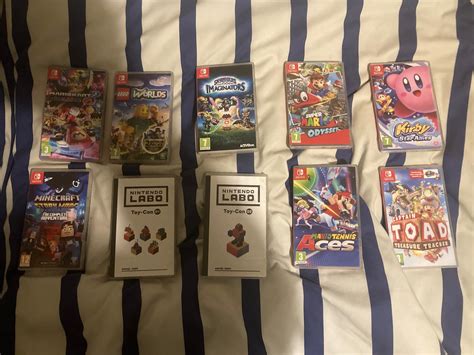
- Physical Game Cartridges: When you buy a physical game, the core game data is stored on the cartridge itself. This means it takes up virtually no internal or microSD card space, apart from save data, updates, and DLC. This is a significant advantage for storage management, especially for larger titles.
- Digital Downloads: Every digital game purchased from the eShop must be downloaded and stored on either your console’s internal memory or your microSD card. These can quickly consume available space, especially if you have many large digital titles.
A balanced approach, combining both physical and digital purchases, can be an excellent strategy. Reserve digital purchases for smaller indie games, titles often on sale, or games you want instant access to, and consider physical copies for large AAA titles you know you’ll play extensively.
Smart Management of Your Current Library
Even with a large microSD card, periodically managing your installed games is good practice.
Archiving vs. Deleting Software
- Archiving Software: This is your best friend for temporary space-saving. Archiving a game removes the game data but keeps the game icon on your Home screen and, crucially, preserves your save data. When you want to play it again, simply select the icon to re-download the game data. This is ideal for games you might return to but aren’t actively playing.
- Deleting Software: This removes both the game data and the icon from your Home screen, but your save data is still preserved (unless you specifically delete save data too). This is suitable for games you’ve finished and don’t anticipate playing again soon, or if you need to free up space more aggressively. You can always re-download deleted games from the eShop’s Redownload menu.
Leveraging Nintendo Switch Online Cloud Saves
For Nintendo Switch Online subscribers, cloud save data backup is an invaluable feature. Even if you archive or delete a game, your save data for most titles will be safely stored in the cloud. This provides peace of mind and allows you to confidently free up space without fearing loss of progress.
Developing a Long-Term Storage Strategy
To best manage your growing Switch library:
- Invest in a Large MicroSD Card Early: Don’t wait until you run out of space. A 256GB or 512GB card is a great starting point.
- Prioritize Storage for Active Games: Keep your most-played digital games on your fastest storage (internal or a speedy microSD).
- Balance Physical and Digital Purchases: Utilize physical cartridges for large games to save digital space.
- Regularly Archive Old Games: Make it a habit to archive games you’ve completed or aren’t currently playing.
- Utilize Cloud Saves: Ensure your Nintendo Switch Online subscription is active and cloud saves are enabled for peace of mind.
By implementing these strategies, you can enjoy your expanding Nintendo Switch game collection without the constant worry of storage limitations, ensuring your console is always ready for the next adventure.