How can game how-tos avoid overwhelming beginners with too much info?

New players embarking on a journey into a complex video game often find themselves at a crossroads: eager to learn, yet easily overwhelmed by a deluge of information. The challenge for creators of game how-tos isn’t just about providing comprehensive details, but more importantly, about presenting that information in a digestible, beginner-friendly manner. How can we equip new adventurers with the knowledge they need without drowning them in a sea of mechanics, lore, and strategies?
Understanding the Beginner’s Mindset
Beginners come to a game with limited context and a desire for immediate gratification. They need to understand the fundamental “what” and “how” to start playing and enjoying themselves. Bombarding them with advanced tactics, intricate lore details, or every single UI element upfront can lead to frustration, confusion, and ultimately, abandonment of the game or the guide itself. The goal is to build a foundation, not construct the entire skyscraper on day one.
Prioritize and Chunk Information
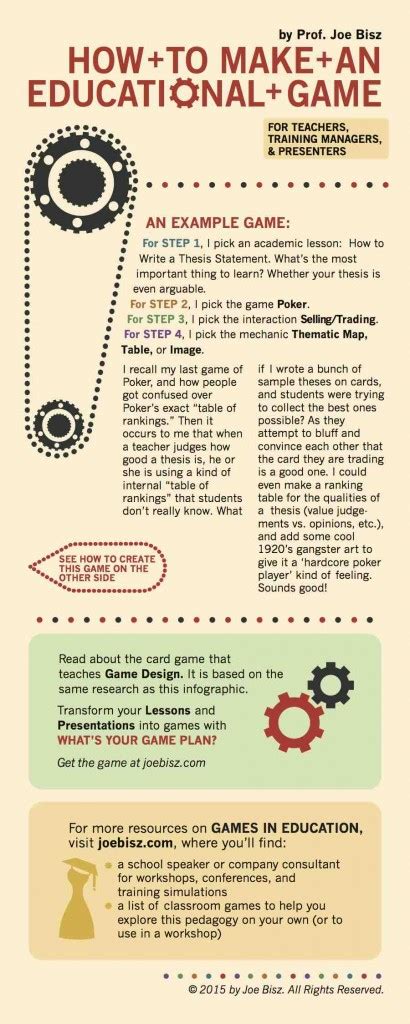
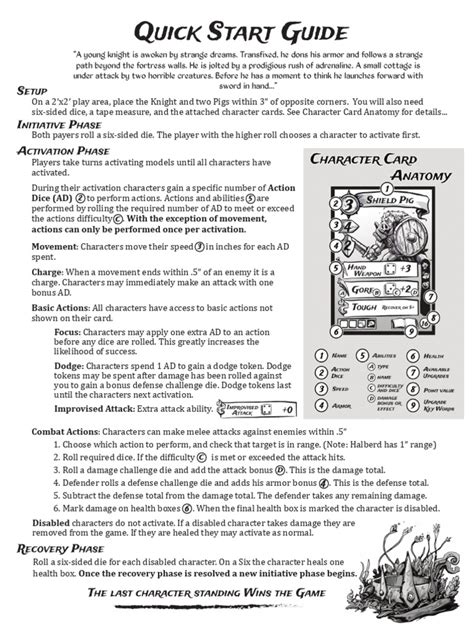
One of the most effective strategies is to ruthlessly prioritize. Identify the absolute core mechanics a player needs to know to take their first meaningful steps. What are the controls? What’s the immediate objective? How do they interact with the world? Present this essential information first, in small, manageable chunks. Think of it like a tutorial level in a game – it introduces one concept, lets the player try it, and then moves to the next.
- Identify Core Concepts: Distill the game down to its indispensable elements.
- Break Down Complexity: Divide large topics into smaller, focused sections or bullet points.
- Focus on “Why”: Briefly explain the relevance of each piece of information.
Progressive Disclosure: Layering Knowledge
Don’t reveal everything at once. Progressive disclosure is about presenting basic information first and allowing users to access more detailed information as needed or when they are ready. This could mean having “advanced tips” sections, expandable dropdowns, or linking to separate, deeper dives for specific mechanics. Introduce core movement and combat first, then delve into crafting, economy, or character customization once the player has a grasp of the basics.
Leverage Visuals and Examples
A picture is worth a thousand words, especially in the context of a game how-to. Screenshots, simple diagrams, or even short animated GIFs (conceptually, for the how-to design) can clarify complex interfaces, explain spatial relationships, or demonstrate specific actions far more effectively than text alone. Showing a player where to click, what an icon means, or how a combo works can dramatically reduce confusion.
Real-world (or in-game) examples further solidify understanding. Instead of just explaining what “aggro” means, show an example of a player pulling aggro from a mob. These tangible demonstrations help bridge the gap between theoretical knowledge and practical application.
Keep Language Simple and Action-Oriented
Avoid jargon unless absolutely necessary, and if used, explain it clearly and concisely. The language should be direct, encouraging, and focused on what the player needs to do. Use active voice and clear imperatives (“Press X to jump,” “Click here to open inventory”). Steer clear of overly academic or verbose explanations that can obscure the core message.
Encourage Practice and Reinforcement
Learning by doing is paramount. After introducing a new concept or mechanic, prompt the player (or reader) to try it out immediately. This reinforces the information and builds confidence. For a how-to guide, this might mean suggesting a specific in-game scenario to practice, or providing a checklist of actions to perform. Small, successful applications of new knowledge are far more impactful than passively consuming information.
Structure for Easy Navigation
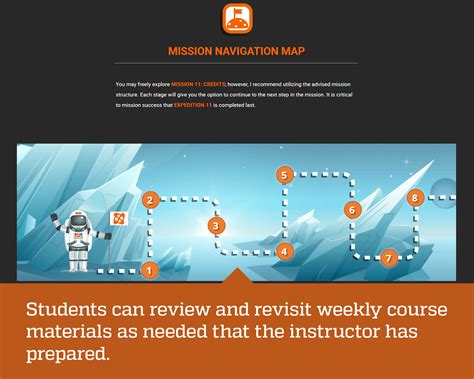
Even with chunked and prioritized information, a comprehensive guide will still have a significant amount of content. Excellent navigation is key. Utilize clear headings, a table of contents, internal links, and perhaps a search function to allow beginners to quickly find specific information when they need it, rather than having to scroll through everything. This empowers them to seek out details at their own pace.
Conclusion: Guiding, Not Dictating
The art of creating effective game how-tos for beginners lies in the delicate balance between informing and overwhelming. By embracing principles of prioritization, progressive disclosure, visual learning, clear language, active practice, and robust navigation, creators can craft guides that truly empower new players. The goal isn’t to impart every piece of knowledge instantaneously, but to provide a clear, supportive path that allows beginners to confidently explore and master the game at their own pace, transforming potential frustration into genuine enjoyment.