For new players, how can a guide effectively introduce key game controls & core mechanics?
An effective introduction to a new game can make or break a player’s initial experience. For new players, the daunting task of learning complex controls and understanding intricate core mechanics often leads to frustration and early abandonment. Crafting a guide that seamlessly transitions a novice into a confident player requires thoughtful design, clear communication, and a strategic approach to information delivery.
Start with Context, Not Just Commands
Before throwing a list of keybindings at a player, a good guide establishes the “why.” Explain the purpose of each control in the context of the game world and objectives. For instance, instead of just stating “W moves forward,” clarify that “W allows your character to traverse the environment, moving towards objectives or away from danger.” This contextualization helps players build a mental model of the game’s systems more quickly.
Connecting actions to their in-game consequences, even in a simple manner, deepens understanding. Describe how pressing a button relates to the character’s movement, interaction with objects, or combat abilities. This foundational understanding prevents players from merely memorizing actions and instead encourages them to grasp the underlying logic.
Gradual Introduction of Core Controls
Overloading new players with every single control at once is a common pitfall. An effective guide introduces essential movement and camera controls first, allowing players to feel comfortable navigating the game world. Once these basics are mastered, subsequent controls, such as interaction, primary attack, or inventory access, can be introduced incrementally. This staggered approach reduces cognitive load and allows players to build muscle memory progressively.
Visual aids are paramount. On-screen prompts that highlight the relevant key or button during an action, coupled with clear illustrations or animations in the guide itself, significantly improve comprehension. Whether it’s a diagram of a controller layout or an in-game pop-up pointing to the “use” button, visual reinforcement makes learning intuitive.
Demystifying Core Mechanics Through Simple Examples
Core mechanics, whether it’s a combat system, resource management, or a crafting loop, can be abstract. A guide must break these down into their simplest components. Introduce one mechanic at a time, providing straightforward, actionable examples. If the game has a crafting system, for instance, don’t explain all possible recipes; instead, guide the player through crafting a single, essential item step-by-step.
Use analogies if appropriate, relating game mechanics to real-world concepts or familiar game genres to bridge understanding. For example, explaining a stealth mechanic might involve comparing it to “avoiding detection” rather than just listing its component parts. Reinforce these mechanics through immediate, small-scale challenges that require the player to apply what they’ve just learned.
Hands-On Tutorials and Interactive Feedback
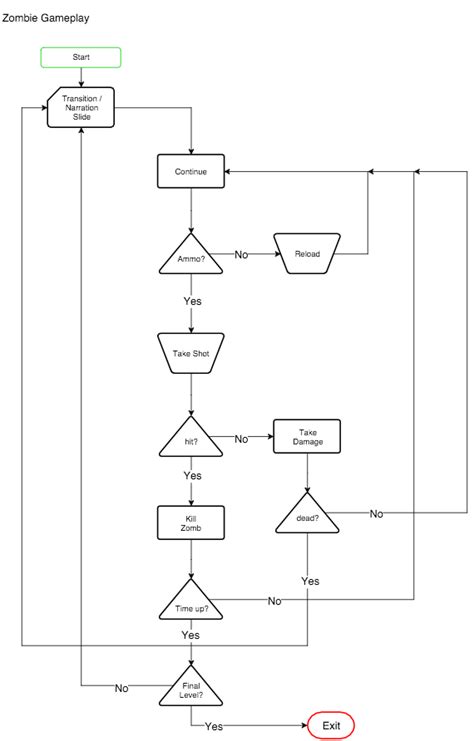
Reading about controls and mechanics is one thing; performing them is another. The most effective guides integrate learning directly into gameplay through interactive tutorials. These “learn-by-doing” sections should be forgiving, allowing players to experiment without penalty. Provide clear objectives and immediate feedback on their actions.
For example, a tutorial could task a player with moving to a specific point, interacting with an object, or performing a basic combat sequence. If a player fails, the guide should offer helpful hints or re-explain the relevant control/mechanic without being condescending. This iterative learning process solidifies understanding and builds confidence.

Structuring Information to Prevent Overwhelm
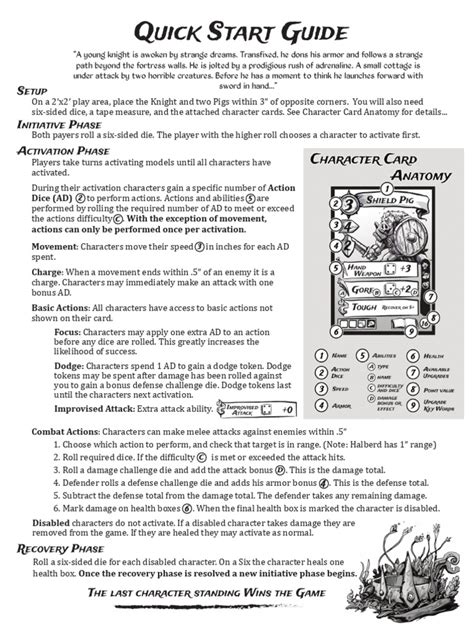
Information overload is the enemy of effective learning. Guides should be structured in easily digestible chunks. Use clear headings, bullet points, and short paragraphs. Avoid dense blocks of text. Consider offering basic and advanced sections; new players can focus on the essentials, while curious players can delve deeper into nuanced strategies or less critical controls later.
A well-designed guide anticipates player questions and addresses them concisely. It provides a logical progression from fundamental concepts to more complex interactions, ensuring that each new piece of information builds upon previously learned knowledge. This scaffolding approach is crucial for managing the learning curve.
Conclusion: The Path to Player Proficiency
Ultimately, an effective game guide for new players isn’t just a manual; it’s a carefully curated learning experience. By prioritizing contextual explanations, gradual introductions, hands-on practice with immediate feedback, and clear, chunked information, guides can transform the initial overwhelming hurdles into enjoyable learning opportunities. When players feel empowered rather than lost, they are far more likely to invest their time and passion into the game, fostering a positive and lasting relationship with the experience.