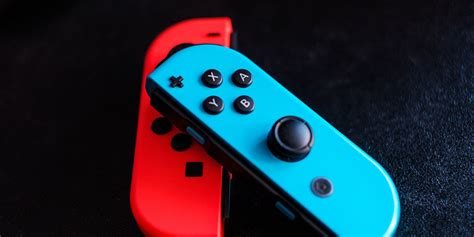
Fixing common Nintendo Switch Joy-Con drift issues at home?
Understanding and Tackling Joy-Con Drift
Nintendo Switch Joy-Con drift is a frustratingly common problem where your controller registers movement even when the analog stick isn’t being touched. This can lead to your character moving on its own, menus scrolling uncontrollably, and a generally diminished gaming experience. While it often feels like a serious hardware failure, many instances of Joy-Con drift can be resolved at home with a bit of patience and the right approach. Let’s dive into how you can diagnose and potentially fix this pesky issue.
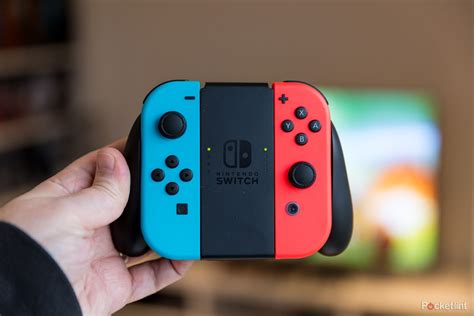
What Causes Joy-Con Drift?
Before attempting a fix, it helps to understand why drift occurs. The most common culprits include:
- Dust and Debris: Over time, tiny particles of dust, lint, and other debris can get underneath the analog stick module, interfering with the electrical contacts.
- Wear and Tear: Constant use can degrade the internal components, particularly the carbon pads that register movement. This is a common issue for any mechanical part.
- Manufacturing Defects: In some cases, the issue might stem from a flaw in the controller’s design or assembly, leading to premature failure.
Initial Steps: Software & Calibration Fixes
Before you even think about opening your Joy-Cons, there are a few simple software and calibration steps you should always try first. These are non-invasive and often resolve minor drift issues:
- Update Your System Software: Ensure your Nintendo Switch console is running the latest system software. Go to System Settings > System > System Update.
- Calibrate Control Sticks: This is a crucial step. From the Home menu, go to System Settings > Controllers and Sensors > Calibrate Control Sticks. Follow the on-screen instructions carefully. If the drift is severe, this might not entirely fix it but can help diagnose which direction the stick is drifting.
- Disconnect & Reconnect: Sometimes a simple reset of the connection can help. Detach the Joy-Cons from the Switch, navigate to ‘Change Grip/Order’ in the Controllers menu, and then reattach them.

Hardware Solutions: Cleaning Under the Hood
If software fixes don’t work, the next step involves a minor hardware intervention – cleaning. This often resolves drift caused by dust and debris.
What you’ll need:
- Compressed air (for electronics)
- Electronics contact cleaner (e.g., isopropyl alcohol spray, ideally non-residue)
- Small, thin tool (like a guitar pick or spudger) or cotton swab
Steps:
- Power Off Your Switch: Always completely power down your console before working on controllers.
- Pry Up the Rubber Skirt: Carefully lift the thin rubber skirt around the base of the analog stick. This exposes the internals.
- Clean with Compressed Air: While holding the skirt up, use compressed air to blast any dust or debris from under the stick module. Move the stick around to expose all areas.
- Apply Contact Cleaner: With the skirt still lifted, spray a small amount of electronics contact cleaner directly into the mechanism. Wiggle the stick around to help the cleaner distribute. Be conservative; a little goes a long way.
- Let it Dry: Allow the cleaner to completely evaporate (usually a few minutes) before retesting.
- Re-Calibrate: After cleaning, always go back to System Settings > Controllers and Sensors > Calibrate Control Sticks to reset.
Advanced Repair: Replacing the Analog Stick Module
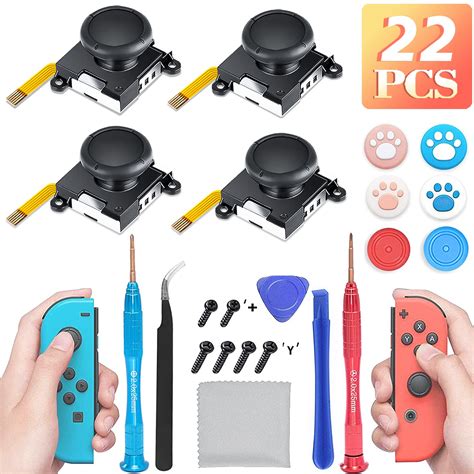
If cleaning doesn’t yield results, the internal mechanism of the analog stick might be too worn or damaged. In this case, replacing the entire analog stick module is the most effective solution. This is a more involved repair and requires specific tools and a steady hand.
What you’ll need:
- Tri-wing screwdriver (Y00)
- Philips head screwdriver (PH00)
- Spudger or thin pry tool
- Replacement analog stick module (available online)
- Optional: Tweezers, anti-static wrist strap
Key Considerations:
- Watch a Guide: Before starting, find a detailed video tutorial specific to your Joy-Con model (Left or Right, as they differ slightly).
- Be Gentle: Joy-Cons contain small, delicate ribbon cables that are easily damaged.
- Keep Screws Organized: There are various sizes of screws; keep them in order to avoid mix-ups during reassembly.
- Warranty: Opening your Joy-Cons will likely void any remaining warranty. Proceed with caution.
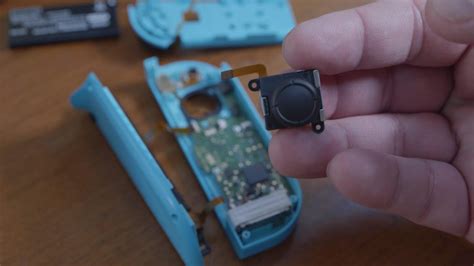
The process generally involves opening the Joy-Con, carefully disconnecting the battery and ribbon cables, unscrewing the old stick, and installing the new one. While daunting, many users successfully perform this repair at home, saving the cost of new Joy-Cons.

When to Seek Professional Help or Buy New Joy-Cons
Despite your best efforts, sometimes drift persists. Here’s when to consider other options:
- Repair Fails: If cleaning and even stick replacement don’t fix the issue, there might be a more complex problem with the Joy-Con’s main board.
- Uncomfortable with DIY: If you’re not confident with small electronics repairs, it’s safer to avoid potentially causing more damage.
- Warranty Options: Check if your Joy-Cons are still under Nintendo’s warranty. Many regions offer free repairs for drift, even out of warranty, due to the widespread nature of the problem.
- New Controllers: If all else fails, purchasing new Joy-Cons or a Pro Controller might be your best bet for a flawless gaming experience.
Conclusion
Joy-Con drift is an annoying issue, but it’s often not a death sentence for your controllers. By systematically trying software fixes, then a careful cleaning, and finally considering a module replacement, you stand a good chance of restoring your Joy-Cons to full working order. Remember to proceed cautiously with any hardware repairs and always prioritize safety over speed. Happy gaming!