





Fix Switch Joy-Con drift? Practical troubleshooting tips.

Understanding and Addressing Nintendo Switch Joy-Con Drift
Joy-Con drift has plagued many Nintendo Switch owners, causing characters to move on their own, cameras to pan unexpectedly, or inputs to register without touch. This frustrating issue occurs when the console registers movement from the analog sticks even when they are not being touched. While it can feel like a major problem, there are several practical troubleshooting steps you can take, ranging from simple software adjustments to more involved physical repairs.

1. Start with Software and Calibration
Before diving into any physical solutions, it’s crucial to rule out software glitches or calibration issues. These steps are quick, easy, and often resolve minor drift problems.
Update System Software and Joy-Con Firmware
Ensure your Nintendo Switch console and Joy-Cons are running the latest software versions. Outdated firmware can sometimes lead to unexpected input issues.
- Go to System Settings > System > System Update.
- Go to System Settings > Controllers and Sensors > Update Controllers.
Calibrate Control Sticks
Recalibrating your Joy-Cons can often fix drift by resetting their neutral position.
- From the HOME Menu, select System Settings > Controllers and Sensors > Calibrate Control Sticks.
- Tilt the control stick you wish to calibrate and press it down to select it.
- Follow the on-screen prompts to check the stick’s response and then proceed with calibration if needed.

2. Cleaning the Control Stick Module
Dust, dirt, sweat, and other debris can get underneath the control stick’s skirt, interfering with the internal sensors and causing drift. A thorough cleaning can often work wonders.
Using Compressed Air
A quick blast of compressed air can dislodge superficial debris.
- Power off your Switch.
- Gently lift the rubber skirt at the base of the control stick.
- Direct short bursts of compressed air into the opening. Do not hold the can upside down or too close.
Using Electrical Contact Cleaner
For more stubborn grime, an electrical contact cleaner (like isopropyl alcohol or specialized electronics cleaner) can be highly effective. Ensure it’s non-conductive and residue-free.
- Power off your Switch and remove the Joy-Cons.
- Lift the rubber skirt around the base of the problematic stick.
- Apply a very small amount of contact cleaner directly into the opening. Work the stick around in circles for 30 seconds to distribute the cleaner.
- Wipe away any excess and allow it to dry completely (at least 15-30 minutes) before reattaching to the Switch and testing.
3. Advanced Hardware Solutions and Repair
If software and cleaning methods don’t resolve the drift, the issue likely lies with a faulty internal component. You have a few options here, depending on your comfort level with DIY repairs.
DIY Joy-Con Stick Replacement
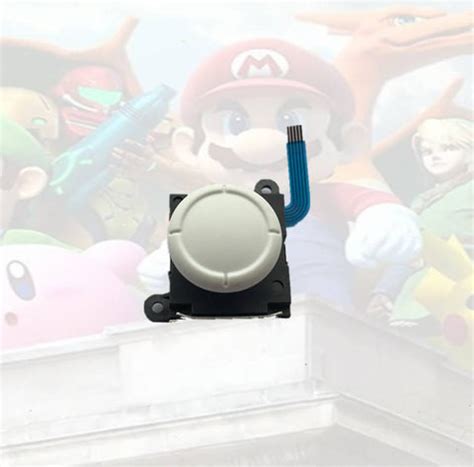
Replacing the analog stick module itself is a common and relatively inexpensive fix if you’re comfortable with small electronics repair. Replacement kits are readily available online and usually include the necessary tools.
Disclaimer: Opening your Joy-Cons will void your warranty. Proceed with caution and follow detailed video guides.
- Purchase a reputable Joy-Con repair kit.
- Follow a step-by-step video tutorial carefully to open the Joy-Con, disconnect the ribbon cables, replace the faulty stick module, and reassemble.
- After reassembly, recalibrate the new stick.

Contact Nintendo Support
If DIY repair isn’t for you, or your Joy-Cons are still under warranty, contacting Nintendo customer support is the recommended path. Nintendo has acknowledged the drift issue and often offers free repairs or replacements, even for out-of-warranty Joy-Cons in some regions.
- Visit the official Nintendo support website for your region.
- Follow their instructions for troubleshooting and repair requests.
4. Prevention and Maintenance Tips
While drift can sometimes be unavoidable, good maintenance practices can extend the life of your Joy-Cons:
- Avoid excessive force: Be gentle with your analog sticks.
- Keep them clean: Wipe down your Joy-Cons regularly to prevent buildup.
- Store properly: Keep Joy-Cons in a clean, dust-free environment when not in use.
Conclusion
Joy-Con drift is a frustrating but often fixable problem. By systematically working through software updates, calibration, cleaning, and potentially hardware replacement or Nintendo’s repair service, you can likely get your Switch controllers back in perfect working order. Don’t let drift ruin your gaming experience; take action with these practical tips!


