Extend Switch battery life for long portable gaming sessions?
Mastering Your Nintendo Switch’s Power Consumption
The Nintendo Switch offers unparalleled portable gaming freedom, but that freedom can feel limited by its battery life. Whether you own an original model, a V2, an OLED, or a Lite, optimizing battery usage is key for those epic, on-the-go gaming marathons. This guide will walk you through essential software tweaks, hardware considerations, and must-have accessories to keep your Switch powered up longer.
Understanding Your Switch’s Battery Performance
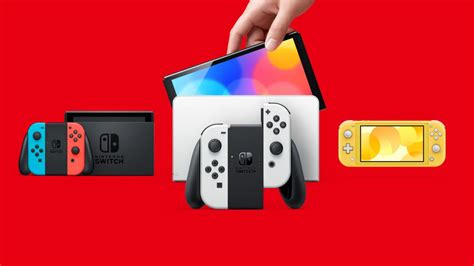
Different Switch models come with varying battery efficiencies. The original Switch (HAC-001) offered roughly 2.5-6.5 hours, while the revised V2 (HAC-001(-01)) and OLED models boast improved endurance of 4.5-9 hours. The Switch Lite, designed purely for handheld play, typically provides 3-7 hours. Understanding your specific model’s baseline is the first step in maximizing its potential. High-performance games naturally drain power faster than simpler, less graphically intensive titles.
Software Optimizations for Extended Play
Many quick and effective battery-saving measures can be found right in your Switch’s system settings:
- Lower Screen Brightness: This is arguably the most impactful change. Reduce your screen brightness to the lowest comfortable level, especially indoors. You can also disable ‘Auto-Brightness’ to maintain full control.
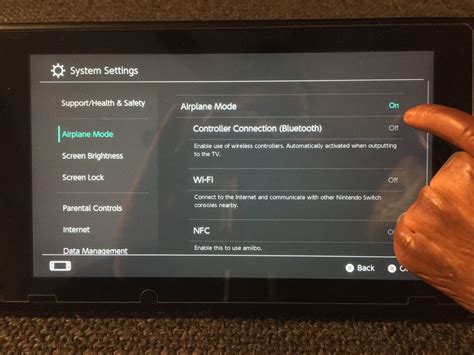
- Enable Airplane Mode: If you’re not playing online, disable Wi-Fi and Bluetooth. This prevents your console from constantly searching for networks and devices, saving a significant amount of power.
- Disable HD Rumble: While immersive, the vibration feature consumes power. Turn off HD Rumble in the ‘Controllers and Sensors’ settings.
- Adjust Auto-Sleep Settings: Set your Switch to go into sleep mode after a shorter period of inactivity. This prevents unnecessary battery drain if you forget to manually put it to sleep.
- Close Background Applications: Ensure you’ve fully closed games or applications you’re not actively using. While the Switch is efficient, having multiple software suspended can still draw power.
- Check for System Updates: Nintendo often releases system updates that include performance improvements and power efficiency optimizations. Keep your console updated.
Essential Hardware and Accessories for Power Users
Beyond software tweaks, certain accessories can drastically extend your gaming sessions:
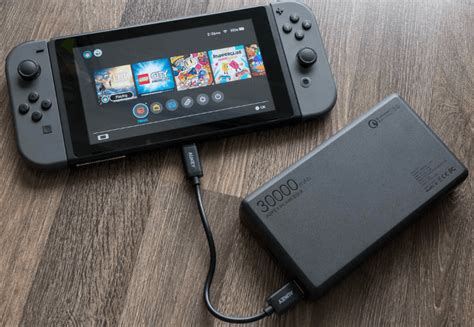
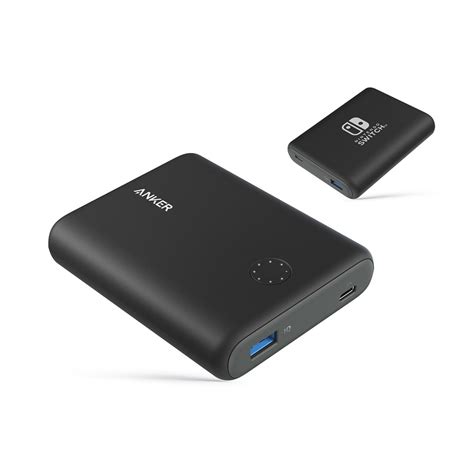
- Portable Power Banks: A high-capacity power bank with Power Delivery (PD) compatibility is a game-changer. Look for one with at least 10,000mAh for a full charge or more, and ensure it supports USB-PD for optimal charging speeds for your Switch.
- Battery Grips/Cases: Some third-party accessories offer integrated batteries that attach directly to your Switch, providing a seamless power boost and often improved ergonomics.
- Official or Licensed Chargers: Always use the official Nintendo AC adapter or a reputable, licensed third-party charger. Inferior chargers can not only charge slowly but potentially damage your console’s battery over time.
Optimizing Your Gaming Habits
How you play can also influence battery longevity:
- Choose Less Demanding Games: If you’re really pushing for maximum play time, opt for graphically less intensive titles. They demand less from the CPU/GPU, leading to lower power consumption.
- Take Short Breaks: Giving your Switch a few minutes of rest (in sleep mode) can sometimes help manage heat and reduce overall strain, subtly extending playtime.
- Full Charge Before You Start: Always begin a long gaming session with your Switch fully charged. Consistent topping off is generally better for lithium-ion batteries than deep discharges.
Long-Term Battery Health and Maintenance
Proper care extends the overall lifespan of your Switch’s battery:
- Avoid Extreme Temperatures: Playing or charging your Switch in very hot or very cold conditions can degrade the battery over time.
- Don’t Fully Drain Frequently: While not as critical with modern lithium-ion batteries, habitually draining your battery to 0% can contribute to faster degradation. Try to charge it before it gets critically low.
- Store with Partial Charge: If you plan to store your Switch for an extended period, ensure it has about a 50-70% charge. This is ideal for long-term battery health.
By implementing these tips and investing in the right accessories, you can significantly enhance your Nintendo Switch’s battery performance, ensuring your portable gaming sessions are longer and more enjoyable without constantly searching for an outlet.