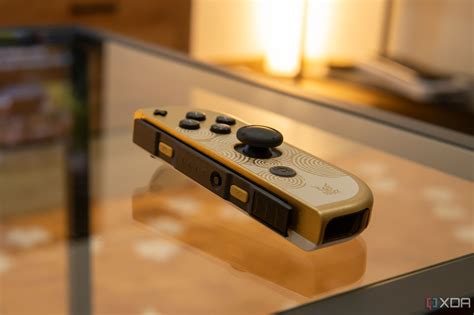
Dealing with Joy-Con drift? Actionable fixes & prevention for common Switch issues.

Few issues frustrate Nintendo Switch owners more than Joy-Con drift – that phantom movement where your character or cursor moves without you touching the joystick. It’s a widespread problem that can severely impact your gaming experience, turning epic adventures into frustrating battles against your own controller. But don’t despair! This comprehensive guide will equip you with actionable fixes, from simple software tweaks to more involved hardware solutions, and crucially, prevention strategies to keep your Joy-Cons in prime condition for longer.
Understanding Joy-Con Drift: The Phantom Menace
Joy-Con drift occurs when your Nintendo Switch console registers input from the joystick even when it’s in a neutral position. This can manifest as your character walking off cliffs, your camera spinning wildly, or menu selections moving on their own. The root cause is typically wear and tear on the joystick’s internal components, often involving dust, debris, or degradation of the conductive pads beneath the joystick mechanism. While it’s a common complaint, there are steps you can take to mitigate or even fix the issue.

First Line of Defense: Software & Basic Checks
Before diving into complex solutions, always start with the simplest potential fixes. Sometimes, drift isn’t a hardware failure but a calibration or connectivity glitch.
1. Recalibrate Your Joysticks
This is often the first and easiest step. Go to System Settings > Controllers and Sensors > Calibrate Control Sticks. Follow the on-screen prompts to recalibrate any problematic Joy-Con. If the red plus sign isn’t centered, you likely have drift. When prompted, rotate the stick in full circles to recalibrate.
2. Update Your System and Controller Firmware
Ensure both your Nintendo Switch console and your Joy-Cons have the latest firmware. Go to System Settings > System > System Update. For controllers, while connected to the Switch, go to System Settings > Controllers and Sensors > Update Controllers.
3. Check for Wireless Interference
Though less common for drift, wireless interference can cause erratic controller behavior. Try playing closer to your Switch console or temporarily disabling other wireless devices to see if the issue persists.
4. Clean Around the Joystick
Sometimes, dust or crumbs can get lodged under the rubber skirt of the joystick. Gently lift the rubber skirt around the base of the joystick and blow compressed air into the opening. Be careful not to use excessive force. You can also try a small amount of isopropyl alcohol on a cotton swab, lightly swabbing around the base of the stick and letting it dry completely.

Hardware Solutions: When Basic Fixes Aren’t Enough
If software and basic cleaning don’t resolve the drift, the problem likely lies with the physical joystick module itself. You have a few options here, ranging from DIY fixes to professional repairs.
1. DIY Joystick Module Replacement
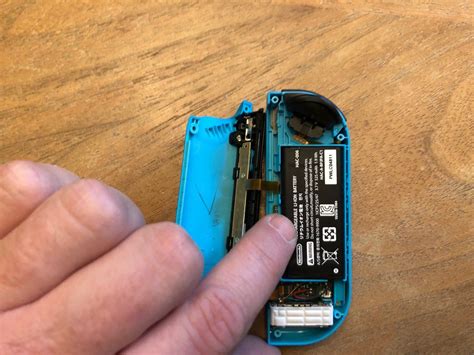
This is a more advanced solution but highly effective. Replacement joystick modules are readily available online (often inexpensive), and numerous tutorials (video and written) guide you through the process. It involves opening the Joy-Con, disconnecting ribbon cables, and swapping out the old module for a new one. This requires small screwdrivers and some patience, but it can completely eliminate drift.
2. Contact Cleaner Application
For those hesitant to fully replace the module but needing a more robust clean, electronic contact cleaner (specifically designed for electronics, not WD-40) can be effective. Power off the Joy-Con, lift the rubber skirt, and spray a tiny amount into the mechanism. Move the joystick around to distribute the cleaner, then let it dry thoroughly before powering on. This can sometimes clean dirty contacts causing the drift.
3. Official Nintendo Repair Service
Nintendo has faced numerous class-action lawsuits over Joy-Con drift and often offers free out-of-warranty repairs in many regions, especially for drift issues. Check Nintendo’s official support website for your region’s policy on Joy-Con repairs. This is the safest option if you’re uncomfortable with DIY repairs, though it can take some time.
Preventative Measures: Avoiding Future Drift
Once you’ve fixed your drift, or if you want to avoid it altogether, adopting good habits is key to extending the life of your Joy-Cons.
1. Handle with Care
Avoid excessive force or “mashing” the joysticks during intense gameplay. While they’re built for gaming, constant aggressive input can accelerate wear and tear.
2. Use Protective Covers or Grips
Joystick caps can protect the rubber surface, and full Joy-Con grips can add an extra layer of protection against dust and impact, reducing the chance of debris entering the mechanism.
3. Regular Cleaning
Periodically use compressed air to clear dust and debris from around the joysticks, even if you don’t detect drift. Proactive cleaning can prevent buildup.
4. Store Properly
When not in use, store your Switch and Joy-Cons in a clean, dust-free environment. Consider a carrying case that keeps the joysticks from being pressed or snagged.
5. Consider a Pro Controller
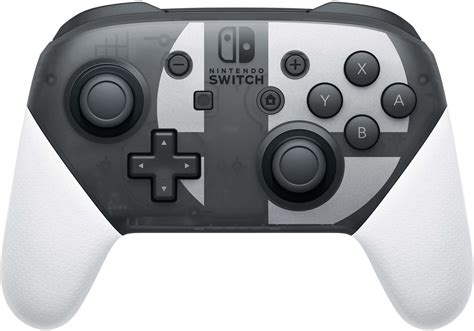
For extended gaming sessions, especially those requiring precise or intense joystick input, investing in a Nintendo Switch Pro Controller can save your Joy-Cons from wear. Pro Controllers are generally more robust and less prone to drift.
Keeping Your Switch Experience Smooth
Joy-Con drift is a frustrating reality for many Switch owners, but it’s not a death sentence for your controllers. By understanding the causes and employing a combination of software adjustments, careful cleaning, and, if necessary, hardware fixes, you can restore your gaming precision. More importantly, adopting preventative measures can significantly prolong the lifespan of your Joy-Cons and ensure your Nintendo Switch remains a source of joy, not frustration.