Best way to teach complex game controls in a beginner guide?

Mastering the Onboarding: Guiding Players Through Intricate Controls
Many modern games boast incredibly rich gameplay systems, but with depth often comes complex control schemes. For a beginner guide, the challenge isn’t just listing buttons; it’s about making those controls intuitive, memorable, and enjoyable to learn. Overwhelming new players with a wall of text or a barrage of commands is a surefire way to drive them away. The goal is to gently onboard them, building their proficiency step by step.
The Layered Learning Approach: Introduce Gradually
One of the most effective strategies is to introduce controls incrementally. Don’t dump everything on the player at once. Start with the absolute essentials – movement, basic interaction – and then layer on new mechanics as they become relevant to the gameplay. Think of it like a tutorial that unfolds alongside the first few levels, rather than a separate, upfront manual. This allows players to master core concepts before being introduced to advanced techniques.
For example, if a game has melee combat, ranged combat, and spellcasting, begin with basic movement and a simple melee attack. Once that’s comfortable, introduce ranged combat when the game presents a suitable enemy or scenario. Spellcasting can come even later, perhaps after the player has demonstrated proficiency in the other two areas. This staggered introduction reduces cognitive load and allows for natural reinforcement.

Visual Aids & On-Screen Prompts: Show, Don’t Just Tell
Humans are highly visual learners. A beginner guide should leverage this by using clear, concise visual aids. Instead of just writing “Press X to jump,” display an icon of the ‘X’ button or a keyboard key, alongside an animation of the character performing the action. In-game prompts that appear contextually are invaluable, showing the required input directly above or next to the relevant action or object.
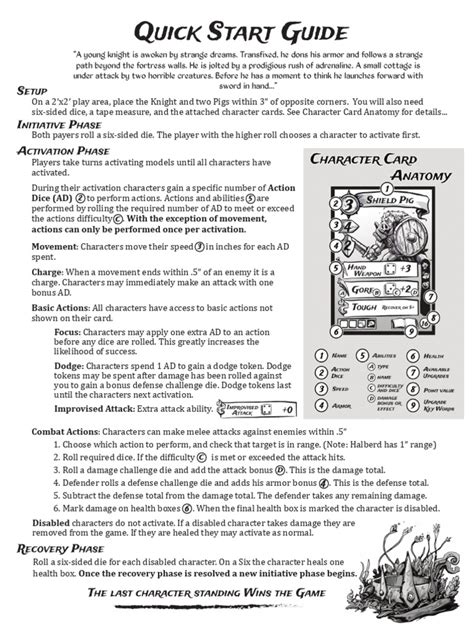
Diagrams illustrating control layouts (e.g., controller maps, keyboard hotkeys) can serve as quick reference points, but they should be concise and easy to read. Color-coding different actions (movement, combat, utility) can also help players quickly categorize and remember controls. Remember, less text and more clear visuals will always be more effective for a new player.
Interactive Tutorials & Dedicated Practice Zones: Learn by Doing
Reading about controls is one thing; performing them is another. The best beginner guides integrate interactive elements. This could be a dedicated tutorial section where players are prompted to execute specific actions and receive immediate feedback. Even better is integrating these learning moments into the very first moments of gameplay, creating an experience where the player learns the controls as they naturally play through an introductory sequence.
Providing a ‘sandbox’ or practice zone where players can experiment with newly learned abilities without pressure is also highly beneficial. This allows them to build muscle memory and understand the nuances of each control without the threat of failure. It transforms the learning process from a chore into an engaging discovery.

Contextual Introduction of Mechanics: Relevance is Key
Controls are best learned when their purpose is immediately clear. Introduce a jumping control when the player encounters a gap they need to cross. Introduce a shield block when they face an enemy with an obvious attack pattern. This contextual learning makes the control’s utility evident and helps players form a strong association between the input and its outcome. Avoid introducing a complex ability when there’s no immediate in-game reason for it; players will likely forget it before they need it.
Repetition, Reinforcement, and Customization: Solidify the Learning
Gentle repetition through recurring prompts or challenges helps solidify newly acquired knowledge. After the initial introduction, occasionally remind players of specific controls, especially for less frequently used but important abilities. Furthermore, offering the ability to customize controls (key remapping) can significantly enhance player comfort and accessibility, allowing them to tailor the experience to their preferred style or physical needs.
Finally, ensure there’s an easily accessible ‘Controls’ menu within the game that players can refer back to at any point. This acts as a safety net, allowing them to refresh their memory without having to restart a tutorial or dig through external guides.
Conclusion: Empathy for the New Player
Teaching complex game controls effectively boils down to empathy for the new player. Understand their potential frustrations and design the learning experience to be as smooth and engaging as possible. By adopting a layered approach, prioritizing clear visuals, integrating interactive elements, providing contextual learning, and offering flexible options, beginner guides can transform daunting control schemes into an accessible and enjoyable foundation for a rich gaming experience. The ultimate goal is to empower players, not to overwhelm them, ensuring they feel competent and ready to dive into the game’s full potential.