Best Switch storage solutions for a growing digital game library?

Why Your Nintendo Switch Needs More Storage
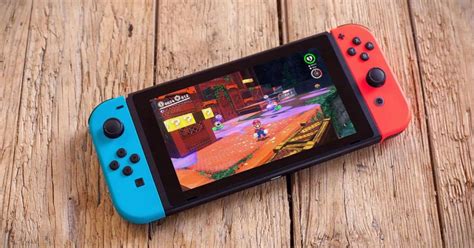
The Nintendo Switch, a marvel of portable gaming, comes with a respectable but ultimately limited 32GB (or 64GB for the OLED model) of internal storage. While this might seem sufficient for a few small titles, it quickly becomes a bottleneck for anyone building a robust digital game library. Modern games, especially AAA titles, can easily consume several gigabytes each, making extra storage an essential upgrade rather than a luxury.
Digital downloads offer unparalleled convenience: no cartridges to swap, immediate access to purchases, and often better deals. However, this convenience comes at a cost to your console’s onboard memory. If you’re tired of constantly deleting games to make room for new ones, it’s time to invest in a smart storage solution.

The Primary Solution: MicroSD Cards
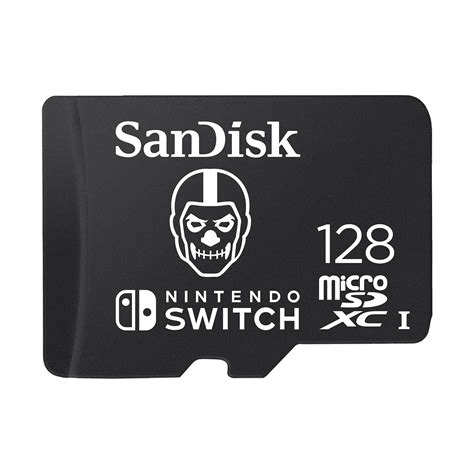
For the Nintendo Switch, microSD cards are the undisputed champions of storage expansion. The console is designed to be compatible with microSD, microSDHC, and microSDXC cards, offering a vast range of capacities and speeds. Unlike external hard drives for other consoles, microSD cards seamlessly integrate into the Switch’s design, sitting discreetly in a dedicated slot.
Understanding MicroSD Card Types and Speeds
- MicroSDHC (High Capacity): Supports capacities from 4GB to 32GB. These are less common for Switch users looking for significant expansion but are compatible.
- MicroSDXC (Extended Capacity): Supports capacities from 64GB up to 2TB. This is where most Switch users will find their ideal solution, offering ample space for dozens or even hundreds of games.
Speed is also crucial. While the Switch doesn’t take full advantage of the absolute fastest microSD cards available, opting for a card with decent read/write speeds ensures smoother game loading and faster downloads. Look for cards rated UHS-I (Ultra High Speed Phase I) with a speed class of U1 or U3. A good indicator is the A1 or A2 rating, which signifies optimized performance for running apps, beneficial for game loading on the Switch.
Choosing the Right MicroSD Card Capacity
The ‘best’ capacity depends entirely on your gaming habits and budget. Here’s a general guide:
- 64GB-128GB: A good starting point for casual gamers with a mix of physical and digital titles, or those on a tight budget. It provides a decent boost over the internal storage.
- 256GB-512GB: The sweet spot for most dedicated digital gamers. This range offers plenty of room for a large library of AAA games, indie gems, and updates without breaking the bank. Many users find 256GB to be a comfortable amount, while 512GB provides significant future-proofing.
- 1TB: For the ultimate digital collector. If you intend to download every game that piques your interest and rarely delete anything, a 1TB card will keep you covered for years to come. While more expensive, the peace of mind is often worth the investment.
Reputable brands like SanDisk, Samsung, and Kingston are highly recommended for their reliability and performance. Always purchase from trusted retailers to avoid counterfeit cards.
Managing Your Switch Storage Effectively
Even with a large microSD card, good storage management practices can extend its life and your convenience:
- Archive vs. Delete: If you need space, archiving a game removes its data but keeps the icon on your home screen and saves your game data. You can redownload it anytime. Deleting a game removes everything, including save data if it’s not backed up via Nintendo Switch Online’s cloud save feature.
- Move Data: You can move downloaded software between your console’s system memory and your microSD card. This is useful if you accidentally download a game to the internal storage when your card has plenty of space.
- Regular Cleanup: Periodically check your storage usage in the System Settings to see which games are taking up the most space. Consider deleting demos or games you’ve finished and aren’t likely to revisit.
Future-Proofing Your Digital Library
As game file sizes continue to grow, it’s wise to consider buying a slightly larger microSD card than you think you immediately need. The price difference between, say, a 256GB and 512GB card might seem significant upfront, but it’s often more economical than having to buy a second card down the line and juggle game installations between them. With the right microSD card, your Nintendo Switch can truly become the ultimate portable gaming console, ready to house your ever-expanding collection for years to come.