Best Switch SD card: Which one to buy for more game space?
Why Your Nintendo Switch Needs an SD Card Upgrade
The Nintendo Switch, with its incredible library of games, has a notable limitation: its internal storage. The original Switch and Switch Lite come with only 32GB of internal memory, while the OLED model offers a slightly better 64GB. While this might seem like enough for a few indie titles or physical game data, modern blockbuster games often exceed 10GB-20GB each, and digital-only purchases quickly fill up the available space. Factor in game updates, DLC, and screenshots, and you’ll find yourself deleting games more often than playing them.
This is where an external MicroSD card becomes an essential upgrade. It’s the most straightforward and cost-effective way to drastically expand your console’s storage, allowing you to download more games, save more memories, and worry less about managing space.
Understanding SD Card Types and Speeds for Your Switch
Not all MicroSD cards are created equal. When choosing one for your Switch, you’ll encounter a few key specifications:
- Capacity: Measured in GB (Gigabytes) or TB (Terabytes). The Switch supports MicroSDHC (up to 32GB) and MicroSDXC (32GB up to 2TB) cards. For modern gaming, MicroSDXC is what you’ll want.
- Speed Class: This indicates the minimum sequential write speed. For the Switch, you’ll want a card with a high read speed (as games are loaded from it) and decent write speed (for saving data and downloads). Look for cards with a UHS-I (Ultra High Speed-I) interface.
- Application Performance Class: This is crucial for gaming. Look for cards rated A1 or, even better, A2. These ratings indicate optimized performance for running applications (like games) directly from the card, ensuring smoother loading times and gameplay. The Switch supports UHS-I cards up to 100MB/s read speed. While higher speeds exist, the Switch itself caps out around 100MB/s for read speeds, so paying extra for significantly faster cards won’t yield much benefit.
How Much Storage Do You Really Need?
The ideal SD card size depends on your gaming habits:
- 64GB-128GB: A good starting point for casual players who primarily buy physical games and download a few smaller digital titles. This will give you a decent buffer for updates and DLC.
- 256GB: An excellent all-rounder for most Switch owners. This provides ample space for a significant library of digital games, even if you download several large titles.
- 512GB: Highly recommended for digital-first gamers or those who like to have a vast library always ready to play. You’ll rarely need to delete games with this much space.
- 1TB: The ultimate choice for collectors and those who want to download every game imaginable. While the Switch supports 1TB and even 2TB cards, 1TB often offers the best balance of capacity and cost.
Top Picks for Nintendo Switch SD Cards
Several brands consistently offer reliable and high-performance MicroSD cards suitable for the Switch. Here are some top recommendations:
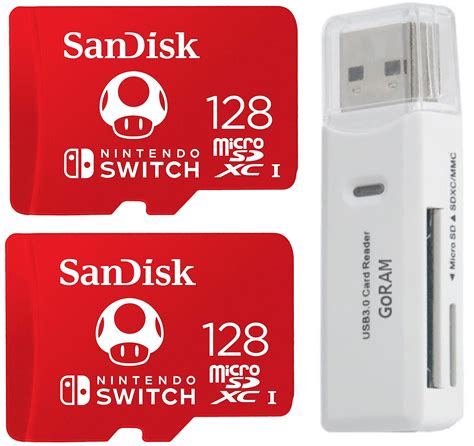
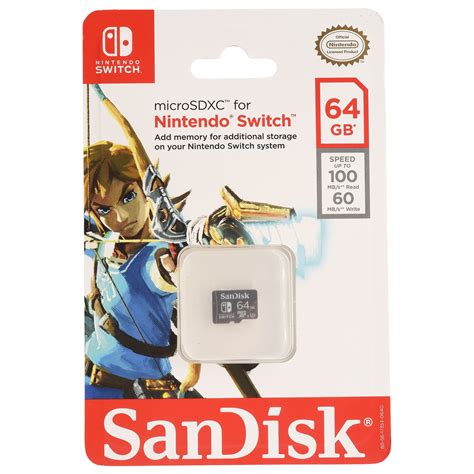
1. SanDisk MicroSDXC for Nintendo Switch
SanDisk has an official partnership with Nintendo, offering branded SD cards that are guaranteed to be compatible and perform well. They come in various capacities, often featuring iconic Nintendo characters. These cards are UHS-I, A1 rated, and offer speeds up to 100MB/s read and 90MB/s write, making them perfect for the Switch.
2. Samsung EVO Select / EVO Plus MicroSDXC
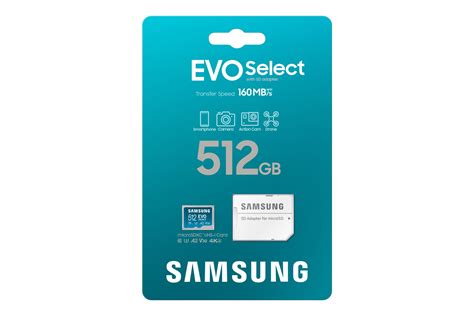
Samsung’s EVO line is a fantastic alternative, known for its reliability and excellent value. The EVO Select (often Amazon-exclusive) and EVO Plus cards offer similar performance to the SanDisk options, with UHS-I, A1 ratings, and comparable speeds. They are a popular choice for their balance of price, performance, and durability.
3. Lexar PLAY MicroSDXC
Lexar’s PLAY series is specifically designed for gaming and entertainment devices. These cards boast impressive A2 ratings, which can theoretically offer even better random read/write speeds, though the Switch’s own limitations might not fully utilize the A2 benefits. Still, they are incredibly fast, reliable, and come in large capacities, making them a solid choice for any Switch owner.
Installing and Managing Your Switch SD Card
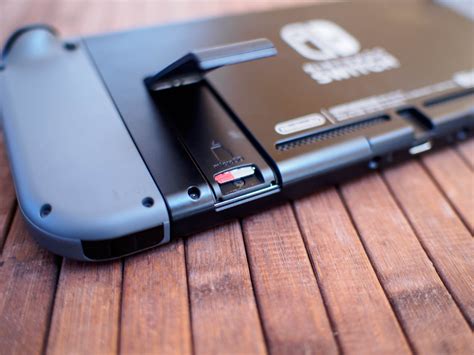
Installing an SD card is straightforward: simply insert it into the slot located under the kickstand of your Switch. The console will recognize it and prompt you to format it if necessary. If you’re upgrading from an older, smaller card, you can transfer your game data by copying the contents of the old card to your computer, then copying them to the new card, or by redownloading all your games from the eShop onto the new card.
Conclusion: Never Run Out of Space Again
Investing in a high-quality MicroSD card is one of the best upgrades you can make for your Nintendo Switch. It frees you from the constant struggle of managing limited internal storage, allowing you to fully enjoy your game library without compromise. Whether you opt for a 256GB workhorse or a massive 1TB vault, a good SD card ensures that your next gaming adventure is just a download away, not a deletion away.