





Best Switch SD card for indie game hoarders? Maximize space!
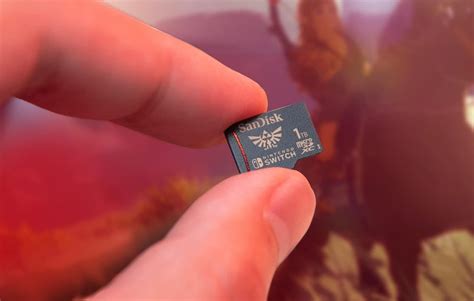
Why Your Nintendo Switch Needs a Serious Storage Upgrade
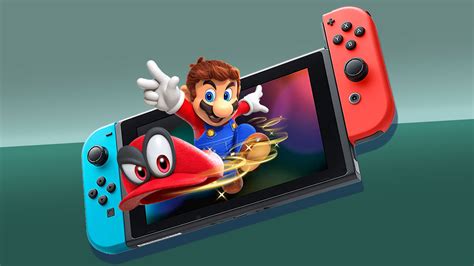
The Nintendo Switch has revolutionized portable gaming, offering a vast library of titles, from AAA blockbusters to charming indie gems. While the console comes with 32GB (or 64GB for the OLED model) of internal storage, dedicated indie game collectors will quickly realize this is woefully inadequate. Indie titles, though often smaller than their AAA counterparts, accumulate rapidly. Before you know it, you’re constantly deleting and redownloading games, a frustrating cycle that breaks immersion and wastes precious gaming time. Investing in a high-capacity MicroSD card is not just a luxury; it’s a necessity for any serious Switch indie game hoarder.
Understanding MicroSD Cards: Capacity and Speed
When selecting a MicroSD card for your Switch, two primary factors dominate: capacity and speed. Capacity dictates how many games you can store, while speed affects load times and overall performance. Both are crucial for a smooth gaming experience.
Capacity: Go Big or Go Home
For indie game hoarders, the mantra should be simple: buy the largest capacity you can reasonably afford. While a 128GB or 256GB card might seem sufficient initially, you’ll be surprised how quickly it fills up. Many modern indie games, despite their retro aesthetics, can range from a few hundred megabytes to several gigabytes. A collection of 50-100 games can easily consume hundreds of gigabytes.
- 512GB: A good starting point for casual collectors. It offers substantial space and is often a sweet spot for price-to-capacity.
- 1TB: The ideal choice for serious indie game hoarders. This size provides ample room for hundreds of titles, future-proofing your collection for years to come.
- 1.5TB: The current maximum available for consumer MicroSD cards. While more expensive, it offers ultimate peace of mind for those who truly want to download everything.
Speed: Don’t Compromise Performance
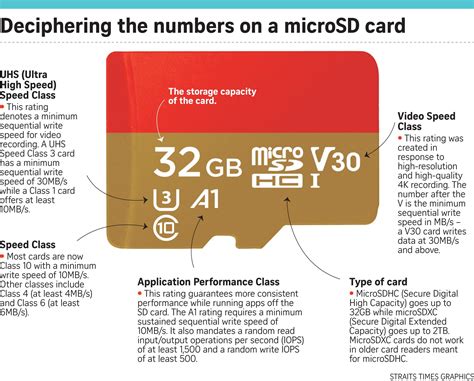
Beyond sheer space, the speed of your MicroSD card is vital. A faster card means quicker game loading, smoother gameplay (especially for titles that stream assets), and faster data transfers when moving games. Look for cards with these specifications:
- UHS Speed Class 3 (U3): Guarantees a minimum write speed of 30 MB/s.
- Video Speed Class 30 (V30): Similar to U3, also indicating 30 MB/s minimum sequential write speed.
- A1 or A2 Application Performance Class: These classes are designed for apps (like Switch games) and indicate good random read/write performance, which is more relevant for game loading than sequential speeds alone. A2 offers better random performance than A1.
Most reputable brands will offer cards meeting these criteria. Prioritizing U3 and A1/A2 ratings ensures your games load promptly without unnecessary waiting.
Top Recommended MicroSD Card Brands and Models
When it comes to reliability and performance, sticking with well-known brands is always a safe bet. These manufacturers consistently produce high-quality cards that are less prone to failure and meet their advertised speed specifications.
SanDisk
Often considered the gold standard, SanDisk offers excellent compatibility and performance with the Switch. The SanDisk Extreme and Extreme Pro lines are particularly popular, offering U3 and A2 ratings. Their 1TB and 512GB cards are highly recommended.
Samsung
Samsung’s EVO Select and PRO Plus series are strong contenders, known for their durability and consistent speeds. They also come in various capacities, including 512GB and 1TB, and are rated U3 and A2.
Lexar
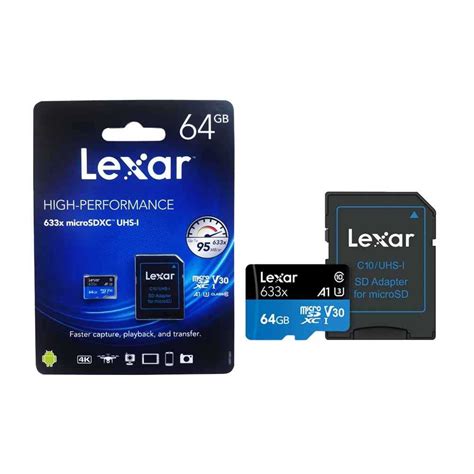
Lexar has re-emerged as a competitive brand, offering reliable and fast MicroSD cards like the PLAY series, which are optimized for gaming and mobile devices. They provide good value for their performance, often at U3/A2 speeds.
Installation and Management Tips
Installation is Simple
Installing a MicroSD card into your Switch is straightforward. Turn off your console, open the kickstand, and slide the card into the slot. Power on, and the Switch will automatically detect and format the card if needed. All future downloads will default to the SD card, unless it’s full.
Moving Existing Games
You can transfer games from your Switch’s internal storage to the MicroSD card to free up space. Go to System Settings > Data Management > Move Data Between System / microSD Card. Select the games you wish to move.
Organizing Your Digital Library
Even with massive storage, a sprawling collection can become unwieldy. Utilize the Switch’s software grouping feature (by pressing R on the All Software screen) to create folders for genres, completion status, or even specific developers. This helps keep your hoard manageable and enjoyable.
Conclusion: Unleash Your Inner Indie Hoarder
For the true indie game enthusiast, a large and fast MicroSD card is an indispensable accessory for the Nintendo Switch. It transforms your console into a vast digital arcade, free from the constraints of limited internal storage. By investing in a 1TB (or even 1.5TB) card from a reputable brand with U3 and A2 speed ratings, you can embrace your inner indie game hoarder without compromise, ensuring countless hours of uninterrupted gaming bliss. Stop deleting and start downloading – your Switch and your indie collection deserve it!
![[Twitter] 140616 Kim Junsu Twitter Update: Junsu compliments B2ST’s ...](/images/aHR0cHM6Ly90czQubW0uYmluZy5uZXQvdGg/aWQ9T0lQLktQTVh1WXZ3R0VwLTR0c3JwR1NpR2dBQUFBJnBpZD0xNS4x.webp)


