





Best Switch SD card for expanding game storage?

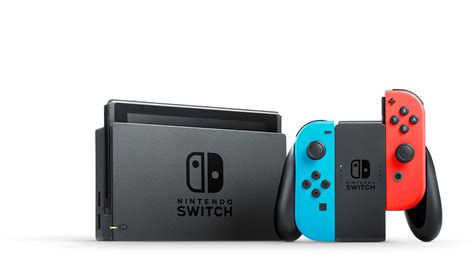
The Nintendo Switch, with its vast library of digital-only games and downloadable content, quickly fills up its internal storage. While the console comes with 32GB (or 64GB for the OLED model), a significant portion of this is reserved for the system itself, leaving limited space for your growing game collection. This is where a high-quality microSD card becomes an essential upgrade for any serious Switch gamer.
Why Your Nintendo Switch Needs a microSD Card
Even if you prefer physical game cartridges, many modern Switch games require large downloads for updates, patches, or even the full game data if the cartridge only contains a portion. Digital game purchases, especially from the eShop sales, can quickly consume the console’s meager internal memory. Without an SD card, you’ll constantly be deleting games to make room for new ones, which can be frustrating and time-consuming.
Key Factors for Choosing a Switch SD Card
Not all microSD cards are created equal. To ensure optimal performance and avoid frustrating slowdowns, consider these crucial factors when selecting a card for your Switch:
- Capacity: This is arguably the most important factor. While 64GB might suffice for a casual gamer, 128GB, 256GB, or even 512GB and 1TB cards are recommended for those with large digital libraries. Future-proofing is key, as game sizes are only getting larger.
- Speed: Look for cards rated UHS-I (Ultra High Speed – I) with a Speed Class 10 (C10) and an Application Performance Class A1 or A2. These ratings indicate the minimum sequential write speed (10 MB/s for C10) and random read/write speeds, which are crucial for loading games quickly and smoothly. The Switch supports UHS-I cards up to 100 MB/s read speed. Faster cards (like UHS-II) aren’t supported by the Switch and won’t offer a speed advantage, so don’t overspend.
- Reliability & Brand: Stick with reputable brands known for quality and durability. SanDisk, Samsung, and Lexar are leading manufacturers with a strong track record. Cheap, no-name cards often have inflated capacities or poor performance.

Our Top Picks for Nintendo Switch SD Cards
Based on performance, reliability, and value, here are some of the best microSD cards currently available for the Nintendo Switch:
1. SanDisk microSDXC for Nintendo Switch (Official Licensed)
These cards are officially licensed by Nintendo and come in various capacities (64GB to 1TB) with iconic branding (like the Hylian Crest or Super Star). They offer excellent read speeds (up to 100MB/s) and are optimized for the Switch, ensuring seamless performance. They are a safe and reliable choice, backed by a strong warranty.
2. Samsung EVO Select / EVO Plus microSDXC
Samsung’s EVO series cards are a fantastic value alternative. They offer comparable speeds (UHS-I, U3, A2) to the official SanDisk cards, with read speeds up to 130MB/s (though the Switch caps at 100MB/s). They are highly reliable, widely available, and often more affordable per gigabyte than the licensed options.
3. SanDisk Extreme / Extreme Pro microSDXC
For those who want the absolute best performance even if the Switch can’t fully utilize it, SanDisk Extreme cards are a premium choice. They boast very high read and write speeds, excellent durability, and are ideal for general-purpose use beyond the Switch. They are a bit pricier but offer top-tier reliability.
How Much Storage Do You Actually Need?
The ideal capacity depends on your gaming habits:
- 64GB-128GB: Suitable if you primarily buy physical games and only download a few digital titles or smaller indie games.
- 256GB-512GB: Recommended for most digital-first gamers. This provides ample space for a large library of AAA titles and indie gems without constant management.
- 1TB: For the ultimate digital collector or someone who wants to download almost everything without ever worrying about space. While more expensive, it offers unparalleled freedom.
Consider the average size of your favorite games. Major titles like The Legend of Zelda: Tears of the Kingdom can be over 18GB, while many indie games are 1-5GB. Having enough headroom for future releases and updates is always a good idea.

Installing Your New SD Card
Installing a microSD card into your Nintendo Switch is incredibly simple:
- Turn off your Nintendo Switch completely (not just sleep mode).
- Open the kickstand on the back of the console to reveal the microSD card slot.
- Insert the microSD card into the slot until it clicks into place, with the label facing the same direction as the console screen.
- Close the kickstand and power on your Switch.
- The Switch will automatically recognize the card and format it if necessary.
Any new downloads or screenshots will automatically save to the SD card. You can also transfer existing data from the console’s internal memory to the SD card through the System Settings.

Conclusion
Expanding your Nintendo Switch’s storage with a reliable microSD card is arguably the best upgrade you can make for a more enjoyable and seamless gaming experience. Whether you opt for an officially licensed SanDisk card or a high-performance alternative like the Samsung EVO Select, investing in a good quality card with sufficient capacity will save you from the constant headache of managing your game library. Choose wisely, and never worry about running out of space on your adventures across Hyrule, the Mushroom Kingdom, or beyond.


