





Best Switch microSD card for expanding game library capacity?

Why Your Nintendo Switch Needs More Storage
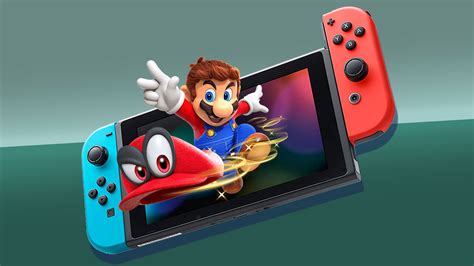
The Nintendo Switch, Switch Lite, and Switch OLED all come with a relatively modest amount of internal storage – 32GB for the original and Lite models, and 64GB for the OLED. While this is enough for a few small digital titles or save data, it quickly fills up once you start downloading larger games like The Legend of Zelda: Tears of the Kingdom, Pokémon Scarlet and Violet, or any number of fantastic indie titles.
Expanding your Switch’s storage is not just a convenience; it’s practically a necessity for any avid gamer who prefers digital downloads or wants to avoid constantly deleting and redownloading games. Fortunately, all Switch consoles support microSD cards, making the upgrade process straightforward and affordable.
Understanding Your Storage Needs and Card Types
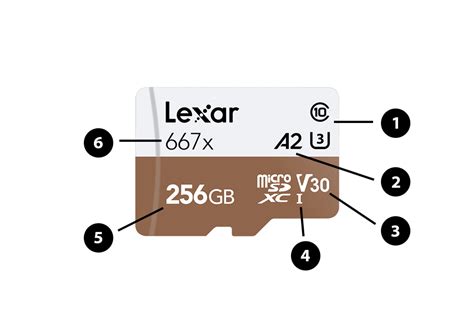
Before diving into specific recommendations, it’s crucial to understand what kind of microSD card you need and how much capacity will best serve you. The Nintendo Switch supports microSD, microSDHC, and microSDXC cards.
- Capacity: microSD cards come in various sizes, from 32GB up to 2TB. For most users, a 128GB or 256GB card is a good starting point, offering plenty of room for multiple AAA titles and indie games. If you’re a digital-only gamer or plan to build a massive library, 512GB or even 1TB might be a better investment. Remember that game sizes vary greatly, with some reaching over 15GB.
- Speed: This is a critical factor for game performance. Look for cards with a UHS-I (Ultra High Speed – Phase I) interface and a Speed Class rating of 10 (C10) or higher. More importantly, check for the Video Speed Class (V10, V30, etc.) or Application Performance Class (A1, A2). A1 and A2 rated cards are optimized for running apps, which directly translates to better game loading times and smoother gameplay on your Switch. Aim for an A1 or A2 rated card for the best experience.
Recommended Capacities:
- 128GB: Good for casual gamers or those who buy mostly physical cartridges.
- 256GB: A solid sweet spot for most digital gamers, balancing cost and capacity.
- 512GB: Ideal for avid digital collectors or those who don’t want to worry about space for a long time.
- 1TB+: For the ultimate digital library, future-proofing your storage.
Top microSD Card Recommendations for Nintendo Switch
While many brands offer microSD cards, a few stand out for their reliability, speed, and value when it comes to the Nintendo Switch.
1. SanDisk microSDXC for Nintendo Switch (Officially Licensed)
SanDisk has an official partnership with Nintendo, producing licensed microSD cards specifically for the Switch. These cards feature iconic Nintendo branding (like a star or Mushroom Kingdom characters) and are guaranteed to be compatible and perform optimally. They are typically UHS-I, Class 10, and A1 rated, offering excellent read/write speeds for gaming. Available in various capacities up to 1TB, they offer peace of mind with their official endorsement.
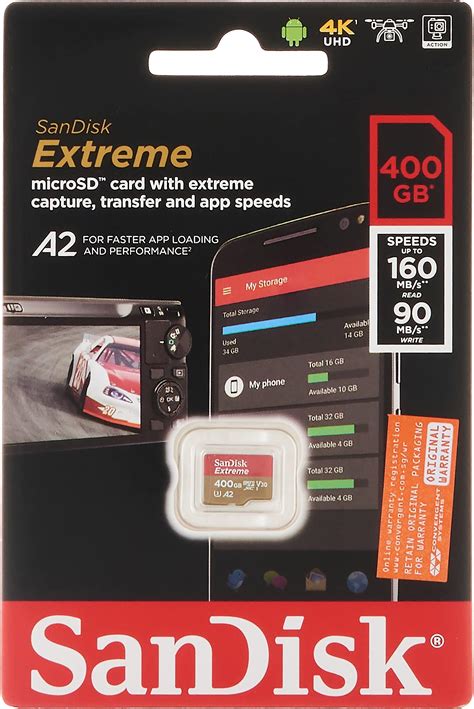
2. SanDisk Extreme / Extreme Pro
If you’re looking for top-tier performance beyond the officially licensed cards, SanDisk’s Extreme and Extreme Pro lines are excellent choices. These cards often feature A2 ratings, providing even faster application performance, which can slightly reduce game loading times compared to A1 cards. They are highly reliable and offer competitive pricing, especially during sales.
3. Samsung EVO Select / EVO Plus
Samsung’s EVO series cards are consistently praised for their robust performance, durability, and value. The EVO Select (often found on Amazon) and EVO Plus are both excellent options, typically offering UHS-I, Class 10, and A1 ratings. They provide fast read speeds, ensuring smooth game loading, and are generally very reliable. Samsung is a reputable brand, and their cards often come with good warranties.
4. Lexar PLAY microSDXC UHS-I Card
Lexar’s PLAY series is specifically designed with gamers in mind, offering high capacities and strong performance. These cards are usually A1 or A2 rated and provide impressive read speeds, making them ideal for the Switch. They offer a great balance of performance and price, making them a strong contender for expanding your game library.
Installation and Data Transfer Tips
Once you have your new microSD card, installing it is simple:
- Turn off your Nintendo Switch completely (not just sleep mode).
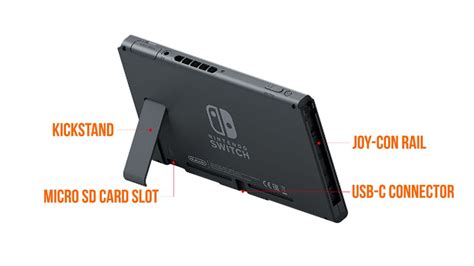
- Open the kickstand on the back of the console to reveal the microSD card slot.
- Insert the microSD card with the label facing down until it clicks into place.
- Close the kickstand and power on your Switch.
Your Switch will automatically recognize the new storage. If you’re upgrading from an existing microSD card, you can transfer your data by copying the contents of the old card to your computer, then pasting it onto the new card (ensuring you copy the entire ‘Nintendo’ folder). Alternatively, you can use the Switch’s data management settings to archive and redownload games to the new card.
Conclusion
Expanding your Nintendo Switch’s storage with a high-quality microSD card is one of the best upgrades you can make to enhance your gaming experience. By choosing a reputable brand with sufficient capacity and an A1 or A2 performance rating, you’ll ensure fast load times and plenty of space for all your favorite digital adventures. Whether you opt for an officially licensed SanDisk card or a reliable alternative like Samsung or Lexar, you’ll be well-equipped to grow your game library without limits.


