





Best Switch micro SD cards for big game libraries?

Why Expand Your Nintendo Switch Storage?
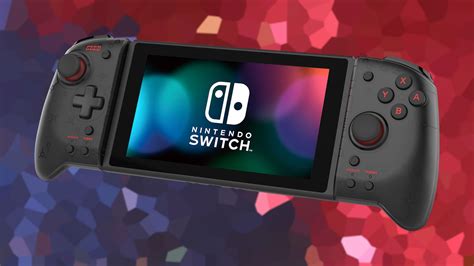
The Nintendo Switch, a fantastic hybrid console, comes with a rather modest 32GB (or 64GB for the OLED model) of internal storage. While this might seem sufficient for a few games, the reality for avid gamers, especially those who prefer digital downloads, is that it fills up incredibly fast. Modern AAA titles can easily consume over 10-20GB each, and with game updates, DLC, and even system software, that initial space quickly becomes a bottleneck. Investing in a high-quality micro SD card is not just a convenience; it’s a necessity for any serious Switch owner looking to build a substantial digital game library without constantly deleting and redownloading titles.
Key Factors to Consider When Choosing a Micro SD Card
Not all micro SD cards are created equal, especially when it comes to gaming. Here are the crucial aspects to keep in mind:
- Capacity: This is arguably the most important factor. While 128GB might be a good starting point, serious collectors should look towards 256GB, 512GB, or even 1TB cards to future-proof their storage.
- Speed: The Switch supports UHS-I (Ultra High Speed Phase I) micro SD cards with a maximum transfer speed of up to 100MB/s. Look for cards with a ‘U1’ or ‘U3’ speed class and an ‘A1’ or ‘A2’ application performance class. While A2 cards theoretically offer faster random read/write speeds, the Switch’s hardware might not fully utilize the A2 benefits, making A1 cards often sufficient and more cost-effective.
- Brand Reputation: Stick to reputable brands known for reliability and performance. SanDisk, Samsung, and Lexar are consistently top performers in the micro SD card market.
- Price: While tempting to go for the cheapest option, balancing price with reliability and speed is crucial to avoid data loss or slow loading times.
Recommended Capacities for Your Game Library
Choosing the right capacity depends on your gaming habits:
- 128GB: Ideal for casual gamers with a mix of physical and digital games, or those just starting their digital collection. It offers a noticeable upgrade from the internal storage.
- 256GB: A great sweet spot for many gamers. It provides ample space for a decent collection of digital titles without being excessively expensive.
- 512GB: Highly recommended for dedicated digital-first gamers. This capacity allows for a vast library of games, updates, and DLC, significantly reducing the need to manage storage constantly.
- 1TB: The ultimate choice for collectors who want virtually unlimited space. If you download every game digitally and never want to worry about storage again, a 1TB card is the way to go, though it comes at a premium price.
Top Micro SD Card Picks for Nintendo Switch
Based on performance, reliability, and value, these brands consistently deliver:
SanDisk microSDXC for Nintendo Switch
Officially licensed by Nintendo, these cards are specifically designed and tested for the Switch. They boast read speeds of up to 100MB/s and write speeds of up to 90MB/s, ensuring smooth gameplay and fast loading times. Available in capacities up to 1TB, they are a premium, no-fuss option for any Switch owner.
SanDisk Ultra microSDXC UHS-I Card
While not officially licensed, the SanDisk Ultra series offers excellent performance at a more budget-friendly price point. With A1 application performance and up to 120MB/s read speeds, they are perfectly suited for the Switch’s requirements and come in capacities up to 1.5TB.
Samsung EVO Select microSDXC UHS-I Card
Samsung’s EVO Select cards are renowned for their reliability and consistent performance. They offer U3 speed class and A2 application performance, with read speeds up to 130MB/s. These are a fantastic alternative to SanDisk, often found at competitive prices and available in capacities up to 512GB or 1TB.
Lexar PLAY microSDXC UHS-I Card
Lexar is another strong contender, and their PLAY series is optimized for gaming. With U1 speed class and A1 application performance, they offer solid speeds up to 150MB/s. They are a reliable and often more affordable option for expanding your Switch storage, available in sizes up to 1TB.
Installation is Simple
Installing a micro SD card in your Nintendo Switch is incredibly straightforward:
- Power off your Nintendo Switch completely.
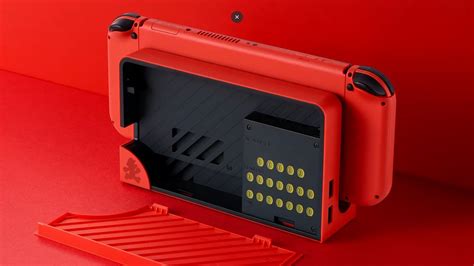
- Flip open the kickstand on the back of the console to reveal the micro SD card slot.
- Insert the micro SD card into the slot until it clicks into place.
- Close the kickstand and power on your Switch.
- The console will automatically detect the new storage, and you’re ready to start downloading games!
Conclusion
Expanding your Nintendo Switch’s storage with a quality micro SD card is one of the best investments you can make as a gamer. Whether you opt for a 256GB card to comfortably hold a growing library or a massive 1TB card for ultimate freedom, choosing a reputable brand like SanDisk, Samsung, or Lexar will ensure reliable performance and fast loading times. Don’t let limited storage dictate your gaming choices; upgrade your Switch and dive into an expansive world of digital titles without a second thought.


